


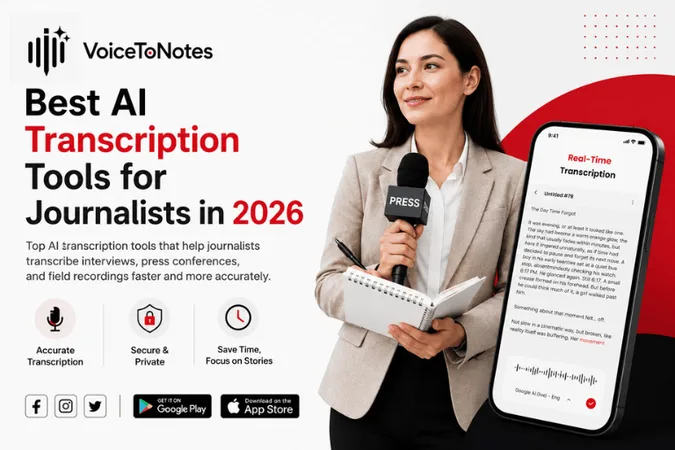
Transcribing interviews takes a lot of time for journalists. They have to listen to recordings and type every word. This makes the reporting process slow.
Now we have AI transcription tools that make things easier for journalists. These tools turn speech into text quickly.
AI transcription tools are very helpful because they turn speech into text within minutes.
Journalists can spend less time transcribing interviews and more time researching and verifying facts and writing stories about the interviews.
Journalists need to review the text from AI transcription tools to ensure accuracy and context of the interviews.
What AI Transcription Actually Does In Room?
In most news organizations, AI transcription is used to turn interviews, press conferences, briefings and field audio into text that reporters can edit so news reporters can search for things and highlight things and quote things quickly.
By the year 2026 many newsrooms will treat AI transcription as a task that they do all the time like tagging and formatting rather than a special step that they have to do.
The main change is this: AI transcription is used to save news reporters a lot of time doing work before they start writing, it is not used to replace the news reporter's own judgment and thoughts.
Why Journalists Are Using AI Transcription
The reason is easy to understand, it saves a lot of time.
Normally, it can take a person 3 to 5 hours to write down what someone said in a one hour interview. Journalists had to stop the recording and go back to listen again to make sure they got everything
Now AI Transcription can turn the recording into words in just a minute.
This means that reporters can do things like:
- Publish stories faster
- Conduct interviews
- Focus on analysis instead of typing
- Check the facts to verify information
- Get their stories on time
For journalists who work in busy news places, saving time is a really big deal. AI transcription is a help to journalists.
How AI Transcription Works
The technology behind AI transcription is really complicated. Using it is actually very easy for people.
The process of AI transcription is simple for users. Here are the steps:
1. Speech Recognition
AI transcription listens to what people are saying and figures out what words they are using.
AI transcription uses software that listens to audio and identifies spoken words.
The software is trained with a lot of examples of people talking so it can get better at recognizing voices and speaking styles.
2. Natural Language Processing (NLP)
After the software turns speech into text, NLP helps make the sentences sound right and puts in punctuation and grammar.
The software uses Natural Language Processing to make the transcript sound natural.
3. Speaker Recognition
AI transcriptions can identify speakers and label them automatically. This is really useful when people are talking to each other like in an interview or in panel discussion.
4. AI Summarization
AI transcription can generate meeting notes, summaries and key takeaways automatically.
This helps journalists review conversations quickly and easily. This makes reviewing long interviews and recordings much faster.
Best AI Transcription Tool For Journalists In 2026
This table compares the AI transcription tools that journalists will use in 2026 and it looks at the features of AI transcription that are important, in a newsroom where journalists work with AI transcription tools.
| Tools | Best For | Key Features | Starting Pricing |
|---|---|---|---|
| VoiceToNotes.ai | Live dictation + AI transcription | Real time transcription, speaker labels, timestamps & novel access | $1.49/month |
| Good Tape | Interviews & press conferences | Media-focused, handles noisy audio, strong privacy | €20–€24/month |
| Otter.ai | Live Zoom/Teams calls | Real-time transcription, auto summaries, speaker labels | $4.17/month |
| Descript | Podcast & video editing | Edit audio/video by editing text, remove filler words | $16/month |
| Sonix | High accuracy + many languages | 95%+ accuracy, 40+ languages, strong translation | Pay as you go plan |
| Google Pinpoint | Investigative teams | Search across transcripts/docs/emails, secure, team-focused | Completely free |
Feature Breakdown
Here’s a key breakdown of each AI Transcription tool that helps you to find which one fits in your daily workflow.
1. VoiceToNotes.ai
Best for: Real time transcription and AI summaries
What VoiceToNotes.ai does:
VoiceToNotes.ai quickly converts your speech into text, whether you are dictating on the go or creating AI generated notes. It is great for notes, interviews and field reporting with VoiceToNotes.ai.
Key features of VoiceToNotes.ai:
- Free tier available
- Speaker labels and timestamps
- Secure storage and easy export
- Low-latency live dictation with VoiceToNotes.ai
- Generate AI summaries and organized notes
Pros
Freemium plan available with paid advanced features
Unlimited usage on paid plans
Works well for live transcription and quick notes
It is simple and privacy focused
Cons
Does not focus much on advanced media workflows, such as editing podcasts
It is not built specifically for investigative projects
My verdict:
If you want a fast and pocket friendly tool for everyday transcription and live dictation then VoiceToNotes.ai is my top pick.
2. Good Tape
Best for: Interviews and press conferences
What Good Tape does:
Good Tape is made for people who work in the media. Journalists use Good Tape to put up interviews, press conferences and things they recorded outside and get clean transcripts with timestamps.
Key features of Good Tape:
- It is made for media people
- It works well with audio that has a lot of noise
- It is very good at knowing who is talking
- You can click on the words, hear the audio
- It keeps your information safe (Europe focused)
Pros:
It is very good for interviews and press events
It works well with messy audio
It keeps your information safe and protected
Simple upload and transcribe workflow
Cons:
It is expensive, costs €20–€24 per month
Not suited for live direction or note taking
My verdict:
If you do a lot of interviews, press conferences and reporting from outside, Good Tape is the tool for you.
3. Otter.ai
Best for: Live Zoom , Microsoft Teams and Google Meet calls
What Otter.ai does:
Otter.ai gives you a transcript of what is being said during a call right as people are speaking. This is good for job interviews and online meetings.
Key features:
- Real-time transcription for Zoom, Teams and Google Meet calls
- Auto generated summaries after meeting ends
- It labels who is speaking and allows you to highlight important points
- Integrate with call apps
Pros:
Great for remote interviews
You can follow along with the conversation
Generate auto summaries
Affordable paid plan around $4.17 a month
Cons:
The accuracy drops with noisy audio
It's not the best for uploading and storing files or interviews
Primarily English focused
My verdict:
If you do a lot of interviews on Zoom or other platforms Otter.ai is the best tool for getting live transcripts.
4. Descript
Best for: Podcast and video journalists who edit audio or video What Descript does:
Descript is more than transcribing audio or video. It is a place where you can edit content. You can change audio and video by changing the text.
Key features:
- Edit audio/video by changing the text
- It can automatically remove filler words like "ums" and "ahs"
- It has an overdub feature to fix mistakes
- It is great for podcasters and video creators
- It gives you transcripts with timestamps
Pros:
Perfect for multimedia journalists
You can make changes to recordings without recording it again
It gives you professional results for podcasts and video
It is good for telling stories with audio
Cons:
Expensive at $16 per month
Too much if you only need to transcribe audio or video simply
Steeper learning curve
My verdict:
If you edit podcasts or video reports or audio documentaries, Descript is the tool for you.
5. Sonix
Best for: High accuracy and multilingual transcription
What Sonix does:
Sonix is a service that types out what people say. It is very good at getting the words right even when people talk in languages and accents.
Key features of Sonix are:
High accuracy on clean audio
Supports over 40 languages
It also offers translation features
Timestamped feature
Pros:
It is more accurate with different accents
It is great for multilingual reporting
Pay per hour model
Simple and easy to use
Cons:
Not support collaboration or team features
No live transcribing or dictation
Expensive, for heavy users
My verdict:
It is especially good for the journalists who work with people who speak different languages or have accents that are hard to understand.
6. Google Pinpoint
Best for: Investigative teams with documents
What Google Pinpoint does:
It helps investigative journalists with their research. Google Pinpoint is a platform where you can put all your documents, emails and audio files in one place. You can search through all these things easily.
Key features:
- It can transcribe files
- You can search through all your documents,emails and transcripts in one place.
- Made for teams that are working on projects.
- It keeps your information safe and secure.
- Completely free for investigators.
Pros:
It is free for journalists.
Perfect for complex and multi source investigations.
Search all your evidence in one place.
Team focused and secure.
Cons:
It is not good for just one interview.
You need to set it up and work with your team.
Less user friendly for solo investigators.
My verdict:
Google Pinpoint is the tool for investigative journalists who are working with a lot of audio, documents and emails. It is really helpful for journalists who need to organize their information and work with their team.
Benefits of AI Transcription for Journalists
Here, we see how AI Transcription helps Journalists spend less time typing and more time on reporting
Saves Hours of Work
Journalists do not have to spend hours on typing because they can get transcripts in a few minutes. This is a help for Journalists.
Easier Quote Extraction
When Journalists have a transcript, it is easy for them to find a quote because the transcript can be searched. This makes the work of journalists easier.
Better Organization
Journalists can keep all their interviews in one place. Look through them quickly. This is an advantage of AI Transcription for Journalists.
Improved Accessibility
AI Transcription helps make audio and video content for people who have trouble hearing. This is good for people who have hearing impairments.
Faster Story Production
When journalists are working on a deadline every minute is important. AI Transcription helps Journalists work faster and produce stories quickly.
Where AI Transcription Still Struggles
AI Transcription is not perfect. It still has some problems.
Background Noise
If there is a lot of noise in the background like in a street or a crowded event or if the recording is not good, then AI Transcription may not be accurate. This can be a problem for Journalists who use AI Transcription. Strong Accents
AI Transcription can have trouble with accents and dialects. This is something that AI Transcription still needs to work on but some tools like VoiceToNotes.ai have unique features that support different languages and dialects.
Technical Terminology
AI Transcription may not understand some words or phrases that are used in a particular industry. This can be a challenge for Journalists who use AI Transcription.
Multiple People Talking
AI Transcription may have trouble understanding with different speakers. This can be a problem for Journalists who need to know what each person is saying.
Context Understanding
AI Transcription can hear the words. It does not always understand what they mean. AI Transcription can miss sarcasm or humor or the tone of voice. Journalists should always review AI Transcription before publishing.
My Recommendation
You can use VoiceToNotes.ai ➜ for dictation and quick transcription
For Zoom or Teams calls you can use ➜ Otter.ai
If you edit audio or video a lot ➜ Descript is a choice
When you do in-depth interviews or field recordings ➜ Good Tape is the way to go
If you need to be very accurate and work with languages ➜ Sonix is the best option
When you are working with a team ➜ Google Pinpoint is good
You don’t need a dozen tools. You need one solid setup that fits how you actually work—without overcomplicating things or blowing up your budget.
The Future of AI Transcription in Journalism
The future of AI Transcription in Journalism is going to be very interesting. AI transcription is getting better all the time. The AI transcription tools that are coming out in the future will probably have some features.
The AI transcription tools will likely have things like
- Better recognition of accents and dialects
- accurate identification of who is speaking
- Better transcription in time
- Smarter summaries of what was said
- Better support for different languages and dialects
- Stronger protection of people's private information
As the AI transcription tools get better and better, journalists will be able to do their jobs even more efficiently. The journalists will still be able to keep the standards they have for the work they do.
Conclusion
The AI transcription thing has made life a lot easier for journalists. Journalists do not have to spend hours listening to recordings and typing every word by hand anymore.
Journalists can get transcripts in a few minutes and let them focus on doing research, checking facts and writing better stories about AI transcription.
However, can journalists really trust AI transcription completely? Not completely. AI transcription tools can still make mistakes, miss things and misunderstand certain words when it comes to AI transcription. That is why it is still important for humans to review AI transcription.
As AI technology gets better and better it will probably become a bigger part of modern journalism and AI transcription. The journalists who find the balance between using technology and using their own judgment will be better prepared for the future of journalism and AI transcription.
Frequently Asked Questions (FAQs):
1. Is AI transcription good for journalism?
Yes but not perfectly. When the audio is clear AI transcription is usually about 95% of the time or more. When it is noisy it can be wrong a lot, like 20-30% of the time.
2. Can I use AI transcription for private interviews?
Yes you can but you need to use tools that keep your information safe. Tools like VoiceToNotes, Good Tape and Google Pinpoint are better for this kind of work.
3. Do I still need to check the transcript myself?
Yes you do. AI transcription is not perfect. You should always look over the transcript.
4. Which tool is best for live Zoom interviews?
Otter.ai is the tool for live Zoom and Team calls because it transcribes what people are saying in real time. You can see the transcript as the interview is happening.
5. Which tool is best for recording interviews in the field?
VoiceToNotes.ai and Good Tape is the tool for recording interviews in the field and for in-depth interviews. It is good at handling audio and it is made for people who work in media.
6. What if I need to transcribe interviews in different languages?
Sonix and VoiceTonotes.ai is the best tool for working with many languages. Both the tools support different languages and also they have strong features for translating text.
7. Is there a tool that is actually good for journalists?
VoiceToNotes.ai has a version that offers good advantage and it is strong for dictating and transcribing quickly. Google Pinpoint is also completely free for journalists.
8. Can AI transcription help with journalism?
Yes it can. Tools like Google Pinpoint let you search through transcripts, PDFs, emails and documents all at the time. This is really helpful for investigations.
9. Will AI transcription replace journalists?
No it will not. AI transcription can do the work of turning audio into text but journalists are still the ones who decide what is important, what to quote and how to tell the story.
10. How much time does AI transcription actually save me?
For a 30-minute interview, manual transcription takes a lot of time like 2 to 3 hours. With AI you get a transcript fast in just 5 to 15 minutes.
Disclosure: VoiceToNotes is developed by our team and is included in this comparison. To maintain fairness, every product is evaluated using the same review criteria.
![Cover for 10 Best Speech-to-Text Apps for Android in 2026 [Free & Paid]](/Android speech to text app.webp)
.webp)
.png)