

When choosing between VoiceToNotes.ai and Notta in 2026, the decision mainly depends on whether you need a tool for personal use or one built for team and business workflows.
Quick Verdict
VoiceToNotes.ai and Notta target two entirely different workflows in 2026. If you need a flexible, free tool to capture voice journals, lectures, and personal thoughts with robust AI folder organization, VoiceToNotes.ai is better suited for individual users, while Notta is stronger for team collaboration.
If you require an enterprise-grade ecosystem that actively integrates with video platforms (Zoom, Teams) or dedicated physical hardware to record calls, Notta is the better alternative.
Best for Students: VoiceToNotes.ai
Best for Creators: VoiceToNotes.ai
Best for Freelancers: VoiceToNotes.ai
Best for Remote Teams: Notta
Best for Meeting Automation: Notta
VoiceToNotes.ai vs Notta at a Glance
A quick overview of how both platforms compare in pricing, transcription quality, features, privacy, and overall user experience.
| Feature | VoiceToNotes.ai | Notta |
|---|---|---|
| Pricing | Freemium model with paid advanced features | Pro starts at $8.17/month |
| Accuracy | Up to 99% transcription accuracy | Up to 98.86% transcription accuracy |
| Language support | 20+ core languages | 58 languages and dialects |
| AI summaries | Offers smart AI summary support | Offers robust AI summarization capabilities |
| Privacy & security | Data retained within 30 days | Data is stored unless you delete it |
| Usage limits | Feature-rich and beginner-friendly free experience | Free plan available with usage-based limitations |
| Real time transcription | Yes | Yes |
| Meeting Integration | No | Zoom, Google Meet, Microsoft Teams, Slack, and more |
| Ease of use | Clean, smooth and beginner-friendly experience | Advanced but feature-rich business workflow |
Score: VoiceToNotes.ai - 8.9/10, Notta - 8.7/10
Why You Can Trust This Comparison
We did not create this comparison by looking at feature lists alone.
Before writing this guide, we spent time exploring both platforms, checking how their transcription workflows actually feel in day-to-day use, comparing user feedback across public communities, and looking at what real users repeatedly praise and complain about.
We also reviewed discussions from places like Reddit, Quora, app store reviews, and public feedback shared by users who rely on these tools for lectures, meetings, interviews, content creation, and daily note taking.
Instead of focusing only on marketing claims, we tried to understand where each tool genuinely works well and where it falls short.
That is why this comparison does not have a single winner for everyone. VoiceToNotes.ai and Notta are built for different types of users, and the better choice depends on how you actually plan to use the software.
What is VoiceToNotes.ai?
VoiceToNotes.ai is designed for users who want a simple and efficient way to convert speech into text.
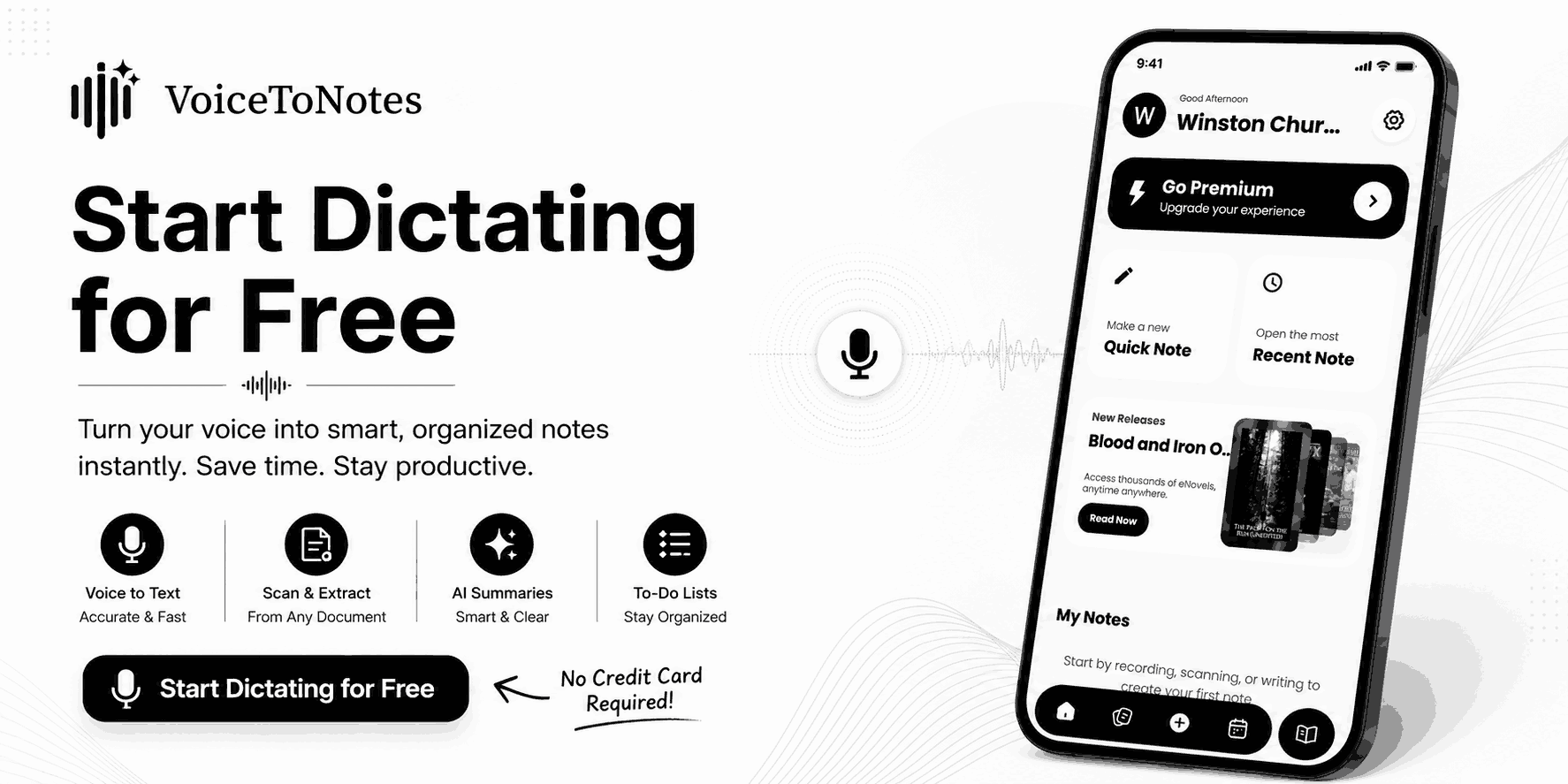
The platform focuses on making transcription fast, organized, and easy to manage.
This software will be most useful for the following people:
- Students who need to transcribe lectures
- Freelancers who want to transcribe interviews
- Content creators who want to create voice notes
- All those who wish to structure conversations and ideas
One of its strongest points is its simplicity and it focuses on quick transcription and easy note management.
VoiceToNotes.ai Pros and Cons
What We Like
- Easy to start using, even for first-time transcription users
- Clean interface that keeps recordings, transcripts, and summaries organized
- Affordable pricing compared to many AI transcription tools
- AI summaries help turn long recordings into quick takeaways
- Works well for lectures, personal notes, interviews, and everyday voice capture
- Supports multiple languages and bilingual transcription workflows
Things to Consider
- Not built around Zoom, Google Meet, or Microsoft Teams workflows
- Lacks automatic meeting bots found in some business-focused platforms
- Team collaboration features are more limited than enterprise solutions
- Heavy meeting-based organizations may need deeper integrations
What Is Notta?
Notta is more focused on meetings, collaboration, and business productivity. It supports real-time transcription and connects with platforms such as Zoom, Microsoft Teams, and Google Meet.
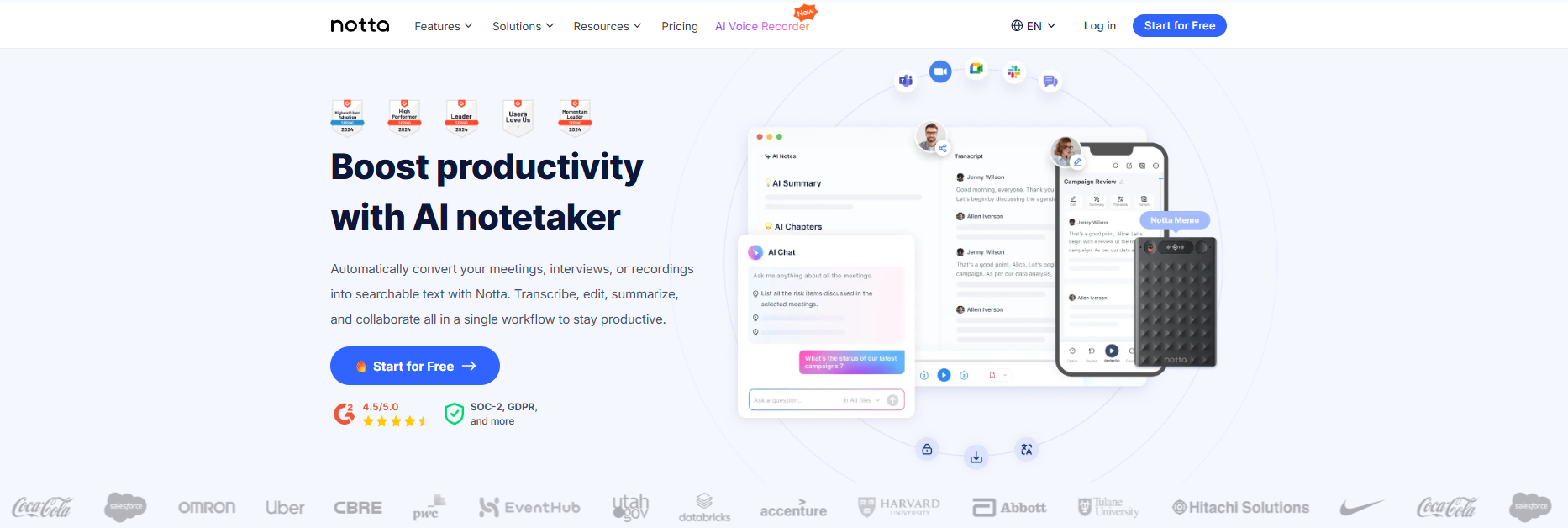
Notta is commonly used by:
- Remote teams
- Businesses
- Project managers
- Meeting-heavy workflows
- Multilingual collaboration teams
It also includes AI-generated meeting summaries, speaker identification, and translation support.
Notta Pros and Cons
What We Like
- Strong meeting-focused workflow with automatic transcription
- Works well with Zoom, Google Meet, and Microsoft Teams
- Helpful for teams that need summaries, action items, and speaker identification
- Large integration ecosystem for business productivity tools
- Supports multilingual meetings and collaboration
Things to Consider
- Pricing can become expensive for frequent users and larger teams
- Interface may feel overwhelming if you only need simple transcription
- Some advanced features are locked behind higher-tier plans
- Can be more feature-heavy than necessary for students or individual users
Detailed Breakdown: Every Metric Explained
A closer look at how both platforms compare across pricing, accuracy, privacy, compatibility, usability, and overall transcription experience.
1. Pricing- The Biggest Difference
This is where the difference actually matters.
| Pricing | VoiceToNotes.ai | Notta |
|---|---|---|
| Free plan | Free plan with advanced premium features | Pro starts at $8.17/month |
| Usage limit | Unlimited transcription with pro plan | Unlimited transcription available in Business plan |
| AI features | Smart AI transcription | Included in paid plans |
| Paid plan | $1.49/month with unlimited transcription | $8.17/month with limited transcription |
| Best for | Individuals & creators | Teams & businesses |
| Final score | 9.1/10 | 8.5/10 |
2. Transcription Accuracy
Both VoiceToNotes.ai and Notta deliver strong transcription accuracy in everyday use.
VoiceToNotes.ai can achieve up to 99% accuracy in clear audio conditions and handles background noise quite effectively which helps reduce manual editing time.
Notta also can achieve well up to 98.86 accuracy and performs well, particularly in meeting-based workflows and multi-speaker conversations.
Score: VoiceToNotes.ai - 9.9/10, Notta - 9.7/10
3. AI Features
VoiceToNotes.ai offers smart AI summaries, organized note formatting, customizable outputs and real-time transcription designed for everyday productivity and long recordings.
Notta focuses more on meeting workflows with AI summaries, speaker labeling, action items and business integrations.
Score: VoiceToNotes.ai - 9.2/10, Notta - 9/10
4. Compatibility and Usage limits
VoiceToNotes.ai focuses on individual flexibility, mobile ease, and cross-device note management.
Notta is designed mainly for collaborative workflows, which can feel more complex for personal use.
Score: VoiceToNotes.ai - 9/10, Notta - 8.4/10
Features & Capabilities - What Does Each Tool Offer?
A closer look at the tools, productivity features, and everyday capabilities each platform offers for transcription, note organization, and workflow management.
VoiceToNotes.ai Features:
- Live Typing: Transcribes text as you speak.
- Smart Summaries: Auto-generates key points.
- Bilingual support: Flexible language support for multilingual communication
- Exports options: Outputs Word, PDF, Text, and SRT.
- Deep Search: Finds keywords in past notes.
- Cloud access: Requires internet connection.
- Transcription: Transforms voice recordings into organized written content.
- Speaker identification: Separates and organizes different speakers
Notta Features:
- Live Meeting Bot: Auto-joins Zoom, Teams, and Google Meet.
- AI Action Items: Auto-detects tasks from conversation context.
- Notta Brain: Analyzes multiple recordings and files simultaneously.
- Broad Integration: Links directly to Salesforce, Notion, and Slack.
- Chrome Extension: Transcribes live audio from browser tabs.
- Bilingual Tracking: Translates and transcribes mixed-language meetings live.
Feature Comparison
A quick overview of how both platforms compare in pricing, transcription quality, AI features, usability, privacy, and overall everyday experience.
| Feature | VoiceToNotes.ai | Notta |
|---|---|---|
| Real time transcription | Yes | Yes |
| AI summary | Smart note summaries | Meeting focused summaries |
| Export | WORD,PDF,TXT,SRT | Multiple export format |
| Screen recording | Basic recording workflow | Available in advance plans |
| Meeting bot | No | Zoom, Meet and Team integration |
| Offline mode | No, only record | No |
| Content transformation | Yes | Yes |
| Bilingual transcription | Yes | Yes |
| Cross device access | Yes | Yes |
Score: VoiceToNotes.ai - 8.9/10, Notta - 8.8/10
Compatibility With Everyday Tools
A look at how easily each platform connects with the apps, storage services, and tools people use in their everyday workflow.
VoiceToNotes.ai
- Google Drive: Automatically or manually exports your transcripts, summaries, and PDFs into your folders.
- Dropbox: Automatically backs up your audio files and transcripts to cloud storage.
- Microsoft OneDrive: Syncs your notes to the Microsoft ecosystem for quick editing in Word or OneNote.
- Supports organized transcription and export workflows
Notta
- Transcription and Recording of Zoom Meetings
- Google Meet support
- Microsoft Teams support
- Slack connectivity
- Notion support
- Salesforce CRM Integration
- Automation using Zapier
- Multiplatform Support Across Web, iOS & Android
Final Scorecard: Which One Suits You Better?
A simple overview of the strengths, usability, and overall experience offered by both platforms.
| Feature | VoiceToNotes.ai | Notta | Winner |
|---|---|---|---|
| Pricing | 9.1 | 8.5 | VoiceToNotes |
| Accuracy | 9.8 | 9.7 | VoiceToNotes |
| Ease of Use | 9.4 | 8.8 | VoiceToNotes |
| Privacy | 9.2 | 8.8 | VoiceToNotes |
| AI Features | 9.0 | 9.1 | Notta |
| Integrations | 7.5 | 9.5 | Notta |
| Meeting Workflow | 8.0 | 9.5 | Notta |
The Bottom Line
If you're completely new to AI transcription apps and just want to understand how modern voice-to-text tools work, VoiceToNotes.ai is a good place to start. The interface is straightforward, the learning curve is low, and the pricing is significantly more affordable than many business-focused alternatives.
For most students, creators, freelancers, and everyday users, it offers enough features to explore AI transcription, summaries, and note organization without committing to an expensive subscription from day one.
However, if your workflow revolves around team meetings, collaboration, and integrations with platforms like Zoom, Google Meet, or Microsoft Teams, Notta may be the better long-term choice.
Who Should actually choose what?
Everyone uses these tools differently, so here’s an easy way to figure out what fits you best.
Choose VoiceToNotes.ai if you:
- Need a cost-effective tool for regular transcription tasks
- Want accurate transcriptions for lectures, meetings, conversations, or personal notes
- Prefer a tool that saves time and keeps things simple
- Want to export your notes in Word, PDF, or SRT format without extra hassle
- Need support for multiple languages and different speaking accents
Consider Notta if you:
- Work with a larger team and regularly join Zoom, Google Meet, or Microsoft Teams calls
- Need AI meeting bots that can automatically join meetings and create summaries or action items
- Frequently work across multiple languages or need live bilingual transcription
- Rely on integrations with tools like Slack, Notion, or Salesforce
- Need team management features such as roles, permissions, or usage tracking
Final Verdict
VoiceToNotes.ai and Notta are both useful transcription tools, but they are designed for different types of users.
VoiceToNotes.ai is the ideal platform to utilize where one requires excellent services offered by efficient, reliable, and convenient platforms. It is beneficial to any learner or professional who wishes to transcribe their lectures and discussions.
Notta will also be of great use to any individual who wishes to conduct interviews and take notes effectively. It can be considered a preferred platform by companies since it integrates well with other systems besides being efficient for transcription of online meetings and multiple languages.
VoiceToNotes.ai appears to be the most effective platform.
Frequently Asked Questions:
1. Is VoiceToNotes.ai totally free?
No, but VoiceToNotes.ai offers a free plan with additional paid features for more advanced needs.
2. Which tool is easier to use?
VoiceToNotes.ai. Open it, hit record, get your notes. That's it.
3. Can Notta join my meetings automatically?
Yes. It auto-joins Zoom, Google Meet, and Teams and takes notes for you.
4. Is my data safe on VoiceToNotes.ai?
Yes. Your recordings are deleted within 30 days. Nothing is stored or shared.
5. Which supports more languages?
Notta supports 58 different languages and dialects while VoiceToNotes.ai supports 20+ core languages along with bilingual transcription, which is enough for most everyday users.
6. What makes VoiceToNotes.ai stand out?
It gives you everything you actually need — fast transcription, smart AI summaries, and privacy without charging you for it.
Disclosure: VoiceToNotes is developed by our team and is included in this comparison. To maintain fairness, every product is evaluated using the same review criteria.
![Cover for 10 Best Speech-to-Text Apps for Android in 2026 [Free & Paid]](/Android speech to text app.webp)
.webp)
.png)