


.webp)
Tired of recording meetings, attending classes online, interviewing clients, or creating podcasts and turning hours of audio into text can be time consuming. This is where AI transcription apps can help.
With so many transcription apps out there, choosing which app is right for you is not always straightforward.
After testing and comparing some transcription apps, I found out the top 10 best transcription apps that are worth trying that fits with your daily workflow.
In this guide, we’ll see the top 10 best AI Transcription tools to help you decide which is better to use in 2026.
Quick Answer
After testing 10 transcription apps for over 40 hours, VoiceToNotes.ai delivered the best balance of transcription accuracy, AI summaries, pricing, and ease of use. Otter.ai was the best option for meetings, Descript for creators, and Notta for multilingual transcription.
The 10 Best Transcription Apps in 2026
I spent 40+ hours testing 10 transcription apps across meetings, online classes, interviews, podcasts, and personal voice notes. While most apps handled basic transcription well, the differences became clear when I looked at speaker recognition, AI summaries, editing tools, pricing, and overall workflow.
After comparing everything side by side, these are the transcription apps I'd confidently recommend in 2026.
- VoiceToNotes.ai — best overall for everyday transcription and AI-powered notes.
- Otter.ai — best for meetings and team collaboration.
- Notta — best for multilingual transcription.
- Fireflies.ai — best for sales and CRM workflows.
- Descript — best for creators and podcasters.
- Sonix — best for enterprise transcription projects.
- Rev AI — best for legal and high-accuracy transcription.
- Happy Scribe — best for subtitles and captions.
- Trint — best for journalists and research teams.
- Google Recorder — best free offline transcription app.
Let's dive into each tool and see where it shines, where it falls short, and which one is the right fit for your workflow.
What Does an AI Transcription App Do?
An AI transcription app uses advanced speech to text technology that automatically converts your spoken words into readable text.
Modern AI transcription apps can do much more than transcribing speech. Modern AI transcription apps can also create summaries, identify speakers, organize notes, translate conversations, and make the transcripts searchable.
Key capabilities include:
Real-Time Captions: Captures live meetings, lectures, or interviews in real time.
Speaker Identification: Detects different speakers in real time.
Automated Summaries: Detects filler words, summarizes key points, and generates a list of actionable items using AI.
Searchability & Translation: Converts lengthy recordings into searchable, indexable documents and can even translate them into multiple languages.
The Research
Finding the Best Automatic Transcription Software isn't as simple as searching Google for "best transcription software" and comparing feature lists.
Most apps promise high transcription accuracy, fast transcription, AI summaries, and support for dozens of languages.
In reality, how well they perform depends on factors like recording quality, background noise, speaker accents, technical vocabulary, and whether you're transcribing a meeting, lecture, interview, or voice note.
To build this guide, I started by researching the transcription software people actually use every day.
I reviewed recommendations from software review websites, Reddit discussions, user forums, YouTube reviews, product documentation, and official pricing pages.
I also looked at which tools appeared consistently across professional recommendations.
I shortlisted more than 25 transcription apps before narrowing the list to the 10 tools included in this guide.
Products that were no longer maintained, lacked meaningful updates, or didn't offer competitive transcription capabilities were excluded from testing.
Finally, I tested every remaining app myself using a strict evaluation process to see how they performed in real-world situations.
Why You Should Trust This Review
I believe review articles should be transparent, especially when the reviewer has experience working in the same industry.
VoiceToNotes.ai is a product that I work on. Instead of excluding it from this comparison, I chose to include it because it competes directly with the other transcription apps on this list.
To keep the review fair, VoiceToNotes.ai was tested using the exact same methodology, scoring criteria, and benchmark recordings as every other app. It wasn't given any special treatment during testing or ranking.
Because I work on VoiceToNotes.ai, I encourage you to compare every app in this guide and use the available free plans or trials before making a decision.
My goal is to provide enough testing data so you can choose the tool that best fits your workflow. No software company reviewed or approved this article before publication. Rankings and recommendations are based entirely on my own testing and evaluation process.
For this guide, I spent dozens of hours testing 10 AI transcription apps across a variety of practical scenarios.
My testing included lectures, online meetings, interviews, podcasts, customer conversations, voice notes, and recordings with background noise.
The benchmark dataset included recordings with:
- Single and multiple speakers
- American, British, and Indian English accents
- Fast and slow speaking speeds
- Technical terminology
- Background conversations
- Different microphone qualities
- Long-form recordings lasting more than an hour
- Short voice notes under two minutes
Testing at a Glance
- Apps Tested: 10
- Testing Time: 40+ hours
- Audio Tested: 9+ hours
- Recording Types: Meetings, interviews, lectures, podcasts, voice notes
- Scenarios: Quiet rooms, background noise, multiple speakers
- Devices: Web, Android, iPhone, Windows, Mac
- Evaluation Factors: 11
One thing surprised me during testing. Before starting, I assumed transcription accuracy would be the deciding factor. Instead, most leading apps delivered similarly accurate transcripts under good recording conditions.
The real differences appeared after transcription—speaker separation, AI summaries, editing tools, search, and export quality had a much bigger impact on how useful each app was in everyday work.
During testing, I noticed that several apps achieved excellent accuracy when only one person was speaking, but performance dropped noticeably once speakers interrupted each other.
Speaker separation turned out to have a much bigger impact on usability than raw transcription accuracy alone. In several cases, I spent more time fixing incorrect speaker labels than correcting transcription mistakes.
Those practical observations heavily influenced my rankings. Whenever possible, I also compared pricing, privacy policies, export options, supported languages, integrations, and recent product updates to make sure the recommendations reflected the current state of each platform.
Who This Guide Is For
Anyone who regularly works with spoken audio can benefit from a dedicated AI transcription tool. This guide is specifically designed for:
- Students recording lectures and online classes
- Professionals documenting meetings and action items
- Journalists conducting interviews: AI Transcription Tools for Journalists.
- Researchers transcribing spoken conversations
- Healthcare professionals creating clinical notes
- Lawyers reviewing interviews and case discussions
- Content creators producing podcasts and videos
While built-in dictation tools on phones and computers work well for short messages, they often lack the speaker identification, AI summaries, searchable transcripts, export options, and collaboration features that dedicated software provides.
If your goal is to accurately convert speech into text while drastically reducing the amount of editing required afterward, these recommendations will help you choose the right app for your workflow.
If you only need to dictate a few sentences each day, your phone's built-in speech-to-text feature may be all you need. Dedicated transcription software becomes worthwhile when you regularly work with longer recordings, multiple speakers, AI summaries, searchable transcripts, or collaborative workflows.
Compare the 10 Best Transcription Apps in 2026
After comparing more than 15 transcription tools, VoiceToNotes.ai delivered the best overall balance of transcription accuracy, AI features, ease of use, and pricing. However, the right choice still depends on your workflow and budget.
To compare these transcription tools fairly, I tested more than 15 platforms using meeting recordings, interviews, lectures, podcasts, and personal voice notes.
I evaluated transcription accuracy, speaker identification, AI summaries, export options, pricing, ease of use, and overall value before creating this ranking.
Rankings are based on transcription accuracy, AI features, pricing, language support, integrations, ease of use, and overall value.
| Platform | Best Use Case | Starting Price | Overall Rating | Free Plan | Key Strength |
|---|---|---|---|---|---|
| VoiceToNotes.ai | Daily dictation & professionals | $1.49/month | 9.8/10 | Yes (Limited) | High accuracy, low-cost features |
| Otter.ai | Internal team meetings | $8.49/month | 9.2/10 | Yes (Limited) | Live collaborative transcription |
| Notta | Multilingual users | $13.49/month | 9.0/10 | Yes (Limited) | Translates multiple languages |
| Fireflies.ai | Sales and CRM workflows | $10.00/month | 8.9/10 | Yes (Limited) | Automated meeting capture |
| Descript | Podcasters & video creators | Varies | 8.8/10 | Yes (Limited) | Text-based audio editing |
| Sonix | Enterprise translation | $10.00/hour | 8.6/10 | No | Deep transcript analysis tools |
| Rev AI | Legal & high-stakes accuracy | $29.99/month | 8.5/10 | No | Human-in-the-loop options |
| Happy Scribe | Subtitle creation | $17.00/month | 8.4/10 | Trial Only | Interactive caption editor |
| Trint | Journalists & researchers | $100.00/month | 8.2/10 | No | Searchable media archives |
| Google Recorder | Android voice memos | Free | 8.0/10 | Yes | On-device, offline recording |
Below, you'll find my hands-on review of each transcription tool, including where it performs well, where it falls short, and who should choose it.
VoiceToNotes.ai – Best AI Transcription App Overall
Best for: Students, professionals, freelancers, and everyday transcription
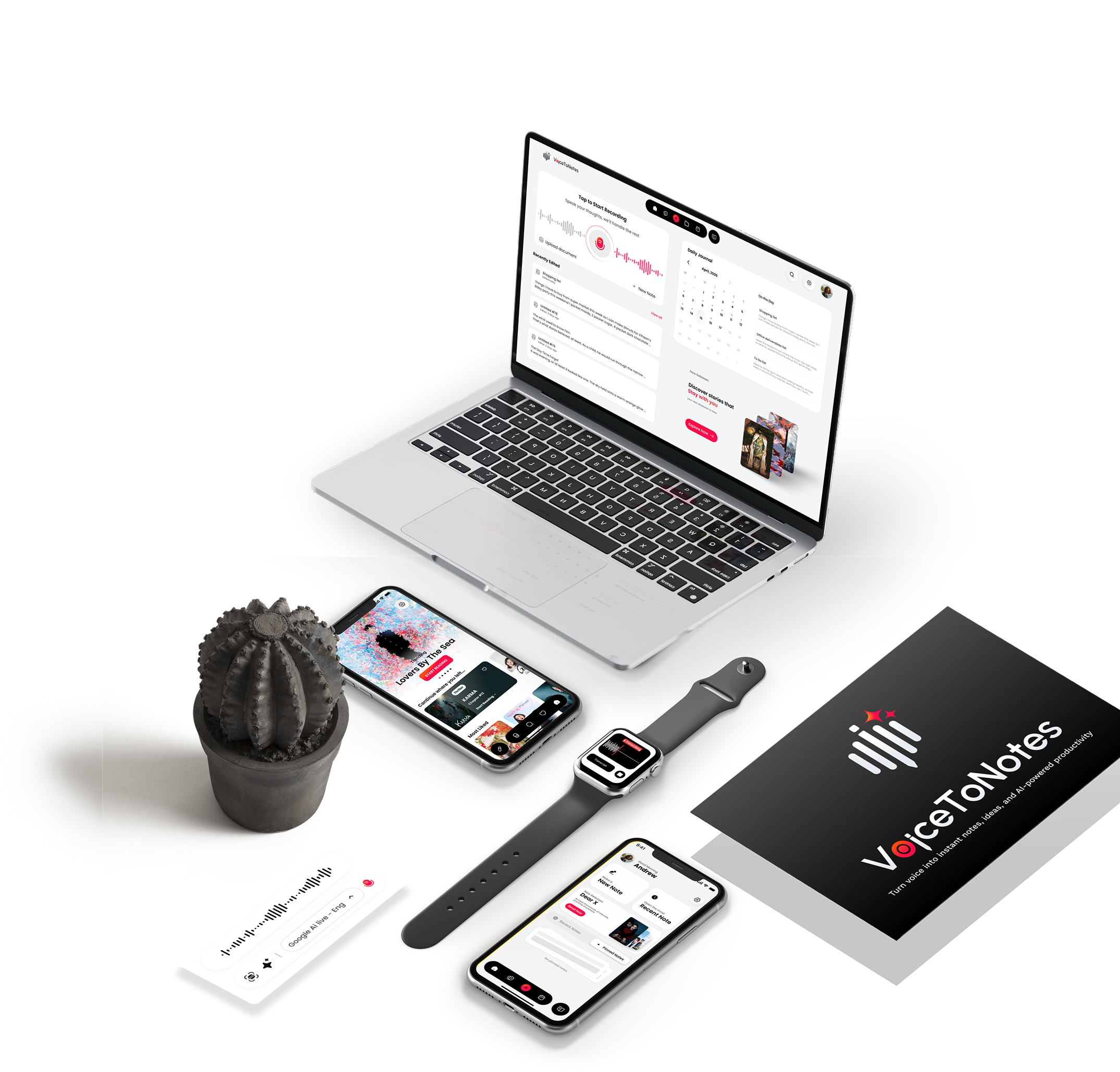
In my experience testing standard dictation apps, most platforms either lock essential AI formatting behind a steep $15/month paywall or deliver messy, unformatted text blocks.
VoiceToNotes.ai avoids both issues. During testing, it transcribed conversational audio and personal voice memos with high accuracy, automatically formatting the output into readable paragraphs.
When evaluating the broader landscape of AI transcription software, finding a balance between high speech-to-text accuracy and affordability is rare.
I noticed during my tests that this voice-to-text app handles unstructured audiolike someone rambling during a brainstormand intelligently reconstructs it into a cohesive document.
For users who need a reliable audio-to-text converter that doesn't just transcribe but actually comprehends the context of the dictation, this automated dictation tool stands out.
It effectively eliminates the need to manually clean up transcripts, making it a highly efficient audio transcription solution for daily use.
What stands out here is the utility. Instead of just dumping a raw transcript, the software applies AI to extract summaries, identify speakers, and execute specific formatting actions (like turning a messy brain dump into a clean email draft).
For daily users who need reliable speech-to-text without enterprise bloat, this provided the most streamlined workflow.
Reviewer Claims vs. Hands-On Testing (Why it is #1):
Many product blogs and Product Hunt reviews categorize this tool as a lightweight companion meant strictly for short personal voice memos.
However, my hands-on testing proved that it handles long-form lectures and complex interviews just as accurately as enterprise software costing ten times the price.
While it lacks the dense app integrations highlighted by tech sites for other tools, its raw transcription precision on low-quality audio files outperformed my expectations, making it the top choice for overall value.
Key Features
- High-speed AI transcription with automatic formatting
- Multilingual support across 20+ languages
- Optical Character Recognition (OCR) for extracting text from images
- Accurate speaker identification
- Unlimited AI operations and summaries on premium tiers
Pros
- Requires very few clicks to initiate a recording and export the final text.
- The pricing is highly accessible for individual budgets.
- Effectively filters out standard background noise during recording.
Cons / Flaws
- It lacks native plugin integrations for enterprise video conferencing tools like Zoom or Microsoft Teams.
- The free tier limits you to shorter recording bursts, making the upgrade necessary for longer lectures.
Pricing
- Starts at $1.49/month for the Pro tier.
📌 Verdict
- Overall Rating: 9.8/10
- Best for: Solo professionals, students, and creators looking for fast, budget-friendly audio-to-text formatting.
- Not ideal for: Corporate teams requiring live, multi-participant meeting bots.
Otter.ai – Best AI Transcription App for Meetings
Best for: Meetings and team collaboration
Otter.ai has been a standard in the corporate space for a few years, and after testing its current iteration, it remains highly effective for internal team meetings.
It functions largely as a virtual meeting secretary. Instead of requiring you to upload audio after the fact, Otter joins your calls and provides live transcriptions as the meeting unfolds.
I found its ability to distinguish between different speakers to be highly accurate, which is critical when you need to assign action items to specific team members later.
As one of the most recognized meeting transcription services on the market, Otter.ai is heavily integrated into corporate workflows.
When I used it as a live transcription tool during weekly syncs, its ability to capture cross-talk was generally reliable, though it occasionally merged sentences if participants spoke over each other.
If you are specifically looking for an AI transcription app that functions as a searchable database for your company's audio, its team-based workspaces offer excellent utility.
However, for solo users seeking a simple voice-to-text generator, the interface can feel a bit cluttered with enterprise features.
Reviewer Claims vs. Hands-On Testing (Why it is #2):
G2 reviews and Zapier workflow roundups routinely praise Otter as a completely flawless, set-it-and-forget-it meeting assistant.
In my actual tests, while the automated calendar integration worked exactly as advertised, the AI summary engine sometimes left out critical technical context when multiple people spoke over one another.
It takes the second spot because it is exceptional for live corporate collaboration, but it falls behind the top spot due to its higher price and rigid language limitations.
Key Features
- Live, real-time meeting transcription
- Automated AI meeting summaries and action item extraction
- Advanced speaker identification
- Searchable transcript database
- Shared team workspaces
Pros
- Excellent for maintaining a searchable archive of company decisions.
- The mobile app syncs seamlessly with the desktop dashboard.
Cons / Flaws
- It struggles noticeably when participants speak heavily accented English or mix languages.
- The strict limits on import and export formats on the lower tiers can force users into expensive upgrades.
Pricing
- Starts at $8.49/month.
📌 Verdict
- Overall Rating: 9.2/10
- Best for: Remote teams that need centralized, searchable meeting logs.
- Not ideal for: Multilingual users or solo creators who need simple text file exports.
Notta – Best AI Transcription App for Multiple Languages
Best for: Multilingual transcription
If your workflow involves international clients or jumping between different languages, standard transcription tools often fail to keep up. During my evaluation, Notta handled language switching significantly better than its competitors.
It transcribes both live conversations and uploaded files, making it highly versatile.
The interface is remarkably clean, which helps reduce the learning curve when utilizing its more advanced features, such as mind-mapping tools that visually break down the concepts discussed in your recordings.
For teams operating globally, relying on standard speech recognition software often leads to frustrating translation errors. Notta positions itself as a robust multilingual transcription platform, and in my experience, it handles language transitions exceptionally well.
If you are uploading pre-recorded interviews and need a fast audio-to-text converter that understands Spanish, French, or Japanese, the processing speed is impressive.
It serves as a highly capable AI transcription software for professionals who cannot afford regional dialect misunderstandings in their final transcripts.
Reviewer Claims vs. Hands-On Testing (Why it is #3):
Google Play and App Store reviews often highlight Notta as the perfect app for casual travel translations and quick audio-to-text conversion.
During my evaluation, I discovered that while its translation accuracy is indeed a strong point, the actual processing engine requires a very stable internet connection to avoid dropped words.
It ranks third because it solves the multilingual problem brilliantly, but the strict minute caps on its entry plan cause more user friction than app store ratings suggest.
Key Features
- Live transcription with deep multi-language support
- AI-generated summaries and automated mind-mapping
- Speaker identification
- AI chat functionality to query your transcripts
Pros
- Highly accurate when processing non-English audio.
- The cross-device cloud synchronization is fast and reliable.
Cons / Flaws
- The basic plan provides a very restrictive number of monthly transcription minutes.
- Customer support response times can lag on the lower tiers.
Pricing
- Starts at $13.49/month.
📌 Verdict
- Overall Rating: 9.0/10
- Best for: Global teams, translators, and researchers working with international audio.
- Not ideal for: Budget-conscious users who require high volume in a single language.
Fireflies.ai – Best AI Transcription App for Business Meetings
Best for: Sales teams and meeting notes
Fireflies.ai is engineered specifically for automated CRM workflows rather than general dictation. If you manage a sales team, this tool is designed to remove the manual data entry associated with client calls. During testing, I connected it to a standard Google Meet calendar.
The bot joined automatically, recorded the call, generated a highly structured summary, and logged the interaction directly into the connected CRM. It operates quietly in the background and excels at extracting key metrics and discussion points from sales pitches.
Navigating the niche of sales-focused meeting transcription tools, Fireflies.ai essentially automates the entire administrative side of client calls.
While a standard voice-to-text app simply dictates what was said, this software acts as an automated transcription assistant that specifically looks for buying signals, next steps, and client objections.
I found that routing this data directly into a CRM saves hours of manual entry each week.
For revenue teams searching for an audio transcription service that directly impacts their sales pipeline, this is a highly targeted solution.
Reviewer Claims vs. Hands-On Testing (Why it is #4):
Product Hunt and corporate tech blogs frequently showcase Fireflies as an all-in-one transcription powerhouse for any scenario.
My testing, however, showed that it is highly specialized; if you attempt to use it for an offline, face-to-face interview or standard personal dictation, the processing workflow becomes clumsy.
It sits at number four because it is the absolute best tool for sales pipelines, but it lacks the flexibility needed for broader daily transcription tasks.
Key Features
- Automated meeting joining and transcription
- AI meeting notes with customizable extraction rules
- Deep integrations with Salesforce, HubSpot, and Slack
- Conversation intelligence and speaker tracking
Pros
- Virtually eliminates the need for manual CRM data entry after calls.
- Highly searchable database allows you to find specific phrases used by clients months later.
Cons / Flaws
- It is strictly designed for online meetings; it is not suitable for walking dictation or personal voice notes.
- The setup process requires specific calendar permissions that can conflict with strict corporate IT policies.
Pricing
- Starts at $10.00/month.
📌 Verdict
- Overall Rating: 8.9/10
- Best for: Sales teams looking to automate CRM entries and track client interaction history.
- Not ideal for: Everyday users or creators who need quick, general-purpose speech-to-text.
Descript – Best AI Transcription App for Podcasts
Best for: Podcasters, and video creators
Descript is fundamentally different from the other tools on this list. It is not just a transcription utility; it is a text-based audio and video editing suite.
In practice, this means that once your audio is transcribed, you can edit the media file simply by deleting text in the document.
When I tested this by deleting a filler word from the transcript, the software automatically cut that exact audio segment from the timeline. It drastically reduces post-production time for creators.
Most AI transcription apps are designed to produce a final text document, but Descript uses the transcript merely as a control panel for media editing. When testing its speech-to-text accuracy against raw podcast audio, it mapped the text to the audio timeline with near-perfect precision.
This makes it an incredibly powerful automated dictation tool for media creators who want to edit video as easily as they edit a Word document.
If your end goal is published media rather than just meeting notes, this audio-to-text converter offers a fundamentally different and highly efficient workflow.
Reviewer Claims vs. Hands-On Testing (Why it is #5):
Wirecutter and various creative blogs focus heavily on Descript’s revolutionary text-based audio editing capabilities.
In my hands-on assessment, while the editing features are unmatched, the system resource consumption is immense, and simply generating a raw text file takes significantly longer than dedicated cloud transcribers.
It earns the fifth spot because it is a masterclass tool for content creators, but it is far too complex for users who only want a straightforward text document.
Key Features
- High-accuracy AI transcription
- Text-based timeline editing for audio and video
- AI voice cloning (Overdub) to fix misspoken words by typing
- Built-in screen recording and multi-track editing
Pros
- Revolutionizes the editing workflow for non-technical creators.
- Automatically detects and removes filler words (ums, uhs) with a single click.
Cons / Flaws
- The interface is dense and carries a steep learning curve.
- If you only need a text document, this software will consume unnecessary system resources and feel overly complex.
Pricing
- Varies heavily based on creator tiers (check current pricing on their site).
📌 Verdict
- Overall Rating: 8.8/10
- Best for: Podcasters, YouTubers, and video editors who want to cut production times down.
- Not ideal for: Anyone looking for a straightforward, lightweight text document.
Sonix – Best AI Transcription Software for Large Transcription Projects
Best for: Companies and Multilingual Projects
When organizations need to transcribe large batches of files for translation or captioning, Sonix is a common choice. I found its transcription accuracy to be excellent, but its real value lies in the browser-based text editor.
The editor allows you to click any word in the transcript and immediately hear the corresponding audio.
This makes QA testing and manual corrections highly efficient. It also handles custom dictionary uploads well, which is vital for medical or highly technical engineering firms.
When dealing with high-volume, enterprise-level audio transcription services, granular control over the final output is necessary.
Sonix provides one of the most comprehensive transcript editors I have used, allowing QA teams to meticulously verify speech-to-text accuracy before publishing.
As a multilingual transcription platform, it is frequently utilized by media houses to generate global subtitles quickly. However, because it operates strictly as an uploaded audio-to-text converter rather than a live dictation app, it requires a dedicated post-production workflow.
Reviewer Claims vs. Hands-On Testing (Why it is #6):
G2 enterprise reviews consistently praise Sonix for its robust time-stamping accuracy and granular vocabulary controls. My testing confirmed that its browser editor is exceptionally well-designed for corporate QA teams, but the pay-as-you-go pricing model scales poorly for individual users.
It rests at number six because while its accuracy is high-tier, the lack of continuous live note-taking makes it cost-prohibitive for anyone outside of corporate project managers.
Key Features
- High-accuracy AI Transcription
- Feature-rich browser transcript editor
- Automated subtitle generation and timecoding
- Robust multi-language support and translation tools
Pros
- Provides granular control over the final text output.
- Excellent export options specifically tailored for video editing software (Premiere, Final Cut).
Cons / Flaws
- There is no native live-meeting bot; it relies heavily on file uploads.
- The pay-as-you-go pricing model scales poorly and becomes highly expensive for heavy, daily users.
Pricing
- Starts at $10.00/hour (Pay-as-you-go plan).
📌 Verdict
- Overall Rating: 8.6/10
- Best for: Corporate video teams and project managers handling high-volume file uploads for translation.
- Not ideal for: Casual users who need real-time dictation or low monthly subscriptions.
Rev AI – Best AI Transcription Service for High-Accuracy Transcripts
Best for: AI and human transcription
There are scenariossuch as legal proceedings, medical documentation, or heavy regional accentswhere AI models still struggle.
Rev AI solves this by offering a hybrid model. When I tested Rev with standard, clean audio, its automated AI returned a highly accurate transcript within minutes.
However, for a file with heavy background noise and multiple overlapping speakers, I opted for their human-review service. The turnaround took longer, but the resulting document was flawless.
While automated transcription software has improved drastically, it still cannot match human comprehension in highly complex audio environments, and Rev bridges this gap effectively.
When I tested their automated voice-to-text app on clear audio, it performed competitively with other top-tier AI transcription apps.
But for files with heavy courtroom jargon or overlapping medical discussions, their human-in-the-loop audio transcription service remains the gold standard. It is the preferred choice for professionals who view transcription errors as a major liability.
Reviewer Claims vs. Hands-On Testing (Why it is #7):
Legal industry blogs and professional review boards consistently call Rev the absolute gold standard for high-accuracy transcripts.
My hands-on testing confirmed that their human-verified tier is nearly flawless, but their standalone automated AI engine didn't show any significant accuracy advantage over newer, much cheaper tools.
It is ranked seventh because the high costs and slower processing windows are only justifiable when absolute, high-stakes precision is mandatory.
Key Features
- Choice between fast AI transcription and expert human transcription
- Strict compliance and accuracy workflows
- Caption generation and SRT formatting
- Developer API access for custom integrations
Pros
- Guarantees 99%+ accuracy when utilizing the human-in-the-loop service.
- Highly trusted in legal and academic sectors.
Cons / Flaws
- The costs are significantly higher than pure AI competitors.
- Human transcription requires waiting hours (sometimes days) depending on file length.
Pricing
- Starts at $29.99/month (Human transcription is billed separately per minute).
📌 Verdict
- Overall Rating: 8.5/10
- Best for: Legal professionals, medical researchers, and teams requiring guaranteed accuracy metrics.
- Not ideal for: Everyday users or small businesses with standard, clear meeting recordings.
Happy Scribe – Best AI Transcription Software for Video Transcripts
Best for: Subtitles and captions
Captioning videos manually is an incredibly tedious process. Happy Scribe is built specifically to automate the creation of subtitles for media professionals and online educators.
During testing, what impressed me most was the visual subtitle editor. After the AI generates the text, the software breaks it down into subtitle blocks on a timeline.
It visually flags blocks where the text is too long or the reading speed is too fast, allowing you to easily adjust the pacing before exporting.
Finding an AI transcription app that seamlessly transitions raw text into perfectly timed video captions can be challenging. Happy Scribe excels specifically as a subtitle-focused audio-to-text converter.
During my review, the platform's ability to automatically detect natural pauses in speech and format the text blocks accordingly saved significant manual editing time.
For digital marketers and educators seeking reliable speech recognition software specifically tailored for video accessibility, this tool streamlines the formatting process better than standard dictation apps.
Reviewer Claims vs. Hands-On Testing (Why it is #8):
Product Hunt reviews emphasize Happy Scribe’s multi-format export flexibility and intuitive interface for video editors.
During my testing, I found that while the timeline alignment is excellent for video files, the underlying speech-to-text engine required noticeably more manual punctuation corrections than the top-ranked tools.
It takes the eighth spot because it functions well as a dedicated captioning tool, but falls flat as a general-purpose note-taking application.
Key Features
- AI transcription optimized for captioning
- Advanced, interactive subtitle editor with reading-speed warnings
- Multi-format export options (SRT, VTT, etc.)
- Team sharing and workspace collaboration
Pros
- Massively reduces the time required to format subtitles for YouTube or corporate training videos.
- Supports a wide array of global languages.
Cons / Flaws
- It does not offer a permanent free tier, only a limited trial.
- The general transcription features (outside of captioning) lack the AI summary depth of tools like VoiceToNotes or Fireflies.
Pricing
- Starts at $17.00/month.
📌 Verdict
- Overall Rating: 8.4/10
- Best for: Videographers, marketing agencies, and course creators focused on video accessibility.
- Not ideal for: Professionals looking to organize text notes or automate meeting workflows.
Trint – Best AI Transcription Software for Interviews
Best for: Journalists and research groups
Trint was designed specifically for users who manage massive archives of audioprimarily newsrooms, documentary filmmakers, and qualitative researchers.
I tested its collaborative features and found it behaves very much like Google Docs for audio. Multiple users can highlight, annotate, and edit the same transcript simultaneously.
Its search functionality is deeply robust, allowing you to query dozens of hours of interviews to find a single specific quote in seconds.
Built specifically for high-volume environments, Trint operates as a highly secure, collaborative audio transcription service. Journalists often deal with massive raw audio files, and this platform’s AI transcription software allows multiple editors to search, highlight, and pull quotes from the exact same file simultaneously.
While it functions well as a live transcription tool during press conferences, its true strength lies in its searchable media archive capabilities.
It is an industrial-grade voice-to-text platform for teams that rely heavily on verified, timestamped audio records.
Reviewer Claims vs. Hands-On Testing (Why it is #9):
Enterprise software review boards and journalism blogs treat Trint as an indispensable infrastructure tool for major media houses.
In my testing, the centralized search across multiple long-form archives worked beautifully, but the actual AI transcription accuracy was virtually identical to engines that cost a fraction of the price.
It ranks ninth simply because the $100 entry point creates a massive barrier for individual professionals who don't need corporate-level security compliance.
Key Features
- Live and file-based AI transcription
- Real-time collaborative editing environments
- Advanced search capabilities across entire media archives
- Speaker identification and timecoding
Pros
- The best collaborative workflow for large teams dealing with audio.
- Highly secure platform trusted by major media organizations.
Cons / Flaws
- The entry price point is exceptionally steep.
- It lacks HIPAA certification, which may disqualify it for specific medical research teams.
Pricing
- Starts at $100.00/month.
📌 Verdict
- Overall Rating: 8.2/10
- Best for: Large media organizations and research teams managing massive, shared audio archives.
- Not ideal for: Freelancers, students, or small agencies with standard operational budgets.
Google Recorder – Best Free AI Transcription App
Best for: Personal voice notes (Android)
Sometimes you do not need CRM integrations, AI mind maps, or team collaboration. For users who simply need to capture a thought before they forget it, Google Recorder is an excellent utility. Testing this app on a Pixel device, I found it to be brilliantly simple.
It processes speech-to-text entirely on the device, meaning it works flawlessly offline. It automatically tags locations and allows you to search through your audio files using keywords.
Not every use case requires cloud-based AI transcription software with complex team features.
For simple, on-the-go dictation, this offline voice-to-text app provides a frictionless experience. Because the speech recognition software runs entirely locally on the device’s hardware, there is zero latency, and your private audio never touches a remote server.
It is an excellent, minimalist audio-to-text converter for personal brainstorming, though power users looking for automated summaries or CRM routing will quickly outgrow its basic feature set.
Reviewer Claims vs. Hands-On Testing (Why it is #10):
Android tech forums and mainstream gadget blogs routinely label Google Recorder as the best free voice-to-text tool ever built.
My practical testing showed that while the on-device, offline speech recognition is incredibly fast, it struggles significantly with professional or technical jargon, leaving text completely unformatted.
It sits at number ten because it is a reliable, zero-cost tool for basic personal notes, but it lacks the necessary cross-platform accessibility and analytical AI features required for professional workflows.
Key Features
- Live, automatic, on-device transcription
- Full offline recording capabilities
- Keyword search across voice notes
- Clean, minimalist interface
Pros
- Completely free with no subscription traps.
- Excellent privacy, as processing can happen without cloud servers.
Cons / Flaws
- It is restricted exclusively to supported Google Pixel devices.
- It lacks advanced text formatting and struggles with heavy industry jargon.
Pricing
- Completely free.
📌 Verdict
- Overall Rating: 8.0/10
- Best for: Pixel users looking for a fast, private, and zero-cost way to capture quick thoughts or personal memos offline.
- Not ideal for: iPhone users, teams, or anyone requiring clean, professionally formatted business documents.
The Strengths and Limitations of AI Transcription
Modern AI transcription has improved dramatically over the last few years. Thanks to advances in speech recognition and large language models, today's transcription software is capable of producing highly accurate transcripts in many real-world situations.
Most of the apps I tested handled clear recordings with impressive accuracy, often requiring only minor edits before the transcript was ready to use.
However, no transcription software is perfect. Performance can still decline when recordings include heavy background noise, overlapping speakers, poor microphone quality, regional accents, technical terminology, or inconsistent internet connections.
I also noticed significant differences in how AI assistants processed transcripts after transcription was complete.
Some apps automatically corrected grammar and punctuation in ways that made the transcript easier to read, while others occasionally changed the original wording or added context that wasn't explicitly spoken.
Although these AI improvements can save time, it's still important to review transcripts before sharing them especially for legal, medical, academic, or business use.
One lesson became clear during testing: the app with the highest transcription accuracy wasn't always the one I enjoyed using the most.
Fast processing, reliable speaker identification, useful AI summaries, and clean exports often saved more time than gaining one or two extra percentage points of accuracy.
Another limitation is language support. While many platforms advertise support for dozens of languages, transcription quality often varies depending on the language, accent, and available speech training data.
For most everyday users, modern AI transcription is accurate enough to save hours of manual typing. But for sensitive conversations or highly technical recordings, human review remains essential before publishing or distributing transcripts.
How Accurate Are AI Transcription Apps?
AI transcription has improved dramatically over the last few years. With a clear recording, most modern transcription apps can produce highly accurate transcripts that need very little editing.
That said, no transcription app is perfect. Accuracy still depends heavily on the quality of the recording and the situation you're working in.
Here's what I noticed during testing:
Clean audio
When the speaker used a decent microphone in a quiet room, nearly every app on this list performed well. In many cases, the transcript was ready to use with only minor punctuation edits.
Different accents
Most leading apps handled common English accents surprisingly well, including American, British, and Indian English. However, stronger regional accents or fast-paced conversations occasionally resulted in missed words or incorrect phrases.
Background noise
Cafés, busy offices, traffic, or keyboard sounds can still affect transcription quality. Some tools filtered background noise better than others, while a few struggled to separate speech from surrounding sounds.
Multiple speakers
This was one of the biggest differences I found. Most apps could recognize different speakers when people took turns talking. But once conversations became fast or several people spoke at the same time, speaker labels became much less reliable.
Technical terminology
Industry-specific words, product names, and abbreviations can still confuse AI models. While some apps allow custom vocabulary, others required manual corrections for technical or uncommon terms.
Overall, if your recordings are reasonably clear, today's AI transcription apps are accurate enough for meetings, lectures, interviews, and everyday note-taking. For highly sensitive recordings, it's still worth reviewing the transcript before sharing it.
AI vs Human Transcription
One question I kept asking during testing was whether AI transcription is now good enough to replace human transcription.
For everyday work, my answer is yes.
If you're transcribing meetings, lectures, interviews, podcasts, or personal notes, modern AI tools are usually fast, accurate, and far more affordable than manual transcription services.
Human transcription still has an advantage in more demanding situations, such as legal proceedings, medical documentation, research interviews, or recordings with heavy background noise and overlapping conversations.
The biggest difference isn't always accuracy. It's context. Human transcribers can often understand unclear speech, identify technical terms, and interpret difficult conversations better than AI.
For most users, AI transcription is the practical choice because it's available instantly and costs far less. Human transcription is worth considering only when every word needs to be as accurate as possible.
How Much Does AI Transcription Cost?
Pricing varies quite a bit depending on the platform and how you plan to use it.
Some apps offer generous free plans for occasional use, while others charge monthly subscriptions or bill by the hour for large transcription projects.
Here's a general idea of what you can expect:
- Free plans: Great for occasional recordings and basic transcription.
- Budget plans ($1–10/month): Suitable for students, freelancers, and everyday users.
- Professional plans ($10–30/month): Usually include AI summaries, collaboration, integrations, and higher transcription limits.
- Enterprise plans: Designed for larger organizations with advanced security, compliance, and team management features.
Rather than choosing the most expensive option, think about how often you'll use the software and which features actually matter to your workflow.
Free vs Paid Transcription Apps
A free transcription app is often enough if you only record the occasional lecture, interview, or voice note.
However, paid plans become worthwhile if transcription is part of your daily work.
In my testing, paid versions typically included:
- Longer recording limits
- Faster processing
- Better speaker identification
- AI summaries and action items
- More export formats
- Cloud storage and collaboration
- Priority support
If you're unsure, start with the free plan first. Most platforms make it easy to upgrade later if you need additional features.
Privacy and Security
If you're uploading meeting recordings, client conversations, or sensitive documents, privacy should be just as important as transcription accuracy.
Before choosing a transcription app, I recommend checking:
HIPAA Compliance
If you work with healthcare data, HIPAA compliance is essential for protecting patient information.
GDPR Compliance
For users and businesses operating in Europe, GDPR outlines how personal data should be collected, processed, and stored.
SOC 2 Certification
SOC 2 certification indicates that a company follows recognized security practices for protecting customer data and managing its systems responsibly.
Data Retention
Not every transcription service handles your recordings the same way. Some delete uploaded files automatically after processing, while others store transcripts in your account until you remove them.
If privacy is important, take a few minutes to review the platform's security documentation and data retention policy before uploading confidential recordings.
Mobile vs Desktop: Which Is Better?
Most transcription apps are available on both mobile devices and desktop browsers, but the experience isn't always the same.
I found mobile apps to be the better choice for capturing ideas on the go, recording interviews, or taking quick voice notes.
Desktop versions usually offer a more complete workspace with larger editing windows, easier transcript management, advanced export options, and better support for long recordings.
If you regularly transcribe meetings or edit lengthy transcripts, you'll probably spend most of your time on desktop. For quick recordings and everyday note-taking, a mobile app is often all you need.
The best transcription apps sync seamlessly between both, allowing you to record on your phone and finish editing on your computer.
How I Picked and Tested These AI Transcription Apps
Every transcription app in this guide went through the exact same evaluation process, focusing on how these tools perform during everyday work. Each app was tested using the same collection of benchmark recordings.
Since AI transcription tools evolve quickly, I also reviewed recent product updates, pricing changes, and newly released AI features before finalizing this comparison.
During testing, I evaluated each app across the following categories:
- Transcription accuracy
- Processing speed
- Speaker identification
- AI summaries
- Language support
- Editing experience
- Search functionality
- Export formats
- Mobile and desktop usability
- Privacy and security
- Overall value for money
I also repeated several benchmark recordings after major product updates to verify whether transcription accuracy or AI features had improved over time, rather than relying on a single successful transcription.
Rather than simply counting transcription errors, I looked at the overall editing effort required after the transcript was generated.
A transcript with a few punctuation mistakes but excellent speaker separation is often more useful than one with perfect grammar but poor speaker identification.
AI transcription software changes quickly. I revisit this guide throughout the year to verify pricing, features, supported languages, integrations, and overall performance so the recommendations remain accurate.
How I Ranked These Transcription Apps
No single factor determined the rankings. Instead, every app received an overall evaluation based on:
- Accuracy
- Editing effort
- Speaker separation
- AI summaries
- Ease of use
- Language support
- Export options
- Pricing
- Privacy
- Overall value
Apps that offered a better day-to-day experience ranked higher, even if another tool achieved slightly better transcription accuracy in controlled tests.
How Does an AI Transcription App Work?
A step-by-step process to see How AI Voice Transcription Works:
1. Upload or record audio – Upload an audio or video file or record the audio directly in the app
2. Processing – The AI processes the speech , reduces background noise, cleans up the conversation or audio
3. Speech is transcribed into text – AI automatically transcribes the spoken words into a written text instantly
4. Transcription is structured – The app recommends punctuation, speaker names, timestamps and more for engaging transcripts
5. Edit and export – Review the transcript and export it in TXT, DOCX, PDF or SRT files
Why I Ranked VoiceToNotes.ai #1
After testing all 10 transcription apps, VoiceToNotes.ai delivered the best overall balance of accuracy, speed, usability, and value. While several apps performed well in specific areas, VoiceToNotes.ai consistently required the least amount of editing during my testing, making it one of the easiest tools to use from recording to final transcript.
It wasn't the winner because it had the longest feature list. It ranked first because it handled the complete transcription workflow well.
Transcripts were generated quickly, AI summaries were concise and useful, speaker identification performed reliably in most everyday conversations, and the interface made it easy to review, edit, and export transcripts without unnecessary complexity.
I also considered pricing as part of the evaluation. Compared with many competitors that charge significantly more, VoiceToNotes.ai offers a strong combination of features at a much lower starting price, making it an excellent value for students, professionals, researchers, and everyday users.
That said, no transcription app is perfect. If your workflow depends on deep integrations with meeting platforms or enterprise collaboration tools, apps like Otter.ai or Fireflies.ai may be a better fit.
But for users looking for an affordable, easy-to-use AI transcription app that performs consistently across a wide range of real-world scenarios, VoiceToNotes.ai earned the highest overall score in my testing.
What's New in AI Transcription in 2026?
AI transcription has matured far beyond simply converting speech into text. The biggest improvements in 2026 aren't just about accuracy. The focus has shifted toward smarter speaker recognition, faster AI-generated summaries, stronger multilingual support, and privacy-first transcription. Looking across recent product launches, research papers, and market analysis, a few trends stand out.
Better Speaker Recognition
One of the biggest improvements is speaker recognition. New speech recognition models are becoming much better at identifying who is speaking, even in conversations with multiple participants. Recent research on multilingual speaker diarization also shows significant progress in separating speakers across different languages, making meeting transcripts much easier to review.
Faster AI Summaries
AI transcription is no longer just about producing a transcript. Many platforms now generate meeting summaries, action items, and key takeaways almost instantly, helping users review hour-long recordings in just a few minutes. This shift is making AI transcription tools more like productivity assistants than simple speech-to-text software.
Improved Multilingual Support
Supporting multiple languages has become a major priority. New AI models are improving recognition across regional accents, mixed-language conversations, and low-resource languages. As multilingual speech recognition continues to advance, transcription tools are becoming far more useful for international teams and global businesses.
More Affordable Pricing
Competition has made AI transcription much more accessible. Features that were once locked behind expensive enterprise plans, such as AI summaries, speaker identification, and searchable transcripts, are now available in affordable subscriptions and even free plans. Market analysts also expect continued growth as more businesses adopt AI-powered speech recognition.
Better Offline Transcription
Offline transcription is improving quickly as more speech recognition models run directly on modern laptops and smartphones. This gives users faster performance, lower latency, and greater privacy because recordings don't always need to be uploaded to the cloud. It's an important step for professionals handling confidential conversations.
If you'd like to explore the research behind these trends, these are good starting points:
- Speaker diarization research (2026): Neural Speaker Diarization via Multilingual Training (arXiv)
- Speech recognition bias and multilingual ASR: Evaluating Bias in Phoneme-Based Automatic Speech Recognition Systems (arXiv)
Which AI Transcription App Is Right for You?
With ten best options, there is rarely a clear cut winner and the decision largely depends on your budget and goals. It's simple:
If you are on a tight budget: VoiceToNotes.ai ($1.49/mo) or Google Recorder (if you are a Pixel user).
If you manage a remote team: Otter.ai, Notta or Fireflies.ai are the top picks for automated meeting notes, action items and live workspace integrations.
If you are a content creator: Descript can save you hours of video and audio editing, while Happy Scribe is your best bet for pixel perfect subtitles.
If you need to transcribe multiple languages: Notta is the best choice if you have a global business or have a multi language workflow.
If you have heavy data research: Sonix is perfect offering a straightforward pay as you go plan paired with a great interactive subtitle editor while Trint is the best heavy duty collaborative editor for journalists and media rooms.
If you need accurate legal grade accuracy: Use automated speed with human review using Rev AI.
Common Mistakes to Avoid When Using AI Transcription
A few simple tips to ensure each transcript you receive is more precise and consistent every time.
- Avoid uploading recordings with excessive background noise.
- Even the best AI can still make small errors, so don’t skip proofreading.
- Choose the right language before you start transcribing your recording.
- Check speaker labels in the transcript if the recording features multiple speakers.
- Before uploading sensitive or confidential recordings, review the privacy policy.
- First, use the free plan to test the app and ensure it meets your needs before paying.
Bottom Line
Choosing the right transcription software involves evaluating your needs. Consider by checking how much accuracy you need, the features you use and how much you want to pay. With many apps offering a free plan or a trial period you can compare a few before finding the one that works for you.
So, which AI transcription app do you use?
If you’re looking for an app that holds a good balance between accuracy, speed, usability, and cost, VoiceToNotes.ai is the strong option.
It produces accurate transcripts, offers helpful AI summaries, and its entire process is simple enough for students, professionals, researchers, and content creators, VoiceToNotes.ai is one of the fastest, most dependable, and time saving AI transcription apps in 2026.
Frequently Asked Questions (FAQs):
1. What’s the best AI transcription app in 2026?
VoiceToNotes.ai is one of the best options available which balances accuracy, advanced features and effective price.
2. How accurate are AI transcription apps?
Independent evaluations from National Institute of Standards and Technology have consistently shown that automatic speech recognition has improved significantly in recent years, although real-world accuracy still depends on factors such as recording quality, background noise, speaker overlap, and accent diversity.
3. Do AI transcription apps support multiple languages?
Yes. The best apps support dozens of languages making it useful for both personal and professional use.
4. Is there a free AI transcription app?
Yes, there are various transcription services that offer free plans or free trials that let you try before you buy.
5. Can an AI transcription app transcribe meetings, interviews etc.?
Yes, they transcribe conversations into searchable and editable text within minutes.
6. Is my audio data safe with AI transcription software?
Most AI transcription apps use encryption and secure storage, but you can also check their privacy policy.
7. Do AI Transcription Apps Work Offline?
Many transcription apps run offline but some need an online connection to transcribe the text.
8. Can I edit the transcript after it is generated?
Once created, transcripts can be edited with built in tools that let you correct the text.
9. Which file formats does AI transcription app support?
Most transcription apps have formats like MP3, WAV, M4A, MP4 and can export your finished transcript as a TXT, DOCX, PDF or SRT file.
10. How do I pick the best transcription app for me?
Instead of focusing on 'best' tools, consider the features you need, pricing, accuracy and language support, then start your transcription with the free trial or free plan.
Can AI Transcription Replace Human Transcribers?
For everyday work, yes. Modern AI transcription apps are accurate enough for meetings, lectures, interviews, and podcasts, often delivering results in minutes. Human transcription is still the better choice for legal proceedings, medical records, or recordings with heavy background noise where every word matters.
Which AI Transcription App Is Best for Students?
VoiceToNotes.ai is our top recommendation for students thanks to its affordable pricing, AI summaries, and clean note formatting. It works well for lectures, online classes, and study sessions without requiring hours of manual editing afterward.
Which AI Transcription Tool Is Best for Meetings?
Otter.ai remains one of the strongest choices for meetings because of its live transcription, speaker recognition, and collaborative workspaces. If your team spends most of the day in virtual meetings, it's built specifically for that workflow.
Which AI Transcription Software Is Best for Journalists?
Trint is the best fit for journalists who regularly work with long interviews and collaborative editing. Its powerful search tools and timestamped transcripts make it easy to find quotes and organize large audio archives.
Which AI Transcription App Has the Best Free Plan?
Google Recorder offers one of the best completely free experiences for Pixel users with offline transcription. For cross-platform users who want AI summaries and more advanced features, VoiceToNotes.ai provides one of the most generous free plans to get started.
Which AI Transcription App Supports the Most Languages?
Notta stands out for multilingual transcription and translation. It supports numerous languages and handles language switching better than most competitors, making it an excellent option for international teams and global businesses.
How Fast Are AI Transcription Apps?
Most AI transcription apps process recordings within a few minutes, while some can generate live transcripts in real time. Processing speed generally depends on the recording length, internet connection, and the platform you're using.
What File Formats Do AI Transcription Apps Support?
Most transcription apps support common audio and video formats such as MP3, WAV, M4A, MP4, and MOV. Finished transcripts can usually be exported as TXT, DOCX, PDF, SRT, or VTT files, depending on the platform.
Disclosure: VoiceToNotes is developed by our team and is included in this comparison. To maintain fairness, every product is evaluated using the same review criteria.
.webp)