


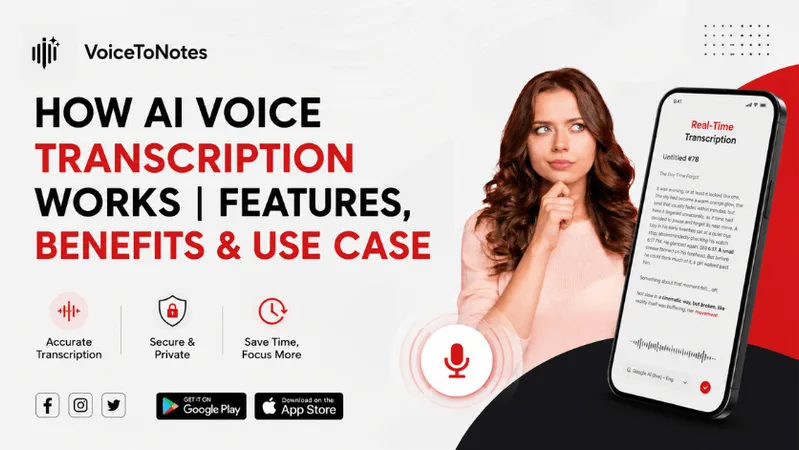
Every day, professionals waste countless hours manually typing notes from meetings, interviews, and calls. AI voice transcription solves this by converting speech to text instantly, completely eliminating the need for manual note taking.
But how does AI voice transcription actually work?
Modern AI systems go far beyond basic dictation.
They can identify different speakers, understand conversational context, and automatically extract key action items.
In this guide, we will break down how this technology works, the top features to look for, and how it can supercharge your productivity.
What is an AI Transcription?
AI transcription is an advanced technology that enables real time transcription of oral conversations, meetings, interviews, lectures, or audio records into text.
No need to type manually, all you need to do is to record audio and upload a file to get an instant transcript.
How does it work?
AI transcription requires the use of multiple technologies in combination with each other. Let’s take a look how each technology works in following steps:
Step 1. Recording
It begins with the user recording an audio file using a microphone, smartphone, or laptop computer or uploading an already recorded audio file.
The system first cleans the audio by minimizing background noise and enhancing the sound for more accurate speech recognition.
Step 2. Speech Recognition
After cleaning the audio, Automatic Speech Recognition (ASR) technology evaluates the sound waves.
ASR recognizes:
- Individual words and phrases
- Various speech patterns
- Accent and pronunciation
- Speed and intonation of speech
The AI matches audio patterns with millions of patterns it memorized during training to identify what was said.
Step 3. Natural Language Processing (NLP)
Identifying words is one of the steps that need to be made. The AI also needs to be able to understand the meaning.
Natural Language Processing (NLP) allows the system to:
- Put the correct punctuation
- Fix grammatical errors
- Identify the structure of sentences
- Differentiate between homophones
For instance, NLP determines whether "their," "there," or "they’re" was used in the sentence.
Step 4. Large Language Models (LLMs)
Many current transcription applications rely on Large Language Models (LLMs) to produce high-quality transcripts.
LLMs are used to:
- Produce summaries
- Highlight important points
- Note down action points
- Provide formatting
- Automatically generate meeting notes
It enables users to convert raw data into valuable and organized information.
Step 5. Transcript Creation
The next step is the creation of the final transcript by the AI application that is able to be:
- Read
- Edited
- Shared
- Exported in PDF, DOCX, TXT, etc.
Key Features of AI Voice Transcription
Here are the core capabilities of AI Voice Transcription:
Speaker Diarization: It automatically identifies and separates voices in a conversation. This generates a record of who said what.
Smart Editing and Cleaning: It removes filler words like "um" and "ah" stutters and false starts. This means you get readable text.
Semantic Summarization: It goes beyond transcribing what was said. It automatically generates summaries of meetings, lists of things that need to be done and highlights the topics that were discussed.
Entity and Custom Keyword: It automatically finds information like names, dates, locations and amounts of money. It is very useful for finding the information you need.
Time-Sync and Timestamps: Help you find a part of the audio quickly. You can click on any word in the transcript. It will take you straight to that part of the recording.
Privacy: They help keep information safe, including automated features that hide details, like names and phone numbers.The voice data is processed locally on your device.This ensures that your voice data remains confidential and secure.
Benefits Of Using an AI Transcription Tool
Companies are leveling up their efficiency by embedding transcription tools directly into their daily workflows. Instead of forcing team members to divide their attention between listening and jotting notes, everyone can stay fully engaged in the conversation.
The resulting transcripts turn into valuable, searchable resources that employees, customers, and partners can revisit anytime, whether they were part of the original meeting or simply needed to catch up on decisions made while they were away.
Benefits of AI tool for audio transcription:
1. Speed
AI tools turn hours of audio into text in just minutes. You get transcripts almost instantly, which is perfect for meetings, interviews, or content creation.
2. Cost savings
They're much cheaper, many even offer free versions for basic needs. Small businesses and freelancers can transcribe without breaking the budget.
3. Always On, Never Tired AI transcription works anytime you need it, no breaks, no downtime. Drop in a single file or thousands at once, and it handles the load instantly.
4. Consistent accuracy on clear audio
For clean recordings with standard accents, modern AI can achieve high accuracy. You save time on editing without typing manually.
5. Seamless integration
These tools connect with cloud storage, collaboration platforms, and project management software, making your workflow smoother.
6. Stay focus
While AI captures every word, you can focus on active participation in meetings or interviews instead of frantically typing.
7. Easy searching and sharing
Text transcripts make it simple to search, reference, analyze, and share information later, something you can't do with raw audio.
Quick Comparison: Best AI Transcription tool
After testing and comparing every major AI transcription tool, I narrowed down the top 10 most useful ones that actually deliver real value and stand out from the rest.
Whether you need something for quick voice notes, massive team meetings, or heavy-duty content creation, these are the ones actually worth your time and money.
| Tools | Starting Price | Best For | Key Benefits |
|---|---|---|---|
| VoiceToNotes.ai | $1.49/month | Students, professionals, meeting notes | Real time Transcription & AI summaries |
| Otter.ai | $8.49/month | Business meetings | Live meeting & Transcription |
| Notta | $13.49/month | Multilingual transcription | Real time meeting transcription & AI summaries |
| Fireflies.ai | $18/month | Sales and team meetings | Meeting recording, CRM integration |
| Rev AI | Pay-as-you-go plan | High accuracy transcription | Strong speech recognition, API access, multiple audio formats |
| Sonix | $10/hour of transcription | Content creators and agencies | Fast transcription, multilingual support |
| Descript | $24/month | Podcasters and video creators | Audio/video editing, transcription, AI voice tools, screen recording |
| Trint | $100/month | Journalists and media teams | Collaborative editing, speaker identification, multilingual transcription |
| Google Recorder | Free | Android users | Offline transcription, simple interface, quick note-taking |
| Apple Dictation | Free | Apple ecosystem users | Best for Apple users for dictation |
Feature Breakdown
Not all transcription tools are built the same, here's a detailed look at their core features and strengths.
1. VoiceToNotes.ai
VoiceToNotes.ai is a lightweight and beginner-friendly transcription tool built for people who need fast, clean notes without complex setup.
It's especially popular among students and professionals who want their spoken words converted into organized, summarized notes automatically without sitting through a wall of raw text afterward.
Key Features:
- Real-time transcription
- AI-generated summaries that highlight key points
- Simple note organization and export options
- Cross platform support
- Supports meeting and lecture transcription
Pros
- Extremely affordable, great for students and freelancers
- AI summaries save significant time after every session
- Very easy to set up with almost no learning curve
- Clean, clutter-free interface
- Organized and structured notes
Cons
- Lacks advanced features like CRM integration or team collaboration
- Premium features requires payment
- Limited customization options
Pricing
- Free plan: 3 mins real time transcription daily
- Pro: $1.49/month
- Pro Annually: $12.99/month with extended transcription limits and priority processing
- Enterprise: Custom pricing
2. Otter.ai
Otter.ai is a name in meeting transcription. It is known for working all the time. This tool connects to your calendar, joins video calls automatically and writes down everything that is said live.
This way busy professionals do not have to spend time on recording and writing down what was said in meetings.
Key Features:
- Automatic meeting joining and live transcription
- It can tell who is speaking even if there are people on the call
- You can. Comment on transcripts in real time
- It works well with Zoom Google Meet and Microsoft Teams
- You can search all conversations
- It can summarize meetings. Give action items using AI
Pros
- It easily connects to calendars and video conferencing tools
- It labels speakers so transcripts are easy to read
- Teams can work on transcripts together
- It is a platform that gets updated often
Cons
- It can make mistakes when conversations are fast or people talk over each other
- It mainly works with English, not other languages
- The free plan does not let you use it much
- It can get expensive for big teams
Pricing
Basic: 300 minutes per month limited features
Pro: $8.49 per month
Business: $24 per user per month
Enterprise: Custom pricing
3. Notta
Notta is a tool for transcribing things. It can handle over 100 languages, which's really helpful for people who work with teams from other countries or for businesses.
Notta can transcribe in real time and it can also handle recordings that you already have. This makes Notta more useful than a lot of tools that do similar things.
Key Features:
- Notta can transcribe things in time in over 100 languages
- It can make summaries of meetings using intelligence
- You can upload recordings of audio and video
- Speaker identification feature
- Notta works with Zoom, Google Meet, Microsoft Teams and Webex
- You can export your transcripts in a lot of formats, like TXT, DOCX, PDF and SRT
Pros
- Support many languages
- It can handle both live and recorded things
- You can export your transcripts in a lot of different formats
Cons
- Notta is more expensive
- Sometimes the transcripts are not perfect with languages
- No offline workflow utility
- Weaker CRM automation
Pricing
Free: 120 transcription minutes per month.
Pro: it costs $13.49 per month.
Business: it costs $27.99 per user per month.
Enterprise: Custom pricing
4. Fireflies.ai
Fireflies.ai is made for sales teams and people who work together. It does not just write down what people say in meetings. It also looks at what people talk about.
It even integrates with CRM to ensure important things from client calls go right into your sales pipeline.
Key Features:
- It write down meetings automatically
- It uses intelligence to analyze conversations and track feelings
- It works with Salesforce, HubSpot and Pipedrive
- You can search for transcripts across your team
- It works with Slack, Notion, Zapier along with over 100 other apps
Pros
- Fireflies.ai is really good at working with systems
- It gives sales teams information they can use
- The team-wide searchable meeting archive is very powerful
- It works with all major video conferencing platforms
Cons
- It is more expensive
- It can be overwhelming to use for things
- Sometimes it takes a while to join meetings automatically
- Some advanced analysis tools are only available with expensive plans
Pricing
Free: Unlimited transcription but 400 mins of storage/team
Pro: It costs $18 per user per month.
Business: It costs $29 per user per month.
Enterprise: It costs $39, annual only
5. Rev AI
Rev AI is made for developers and businesses that want to build transcription into their products. The accuracy is really good. It uses machine learning models and gives you the option to have humans review the transcription.
Key Features:
- Rev AI has accuracy automatic speech recognition
- Human transcription option available
- It supports audio formats like MP3, MP4, WAV and FLAC
- It can transcribe audio in time or after it has been recorded
- You can add custom vocabulary for industry specific terms
- It can generate caption and subtitle files
Pros
- Accurate automated transcription tools
- Flexible because of API
- It supports audio and video file formats
- Human transcription available
Cons
- It can get expensive
- It does not have a meeting bot or calendar integration
- The interface is simple compared to tools
Pricing
Pay as you go plan available
Custom pricing
6. Sonix
Sonix is a fast transcription tool that works in your browser. It is popular among people who create content, journalists and agencies that have to deal with a lot of audio and video. It transcribes quickly. Has a built-in editor to fix the transcript, which saves time.
Key Features
- Automated transcription in over 40 languages
- A built-in editor that syncs audio and text
- Translate into languages
- Labels for speakers and time-stamped transcripts
- Team features for collaboration, commenting and sharing
- Works with Adobe Premiere, DaVinci Resolve and Zapier
Pros
- Fast transcription, even for long files
- Supports many languages
- The built-in editor makes it easy to fix transcripts
- Works well with video editing tools
Cons
- The cost can be unpredictable
- No live transcription during meetings
- Can be expensive for agencies
- No mobile app with full features
Pricing
Pay-as-you-go: $10 per hour of transcription
Premium: $22 per user per month includes $5 per audio hour
Enterprise: Custom pricing
7. Descript
Descript is different from tools. It is not just for transcription. It is an audio and video editing platform that uses transcription. You can edit your podcast or video by editing the text, which's a new way of working. It is popular among podcasters and YouTubers.
Key Features:
- Edit or video through text editing
- Automatic transcription with media timeline
- AI voice cloning to fix mistakes
- Screen recording built-in
- Removes filler words and trims silence
- Track editing and team collaboration
Pros
- Changes the editing workflow in a way
- AI voice tools save time
- All-in-one platform reduces the need for tools
- Screen recording is a nice bonus
Cons
- Has a learning curve
- Overkill if you only need transcription
- AI voice can sound slightly off
- Needs a good computer to run smoothly
Pricing
Hobbyist: $24 per month
Creator: $35 per month
Business: $65 per month transcription
Enterprise: Custom pricing
8. Trint
Trint is a tool for journalists, broadcasters and media organizations. It helps with transcription and editing. Accuracy, speed and working together are important.
Key Features:
- Automated transcription in over 30 languages
- Multiple people can work on the transcript at the same time
- It can identify speakers. Label them
- It has a story builder for organizing clips and quotes
- It works with Adobe Premiere and other media tools
- You can search across all your transcripts
Pros
- Trint has the best collaboration features
- The story builder is useful for long-form pieces
- It supports languages for international newsrooms
- It is accurate for audio
Cons
- It is expensive
- Accuracy varies with heavy ascents
- There can be sync issues
- Restrictive free trail
Pricing
Starter: $100/month
Team: $90/month
Enterprise: Custom pricing
9. Google Recorder
Google Recorder is a transcription app. It comes on Pixel phones. Is available for Android users. It works on-device so you do not need the internet.
The Google Recorder app makes it really easy to look for things in recordings by using a keyword. This helps Google Recorder users find stuff without having to listen to the whole audio file again.
Key Features:
- Transcription works offline
- It does real-time speech-to-text
- You can search through recordings
- It organizes recordings with transcripts
- The interface is free
Pros
- Google Recorder is completely free
- It keeps conversations private since it does not use the cloud
- It works offline, which is useful in connectivity
- It is simple to use
Cons
- It is only available on Android
- It only does transcription
- It does not have AI summaries or collaboration features
- It is not for team use
Pricing
It is completely free
10. Apple Dictation
Apple Dictation is a feature that comes with iPhones, iPads and Macs. It will write down what you say. It is not a dedicated transcription or meeting tool, but more useful for Apple users who want accurate and fast dictation without zero manual setup.
Many people use Apple Dictation to write down things like when they want to send an email or a message. For people who want something to use to turn what they say into text, Apple Dictation is a great choice because it is fast and easy to use on Apple devices.
Key Features:
- You can dictate in any text field
- It processes on-device for privacy
- It adds punctuation automatically
- It supports 30+ languages
Pros
- Apple Dictation is completely free
- It works everywhere on Apple devices
- It keeps dictation private
- It is accurate for everyday tasks
Cons
- It is not a meeting transcription tool
- It does not have summarization or speaker identification
- It only works on Apple devices
- It is not, for long-form recordings or professional transcription
Pricing
It is completely free
How Accurate is AI Transcription?
Modern AI transcription tools are very accurate, especially when the recording is clear. Most tools can recognize speech with high accuracy when there is little background noise and the speaker talks clearly.
However, no transcription tool is perfect. Accuracy can become lower when:
- Many people talk at the same time
- There is loud background noise
- The speaker talks very fast
- The microphone quality is poor
- Strong accents or unclear pronunciation are present
The good news is that AI transcription keeps improving every year. Better speech recognition models and AI language processing help modern tools produce cleaner transcripts with fewer mistakes. In most cases, you only need to make a few small edits before your transcript is ready to use.
AI Transcription vs Human Transcription
Both AI transcription and human transcription have their own advantages. The right choice depends on what you need.
AI transcription is much faster. It can convert long recordings into text within minutes and costs much less than hiring a person. It is a great option for meetings, lectures, interviews and everyday note taking.
Human transcription usually takes longer and costs more, but it can be helpful for recordings with heavy background noise, multiple speakers or technical language that requires careful review.
For most everyday tasks, AI transcription provides an excellent balance of speed, accuracy and affordability.
| Feature | AI Transcription | Human Transcription |
|---|---|---|
| Speed | Minutes | Hours or days |
| Cost | Low | High |
| Accuracy | High on clear audio | Very high |
| Best For | Meetings, lectures, interviews | Legal, medical and sensitive recordings |
| Editing | Small corrections may be needed | Usually ready to use |
How to Choose the Best AI Transcription App
There are many AI transcription tools available today. Choosing the right one depends on how you plan to use it.
Here are a few things to look for:
- High transcription accuracy
- Real-time transcription support
- AI-generated summaries
- Speaker identification
- Support for multiple languages
- Easy export options like PDF, DOCX and TXT
- Strong privacy and security features
- Affordable pricing
If you mainly need a simple tool for meetings, lectures or daily note taking, choose one that focuses on speed, ease of use and accurate AI summaries instead of unnecessary features.
Common Mistakes That Reduce Accuracy
Even the best AI transcription software can make mistakes if the recording quality is poor.
Here are some common mistakes to avoid:
- Recording in noisy environments
- Speaking too quickly
- Talking over other people
- Using a poor-quality microphone
- Holding the microphone too far away
- Not checking the transcript after it is generated
Recording in a quiet place and speaking clearly can greatly improve transcription accuracy and reduce the amount of editing needed later.
Future of AI Voice Transcription
AI voice transcription continues to improve every year. Modern tools already do much more than simply convert speech into text.
In the future, AI transcription will become even smarter with features like:
- More accurate speech recognition
- Better speaker identification
- Real-time translation
- Automatic meeting summaries
- Action item detection
- Smarter search inside transcripts
- Better support for different languages and accents
As AI technology continues to evolve, voice transcription will become faster, more accurate and more useful for students, professionals, businesses and content creators. Instead of simply creating transcripts, AI will help people organize information, find important details and save even more time.
Why Should You Choose AI Transcription
Have you ever walked out of a meeting feeling like you missed half of it? You were there at the time but somehow you didn't catch everything. This is where AI transcription tools come in. They help solve a problem.
Our brains can't listen, think and write at the time. AI transcription tools sit in the background, converting your speech into text. This way you can join a conversation as a participant, not a note-taker. These tools do more than just write down words.
These tools can summarize points, find action items and identify who said what. They store everything in a format that's easy to search. This is really helpful for teams. Many AI transcription tools support languages and handle accents well.
Whether you're a student, freelancer or team. It's not about keeping up with technology. It's about working in a way that is less exhausting and more effective. AI transcription tools help you do that.
Why VoiceToNotes.ai Stands Out?
Here’s why it is the top choice for most people who need fast and accurate AI transcription.
Pricing - The price of VoiceToNotes.ai is very low. Starts at just $1.49/month
Free plan - You can also use VoiceToNotes.ai for free. You do not have to pay anything to start using it. You can reset it every day.
AI powered summaries - Automatically generates structured and organised summaries of your notes
For solo use - VoiceToNotes.ai is perfect for people who are working alone. This includes students, people who give lectures, people who take notes, freelancers and professionals.
User friendly & Simple - It is simple and easy to use. You can just use it to take notes
Accuracy - It works well in cafés and other places where there is a lot of noise.
Final Verdict
I have tried all 10 AI transcription tools and I keep going to VoiceToNotes.ai.
The thing is, the best tool for you is not the one that has the features, it is the one that works well with what you do. Do you need something that can transcribe what people say, make summaries, take notes during meetings or something that can do everything for you?
What I like about VoiceToNotes.ai is that it does not confuse people with things they do not need. You can start recording, get a transcript, look at the points and then get back to work. For people who want a transcription tool that's affordable and easy to use, VoiceToNotes.ai is worth trying.
Frequently Asked Question (FAQs):
1. What is AI voice transcription?
AI voice transcription turns spoken words into text. No need to type anything.
2. How accurate are these tools?
Most modern AI transcription tools can achieve high accuracy when the audio is clear and background noise is minimal.
3. Are these tools safe for private conversations?
Yes they are. Most of them keep your conversations encrypted. Some like Google Recorder do everything on your device so nothing goes to the internet.
4. What is the best tool for someone just starting out?
VoiceToNotes.ai is a choice. It is not expensive. It is easy to get started.
5. Can I try it before I pay for it?
Yes you can. Tools like VoiceToNotes.ai, Fireflies.ai lets you use it for free. It resets every day so you can try it without spending any money.
6. Is AI transcription enough to use for work?
Yes it is. Many businesses, journalists, doctors and lawyers use AI voice transcription every day. You just need to find the one that works best for what you do.
7. Which AI transcription tool offers the best value for money?
For users looking for affordable pricing, AI summaries, and ease of use, VoiceToNotes.ai is a strong choice.
8. Can AI transcription work offline?
Yes. Some tools, such as Google Recorder can transcribe audio without an internet connection. However many AI-powered features like summaries may still require processing.
9. Which transcription tool is best for meetings?
Otter.ai and Fireflies.ai are choices for meetings because they offer live transcription, speaker identification and AI-generated meeting summaries.
10. Can AI transcription identify speakers?
Yes. Many modern transcription tools can recognize speakers and label them automatically in the transcript.
11. Do AI transcription tools support languages?
Most leading transcription tools support languages and accents. Some platforms can even. Translate content, in real time.
Disclosure: VoiceToNotes is developed by our team and is included in this comparison. To maintain fairness, every product is evaluated using the same review criteria.
![Cover for 10 Best Speech-to-Text Apps for Android in 2026 [Free & Paid]](/Android speech to text app.webp)
.webp)
.png)