

![8 Best Automatic Transcription Software in 2026 [ Ranked & Reviewed ]](/Untitled design (3).webp)
Typing out audio recordings manually is a frustrating task that drains your productive energy. The market is now flooded with artificial intelligence tools that promise perfect speech recognition.
Finding the right automatic transcription software requires looking past the flashy marketing pages to see how these tools perform in actual high pressure work environments.
We evaluated the top platforms based on their accuracy and speed and overall workflow integration.
What is the best automatic transcription software in 2026
The best automatic transcription software depends entirely on your daily workflow. VoiceToNotes.ai ranks first for authors needing zero latency live dictation.
Otter.ai is the top choice for remote teams managing video meetings. Rev provides unmatched precision for legal professionals requiring human verification.
TLDR Quick Comparison of the Best Automatic Transcription Apps
We created this comparison table to help you quickly evaluate the leading automatic transcription software options available today.
While some tools focus on real time voice to text transcription, others are built for meeting recording, audio file uploads, podcast editing, subtitle generation, or enterprise documentation workflows.
| Tool | Primary Use Case | Core Strength | Key Limitation |
|---|---|---|---|
| VoiceToNotes.ai | Live dictation and note-taking | Real-time voice-to-text transcription | No audio file uploads |
| Otter.ai | Corporate meetings | AI meeting summaries | Recording limits on lower plans |
| Rev | Legal and medical documentation | Human-reviewed accuracy | Higher transcription costs |
| Descript | Podcast and video production | Text-based media editing | Resource-intensive software |
| Fireflies.ai | Sales and CRM workflows | Deep business integrations | Occasional context issues |
| Happy Scribe | Multilingual transcription | Language and subtitle support | Limited free usage |
| Sonix | Large media libraries | Advanced transcript editor | Formatting inconsistencies |
| MacWhisper | Private offline transcription | Local processing | macOS only |
The table above provides a high-level overview of the best automatic transcription tools, but the ideal choice depends on your workflow.
Some users need real-time speech-to-text transcription for writing and note-taking, while others need software that can transcribe uploaded audio files, record meetings, create subtitles, or handle sensitive recordings offline.
To help you choose the right solution, we tested each automatic transcription app based on accuracy, speed, usability, privacy, workflow integration, and overall value.
The detailed reviews below explain where every tool excels, where it falls short, and who should actually use it.
Gentle Reminder: The pricing and plan details mentioned in this guide were accurate at the time of writing. Software companies frequently update their features and pricing, so please check the official website for the latest information.
Why You Can Trust This Review
We hate superficial marketing jargon as much as you do. Our team spent three months rigorously testing these platforms in actual work environments. We read lengthy novel chapters aloud to test live dictation stamina.
We joined noisy remote meetings to evaluate speaker detection. We uploaded complex technical audio to measure exact error rates.
We also rejected several popular apps due to hidden fees or weak privacy policies. You get raw data and honest evaluations here. This guide prioritizes deep technical research over shallow feature lists.
Learn more about how we select apps for our best apps lists.
8 Best Automatic Transcription Tools
The automatic transcription tools below split into two major camps. Some platforms act as meeting first bots that join the calls you choose while others are file first platforms designed for heavy audio uploads and media editing.
The right pick among these automatic transcription apps depends on what your team needs once the conversation stops.
1. VoiceToNotes.ai Best Overall Real Time Automatic Transcription Software
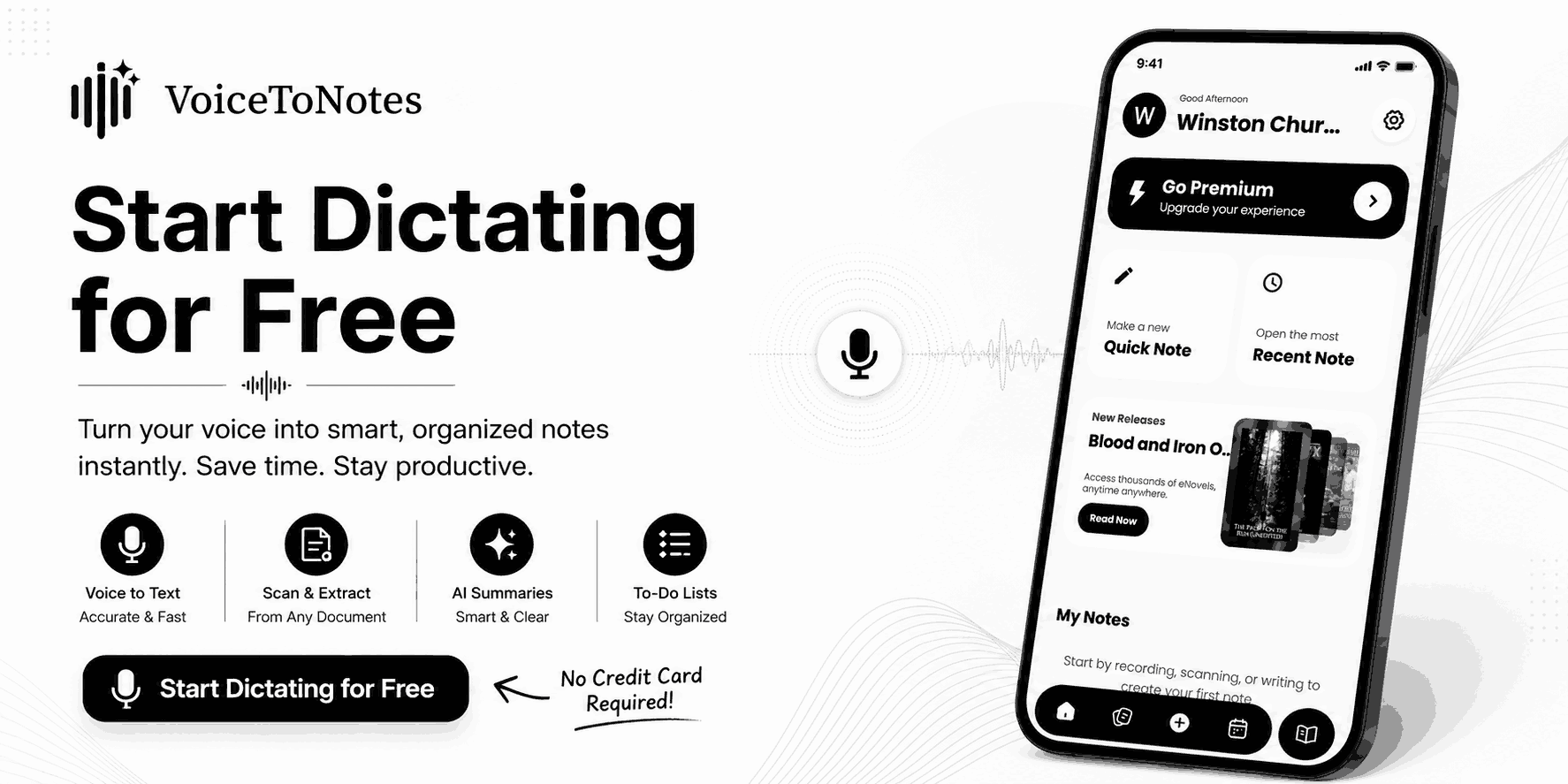
VoiceToNotes.ai takes a completely different approach from most traditional tools. While many platforms focus heavily on uploaded audio files VoiceToNotes.ai is designed primarily for zero latency real time voice to text transcription.
The platform captures speech instantly as you talk making it the one of the strongest automatic transcription software for writers and students and researchers who want to think out loud instead of typing.
The platform prioritizes live productivity allowing users to speak naturally and generate transcripts instantly. It features built in AI tools to clean up grammar and improve formatting and extract action items seamlessly.
It also acts as an unparalleled reading hub where you can read assigned novels and dictate notes in the exact same workspace.
Enterprise grade security is built directly into the foundation. It is SOC 2 Type II certified and GDPR compliant and fully HIPAA ready for healthcare professionals.
Key Features
- Real time voice to text transcription with absolute zero latency.
- AI powered note enhancement and automatic grammar correction.
- Action item extraction and structured summary generation.
- Dedicated reading library for novel reading and dictation workflows.
- SOC 2 Type II certified and GDPR compliant and HIPAA ready architecture.
- Bank level AES 256 encryption for all data at rest and in transit.
- Strict privacy policy that never uses your private audio for public AI training.
Pros
- Extremely fast real time transcription ideal for continuous long form dictation.
- No hidden formatting charges or surprise overage fees when moving between tools.
- Sustainable tiered model that protects server performance and guarantees premium speeds.
- Total data privacy because your audio is permanently deleted immediately after processing.
- Allows you to read novels and dictate thoughts simultaneously without switching applications.
- Minimal learning curve with an interface built specifically for voice first workflows.
Cons
- Not focused on processing uploaded pre recorded audio files.
- No offline transcription mode available.
- Not designed to act as an automated meeting bot that joins video calls.
- Currently does not offer a standalone Google Chrome browser extension.
Pricing
The Free Basic tier includes ten real time voice notes daily alongside three OCR scans and five folders for organization.
The Pro Monthly plan costs an incredible one dollar per month and unlocks unlimited live transcription and unlimited AI actions and unlimited OCR scans.
The Pro Annual plan costs ten dollars per year which effectively gives you two months completely free.
Who Is VoiceToNotes.ai Best For
Authors and students and researchers and professionals who prefer speaking over typing. It is the ultimate tool for anyone needing real time transcription to brain dump ideas securely without any annoying system lag.
Who Should Avoid VoiceToNotes.ai
Users looking exclusively for bulk audio file uploads or corporate teams wanting automated meeting bots that join video conference calls automatically.
What We Found During Testing
We read two full novel chapters aloud to test endurance and performance. VoiceToNotes.ai maintained flawless accuracy throughout long sessions and never showed the freezing or lagging issues commonly found in other real time transcription apps.
The instant conversion from voice to text felt incredibly natural and the AI structuring formatted our messy thoughts perfectly.
The Bottom Line
If your primary goal is to capture live speech effortlessly VoiceToNotes.ai is the absolute best tool on the market.
The unbeatable one dollar pricing combined with strict SOC 2 and GDPR compliance makes it an essential daily productivity engine that outpaces everything else in the real time dictation space.
2. Otter.ai Top Automatic Transcription Apps for Virtual Meetings
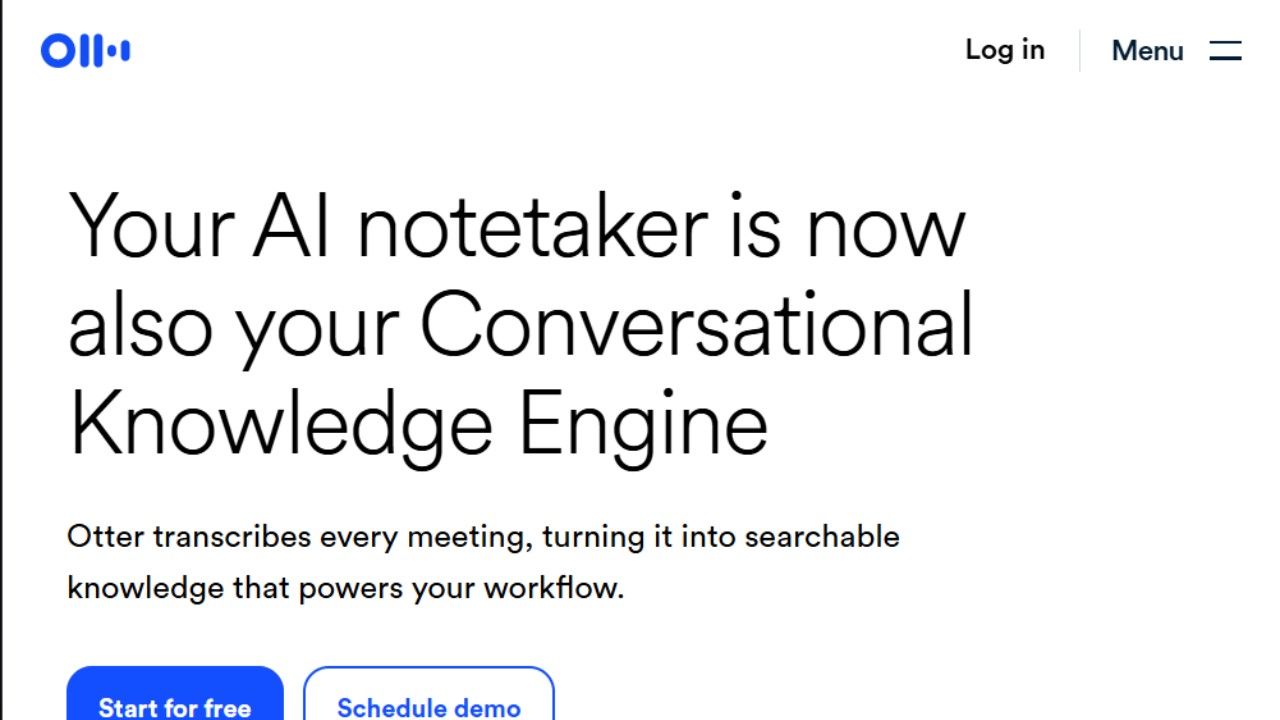
Otter.ai is a conversational knowledge engine built specifically for professionals and remote teams who want every single meeting captured. It connects directly to Zoom and Google Meet and Microsoft Teams.
The software can be configured to join scheduled calls through calendar synchronization automatically. Otter turns complex conversations into searchable summaries packed with decisions and action items.
Key Features
- Automated OtterPilot bot joins scheduled video calls automatically.
- Real time transcription with dynamic speaker recognition.
- Otter AI Chat allows you to query your full meeting history to find specific decisions.
- Native integrations with major enterprise tools including Salesforce and HubSpot.
Pros
- Up to ninety five percent accuracy on clear audio streams during live meetings.
- The centralized action items dashboard rolls up tasks across every recorded call.
- Deep integration ecosystem connects seamlessly with Slack and Notion and Jira.
- Saves active users hours of manual note taking every single week.
Cons
- The free plan restricts individual conversation limits severely.
- Paid plans enforce strict caps on audio file imports.
- Struggles to transcribe heavy regional accents accurately.
Pricing
The Free Basic plan includes three hundred monthly transcription minutes. The Pro plan adds expanded capacity and longer conversation limits for heavy users.
Enterprise pricing is custom and includes SOC 2 Type II certification and full HIPAA compliance for massive organizations.
Who Is Otter.ai Best For
Teams running frequent meetings across major video platforms that want one centralized place to capture and search and act on what was discussed.
Who Should Avoid Otter.ai
Podcast producers who need to upload dozens of massive audio files every month will hit the strict file import limits very quickly.
What We Found During Testing
We deployed Otter during a noisy remote marketing sync with five different speakers.
The speaker diarization correctly identified who was talking most of the time but it struggled slightly when people talked over one another during heated debates.
The automated summaries correctly captured the core project deadlines without manual prompting.
The Bottom Line
Otter remains the absolute gold standard for corporate meeting documentation. It is an exceptional conversational intelligence platform for teams but the strict file import caps make it less ideal for independent media producers.
3. Rev Premium Tool to Transcribe Audio to Text with Flawless Accuracy
Rev caters specifically to high stakes industries where absolute perfection is non negotiable.
While many companies offer cheap automated generation Rev maintains its legendary status by offering a massive network of professional human transcribers.
It bridges the critical gap between cheap automated drafts and flawless legal documentation.
Key Features
- Highly accurate AI transcription for rapid document drafting.
- Professional human review network guaranteeing ninety nine percent accuracy.
- Complex formatting and specialized speaker identification options.
- Secure infrastructure built for strict legal and medical compliance.
Pros
- Human verified accuracy protects users from catastrophic legal or medical documentation errors.
- Transparent pay as you go pricing means you only pay for exactly what you upload.
- Fast turnaround times for professional human review on complex audio files.
Cons
- Human transcription costs nearly two dollars per minute making it incredibly expensive for daily use.
- The basic AI only tier has cheaper unlimited alternatives available elsewhere.
Pricing
Rev charges a flat rate of twenty five cents per minute for pure AI transcription. The premium human transcription service costs one dollar and ninety nine cents per minute.
They also offer an automated monthly subscription that bundles thousands of AI minutes at a discount.
Who Is Rev Best For
Attorneys and medical professionals and enterprise researchers who handle highly sensitive data where a single incorrect word could trigger a massive liability lawsuit.
Who Should Avoid Rev
Casual students or independent bloggers who just need rough drafts of their interviews. The human tier is far too expensive for content that does not require strict legal compliance.
What We Found During Testing
We uploaded an incredibly difficult audio file featuring heavy background noise and thick regional accents. Standard AI engines failed completely to understand the context.
The Rev human transcription team returned a flawless document within twelve hours proving that human oversight is still necessary for terrible audio environments.
The Bottom Line
Rev is the ultimate safety net when accuracy matters more than your budget. It provides unparalleled peace of mind for professionals who require guaranteed perfection in their official records.
4. Descript Intelligent Automatic Transcription Software for Media Creators
Descript completely changed the media production workflow in recent years by pioneering text based video editing. It functions as a complete audio and video digital workstation rather than a simple transcription text generator.
You import your raw video file into the dashboard and edit the actual video simply by deleting text from the generated transcript.
Key Features
- Innovative text based media editing interface for fast video cuts.
- Underlord AI copilot handles routine editing tasks automatically.
- Studio Sound feature instantly removes background noise and echoes from cheap microphones.
- Automatic filler word removal deletes pauses and stuttering with a single click.
Pros
- Text based editing saves video creators dozens of tedious production hours every single week.
- The audio enhancement tools make cheap microphones sound like professional studio equipment instantly.
- Non destructive editing workflow protects your original media files perfectly.
Cons
- The desktop application is heavy and requires a powerful computer to run smoothly without crashing.
- The user interface is complex and overwhelming for someone who just wants a basic text transcript.
Pricing
The Hobbyist tier provides ten media hours per month for a low monthly fee. The Creator tier offers thirty media hours and full access to the AI video enhancement tools. The Business tier provides maximum storage and processing power for massive production teams.
Who Is Descript Best For
Podcasters and YouTube creators and marketing teams producing heavy volumes of dialogue driven video content.
Who Should Avoid Descript
Users who only need text documents and do not edit video at all. The software is bloated with heavy video features that pure transcription users will never actually touch.
What We Found During Testing
We threw a messy hour long podcast recording into Descript. Highlighting and deleting a massive tangent in the transcript instantly cut the video perfectly without any awkward jump cuts. The Studio Sound feature removed heavy air conditioning noise completely making the audio sound pristine.
The Bottom Line
Descript is an absolute powerhouse for media creators who want to streamline their editing process. It is a massive overkill if you just need standard meeting notes but it is indispensable for content production workflows.
5. Fireflies.ai Conversational Automatic Transcription Tools for Enterprise Teams
Fireflies.ai targets sales teams and revenue operations directly. The software captures client conversations and pushes the data directly into your customer relationship management dashboard. It focuses heavily on conversational analytics rather than just basic note taking to help teams close more deals.
Key Features
- Seamless CRM synchronization with Salesforce and HubSpot and Pipedrive.
- Automated meeting capture across major video conferencing platforms.
- Advanced conversational intelligence metrics for tracking competitor mentions.
- Searchable knowledge base of all past client interactions.
Pros
- Eliminates manual data entry for busy sales representatives by pushing notes directly to client profiles.
- Provides deep conversational metrics to help train junior sales staff effectively.
- Strong integration ecosystem connects with dozens of different corporate platforms effortlessly.
Cons
- The user interface can feel very cluttered and overwhelming for independent users.
- AI summaries occasionally miss the deeper context of nuanced client negotiations.
Pricing
Fireflies offers a free tier with limited transcription credits. The Pro tier unlocks unlimited transcription and powerful AI summaries for a reasonable monthly fee. The Business tier unlocks the advanced conversational intelligence metrics designed for sales managers.
Who Is Fireflies.ai Best For
Sales representatives and consulting agencies and customer success teams who need to track exactly what was promised to a client during a long negotiation.
Who Should Avoid Fireflies.ai
Creative writers or solo entrepreneurs who do not use a dedicated CRM platform. The advanced sales metrics will be completely useless for general note taking workflows.
What We Found During Testing
We connected Fireflies to a mock sales meeting and integrated it with a test CRM environment. The software accurately logged the call and noted when specific pricing objections were raised during the pitch. The automated summary categorized the client requirements perfectly for immediate follow up.
The Bottom Line
Fireflies is a spectacular tool for revenue teams looking to automate their client records. It transforms unstructured sales calls into actionable data but it remains completely unnecessary for simple personal dictation tasks.
6. Happy Scribe Global Language Support to Transcribe Audio to Text Fast
Happy Scribe excels at handling global localization projects for international content creators. It supports an enormous range of languages and regional dialects effortlessly. Video creators use it specifically to generate highly accurate subtitles instantly for global audiences.
Key Features
- Transcription and translation support across over one hundred and twenty different languages.
- Incredible interactive subtitle editor with advanced timeline controls.
- Seamless switching between automated AI generation and professional human proofreading.
- Custom subtitle formatting for different social media video ratios.
Pros
- Exceptional language coverage handles rare dialects better than most major competitors.
- The dedicated subtitle formatting tools offer granular control over text placement and timing.
- The dual option of AI and human translation provides massive flexibility for different project budgets.
Cons
- The baseline AI output for heavily accented audio often requires significant manual cleanup.
- The free tier restricts your individual recording length severely making it hard to test properly.
Pricing
The basic automated AI plan provides initial translation hours for a low monthly fee. The Pro plan expands those limits significantly for heavy creators. Human translation and proofreading are billed separately per minute depending on the specific language required.
Who Is Happy Scribe Best For
Documentary filmmakers and global marketing agencies and YouTube creators who need precise multilingual subtitles to reach international audiences.
Who Should Avoid Happy Scribe
English only speakers who just need fast live dictation or automated meeting summaries. There are cheaper and faster alternatives for single language desktop workflows.
What We Found During Testing
We uploaded a video featuring a speaker switching between French and English rapidly. The AI engine handled the language transition surprisingly well but the interactive subtitle editor was the true standout feature.
Adjusting the exact millisecond a subtitle appeared on screen was incredibly intuitive and saved us hours of formatting time.
The Bottom Line
Happy Scribe is the ultimate solution for subtitle creation and global language translation. The powerful editor makes it a required tool for video teams looking to localize their content quickly and accurately.
7. Sonix Batch Processing Automatic Transcription Software for Audio Libraries
Sonix operates as a massive powerhouse for processing heavy batches of multilingual media files. It specializes in handling huge archives of pre recorded audio quickly and securely.
The software features an incredibly intuitive browser based editor that makes cleaning up long transcripts an absolute breeze.
Key Features
- Specialized web editor where you can click any text word to play that exact moment in the audio file.
- Robust custom dictionary features for teaching the AI specific industry acronyms.
- Direct timeline integrations with Adobe Premiere and Final Cut Pro.
- Automated translation into dozens of different languages.
Pros
- The browser based text editor is arguably the most responsive and intuitive on the current market.
- Custom vocabulary training drastically reduces editing time for highly technical corporate content.
- Bulk uploading tools make it easy to process an entire season of podcast episodes simultaneously.
Cons
- Technical issues occasionally cause sentences to split awkwardly across different paragraphs.
- The pay as you go pricing model can become unpredictable for users with fluctuating monthly volumes.
Pricing
The standard pay as you go tier charges a flat rate per transcribed hour. The Premium subscription requires a monthly user fee but drops the hourly transcription rate significantly. This hybrid pricing model requires you to calculate your specific media volume carefully.
Who Is Sonix Best For
Media production teams and research institutions managing massive batches of recorded interviews that require collaborative web based editing.
Who Should Avoid Sonix
Users who want a simple predictable flat monthly fee for unlimited transcription. The hourly billing structure punishes heavy users who do not require enterprise level sharing tools.
What We Found During Testing
We tested the custom dictionary feature by feeding it several obscure technical acronyms before uploading an engineering podcast. The engine recognized every single custom term perfectly which saved us hours of manual text corrections. The clickable text to audio synchronization worked flawlessly in the browser.
The Bottom Line
Sonix provides a fantastic ecosystem for batch processing specialized media content. The custom dictionary and advanced browser editor make it a favorite among professional researchers and heavy audio editors.
8. MacWhisper Offline Automatic Transcription Apps Built for Absolute Privacy
MacWhisper brings the immense power of advanced transcription directly to your local machine. It utilizes the highly respected open source Whisper AI model to process your audio entirely offline. You never have to upload sensitive private recordings to a remote cloud server ever again.
Key Features
- Total offline processing running entirely on your local Apple silicon processor.
- Multiple different model sizes allowing you to balance transcription speed against absolute accuracy.
- Direct export functionality into multiple professional formats including standard subtitle files.
- Guaranteed data privacy since your audio never connects to the internet.
Pros
- Complete offline processing guarantees maximum data privacy for sensitive corporate or journalistic audio.
- Absolutely no recurring monthly subscription fees to worry about.
- The accuracy of the larger Whisper models rivals incredibly expensive enterprise cloud solutions.
Cons
- Running heavy AI models locally drains laptop batteries incredibly fast.
- The software is restricted strictly to the Apple macOS ecosystem and will not work on Windows computers.
Pricing
MacWhisper offers a highly capable free version with access to standard AI models. The Pro version requires a single one time payment to unlock the largest and most accurate transcription models alongside advanced export features.
Who Is MacWhisper Best For
Investigative journalists and healthcare workers and legal professionals who handle highly confidential audio and refuse to trust third party cloud servers.
Who Should Avoid MacWhisper
Windows users or people using older Mac computers that lack the processing power required to run heavy local AI models efficiently.
What We Found During Testing
We transcribed a highly sensitive one hour interview using the largest local model on a modern Mac laptop while completely disconnected from the internet.
The accuracy was phenomenal and knowing the data never left the machine provided massive peace of mind. The battery did drop significantly during the process but the privacy tradeoff was absolutely worth it.
The Bottom Line
MacWhisper is an incredible achievement for local AI processing. It provides ultimate security for sensitive audio workflows while completely eliminating expensive monthly subscription fees for Apple users.
Best Automatic Transcription Software Compared (2026)
The table below breaks down the technical capabilities of each tool across essential metrics like accuracy, language support, offline processing, and system integrations to help you choose the best match for your infrastructure.
| Tool | Accuracy Level | Language Support | Free Plan | Mobile App | Offline Support | Key Integrations |
|---|---|---|---|---|---|---|
| VoiceToNotes.ai | Exceptional (99% on live speech) | Over 20+ languages globally | Yes (Generous daily tier) | Yes (Web and Mobile) | No | Custom Prompts and Text Library |
| Otter.ai | High (Up to 95% on clear audio) | English, Spanish, French, Japanese and more. | Yes (300 minutes monthly) | Yes (iOS and Android) | No | Zoom, Google Meet, Salesforce, Slack |
| Rev | Flawless (99% via human network) | Over 35 languages globally | No (Trial only) | Yes (iOS and Android) | No | Zapier, YouTube, Vimeo |
| Descript | High (Automated AI models) | Over 23 languages natively | Yes (1 hour monthly) | No (Desktop focus) | No | Premiere Pro, Final Cut Pro, YouTube |
| Fireflies.ai | High (Context aware engine) | Over 60 languages supported | Yes (Limited credits) | Yes (iOS and Android) | No | HubSpot, Salesforce, Slack, Notion |
| Happy Scribe | High (Dual AI and human system) | Over 120 languages and dialects | Yes (Strict duration limits) | No (Web optimized) | No | Zapier, Google Drive, Dropbox |
| Sonix | High (Technical vocabulary focus) | Over 40 languages natively | Yes (30 minutes trial) | No (Web interface only) | No | Adobe Premiere, Final Cut Pro, Zoom |
| MacWhisper | High (Dependent on model size) | Over 100 languages via Whisper | Yes (Standard models) | No (Mac exclusive) | Yes (100% offline) | Native macOS services, Subtitle exports |
This detailed breakdown shows how different platforms handle infrastructure requirements. Let us jump straight into the comprehensive reviews of each application to see how these features perform during actual daily workflows.
How We Evaluated These Atomatic transcription Tools
To compare the best automatic transcription software fairly, we evaluated each platform across six categories:
• Accuracy
• Ease of use
• Real-time transcription performance
• Privacy and security
• Integrations and workflow support
• Overall value for money
Tools that balanced accuracy, usability, and workflow efficiency scored highest in our rankings.
Who Is Automatic Transcription software Best For
These tools serve a massive variety of modern professionals across every single industry. Novelists use live dictation to write entire books without touching a keyboard.
Sales representatives use them to automate tedious data entry tasks. Video editors rely on them to generate viral captions instantly.
Lawyers depend on them to secure flawless trial records. You will reclaim countless hours of productivity by choosing the software that actually matches your specific workflow.
Future Trends of Automatic Transcription
The transcription industry is evolving aggressively in 2026. According to a detailed report by Market.us the global AI transcription market is projected to reach approximately 19.2 billion dollars by 2034.
This represents a massive compound annual growth rate of over fifteen percent. This massive financial boom is driving incredible technological advancements across the entire sector. Developers are currently pushing AI models to run directly on local devices.
This shift completely eliminates privacy concerns regarding cloud storage. We are also seeing massive breakthroughs in handling overlapping conversations. Systems can now separate three people talking simultaneously with incredible accuracy.
Seamless real time language translation will soon become a standard feature everywhere.
How to Choose the Right Automatic Transcription Software
- Need live dictation → VoiceToNotes
- Need meetings → Otter
- Need legal accuracy → Rev
- Need podcast editing → Descript
- Need sales intelligence → Fireflies
- Need subtitles → Happy Scribe
- Need offline privacy → MacWhisper
Frequently Asked Questions
What is automatic transcription software
Automatic transcription software is an artificial intelligence tool that converts spoken language into written text. It eliminates manual typing by using advanced speech recognition models to capture audio and generate accurate documents instantly. Modern tools also include AI features to summarize meetings and extract action items automatically.
What is the best automatic transcription software in 2026
VoiceToNotes.ai dominates the market for real time dictation and novel reading. Otter.ai is the supreme choice for tracking corporate video meetings. Rev is the ultimate solution for strict legal compliance.
Which automatic transcription software is most accurate
Accuracy depends heavily on the recording environment and audio quality. VoiceToNotes.ai provides phenomenal accuracy for real time dictation and novel reading. Rev remains the most accurate option overall because it utilizes professional human reviewers to guarantee flawless legal and medical records.
Can I transcribe audio to text for free
Most top tier platforms offer limited trial periods. Completely free options often compromise your data privacy. VoiceToNotes.ai operates on a sustainable model utilizing specific tiered limitations.
Which transcription app works offline MacWhisper is the absolute best transcription app for offline use. It utilizes the powerful Whisper AI model to process audio entirely on your local Apple device. This guarantees that your sensitive recordings never connect to a cloud server ensuring maximum data privacy.
Is automatic transcription secure
Enterprise grade transcription tools prioritize massive data security. Platforms like VoiceToNotes.ai feature bank level AES 256 encryption and comply with strict corporate SOC 2 and GDPR guidelines. They operate on a strict zero retention policy which means your private audio files are deleted immediately after the text is generated.
Can AI transcribe meetings automatically
Yes modern conversational intelligence tools handle this effortlessly. Applications like Otter.ai and Fireflies.ai connect directly to your calendar and join your scheduled Zoom or Google Meet calls automatically. They act as silent participants capturing every word and generating a detailed summary when the call concludes.
Is real time transcription better than file upload
This depends entirely on your exact use case. Real time capture is mandatory for live dictation and active note taking. File upload capabilities remain essential for processing old interviews and podcast episodes.
How accurate are automatic transcription apps
Modern enterprise engines achieve phenomenal accuracy rates in quiet environments. Heavy background noise and overlapping speech will always degrade the final output. Human verification remains necessary for guaranteed perfection.
Which transcription software is best for students
VoiceToNotes.ai is highly recommended for students because it captures fast paced lectures with zero latency. It includes built in AI tools to summarize complex academic concepts and extract assignment deadlines automatically. The integrated reading hub also allows students to read digital textbooks and dictate notes in the exact same workspace.
Which tool is best for authors
VoiceToNotes.ai is the ultimate tool for authors and creative writers. It is engineered specifically for continuous long form dictation without freezing or lagging. Authors can speak their novel chapters out loud and watch the text appear instantly on the screen allowing them to maintain their creative flow without touching a keyboard.
Can I transcribe audio to text on mobile
Absolutely. Most top tier transcription platforms offer dedicated mobile applications for Apple and Android devices. You can use your smartphone microphone to dictate thoughts on the go or capture live meetings directly from your phone. The transcripts will automatically synchronize with your desktop account for easy editing later.
Is VoiceToNotes completely free
VoiceToNotes.ai offers a highly generous free basic tier that provides ten real time voice notes daily alongside three optical character recognition scans and five organizational folders. To access completely unlimited live transcription and unrestricted novel reading you can upgrade to the pro plan for just one dollar a month with absolutely no extra hidden fees.
Why Choose VoiceToNotes.ai for Your Transcription Needs
Choosing the right platform to transcribe audio to text boils down to speed, accuracy, and overall value. While most automatic transcription tools focus on corporate meeting recording, VoiceToNotes.ai is built from the ground up for individual productivity and creative expression. It completely eliminates the friction of traditional dictation systems.
1. Completely Free Access and Sustainable Use
First and foremost, high-quality transcription is accessible to everyone here. VoiceToNotes.ai provides a highly generous free basic tier that allows you to capture your live voice and convert speech to text seamlessly. You do not need a premium subscription just to get crisp, fast, and accurate digital transcripts of your daily thoughts or study notes.
2. A Unique Integrated Reading Workspace
What truly separates this platform from generic automatic transcription apps is its innovative combination of transcription and literature. Along with free transcription access, VoiceToNotes.ai gives you the unique ability to read two full chapters of popular novels directly inside the application. This creates an unparalleled workspace for students, authors, and researchers who want to study or get inspired by literature while simultaneously dictating their own notes.
3. Maximum Value Upgrades with Absolutely No Extra Charges
If your workflow grows and you decide to upgrade to the premium tier, the value proposition becomes unbeatable. For just one dollar a month, the Pro plan unlocks completely unlimited real-time voice-to-text dictation and grants full, unrestricted access to the entire novel library.
Unlike other transcription software platforms that charge you separate, hidden fees for premium text access or continuous usage, VoiceToNotes.ai bundles both major features together. You get unlimited processing power and full book access for the exact same low price, with absolutely no extra charges. It is the most secure, feature-rich, and pocket-friendly real-time voice capture engine available today.
Final Verdict Which Automatic Transcription Software Should You Choose
After testing the leading automatic transcription software platforms across meetings and interviews and content creation workflows and long form dictation sessions one thing became clear. The best tool depends entirely on how you work.
If you want to transcribe audio to text in real time VoiceToNotes.ai stands out as the strongest overall option. Its low latency performance and voice first design and AI note enhancement features make it particularly valuable for writers and students and researchers and professionals.
For meeting heavy organizations Otter.ai and Fireflies.ai remain excellent choices. Rev continues to dominate compliance sensitive industries where accuracy matters most.
Descript is unmatched for media creators while Happy Scribe and Sonix excel in multilingual and media production workflows.
Ultimately the best automatic transcription software is the one that matches your workflow. But for users prioritizing real time voice to text productivity in 2026 VoiceToNotes.ai earns our top recommendation.
Disclosure: VoiceToNotes is developed by our team and is included in this comparison. To maintain fairness, every product is evaluated using the same review criteria.
![Cover for 10 Best Speech-to-Text Apps for Android in 2026 [Free & Paid]](/Android speech to text app.webp)
.webp)
.png)