

Hate typing on your phone? You’re not alone. But here’s the good news: the best speech to text apps can triple your speed and end the frustration of constantly correcting typos.
We tested these apps in noisy cafes, quiet offices, and while driving to see which microphones picked up accents best.
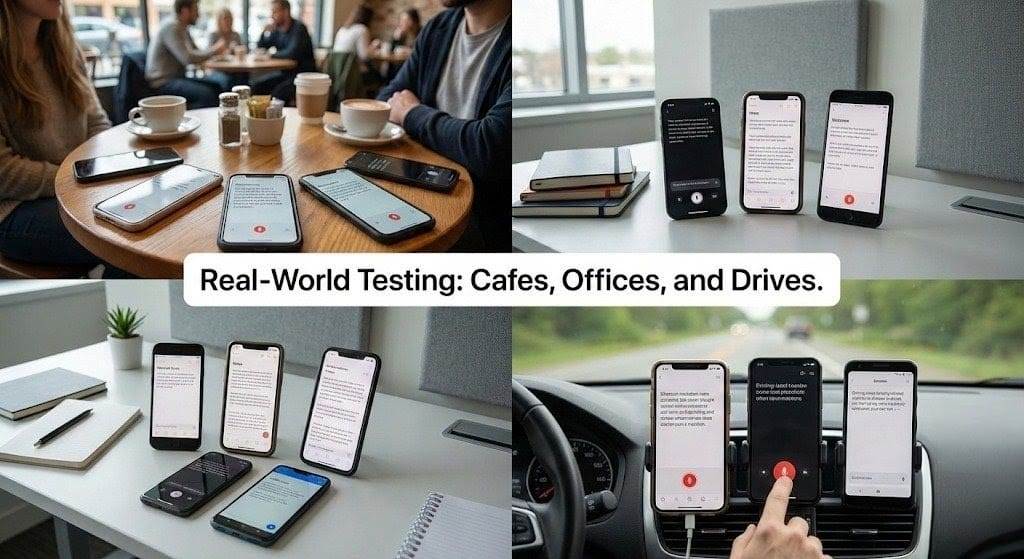
After thorough testing, here are the 14 best voice to text apps for Android & iPhone in 2026, ranked for speed, accuracy, and ease of use. (Free and Paid options included.)
Editor’s Note: Full disclosure, we built VoiceToNotes because we weren't satisfied with the accuracy and privacy of existing tools. While we are biased towards our own product, we believe in fair competition.
We have tested every app on this list impartially to help you find the tool that best fits your specific workflow, whether it's ours or a competitor's.
Learn more about how we select apps for our best apps lists.
TL;DR: Your Quick Guide to Voice to Text Apps
Before we dive into the list, here is a quick breakdown of how these tools work and which one fits your specific needs.
1. What it is:
Voice-to-Text (or speech-to-text) technology converts your spoken words into written text in real-time. Think of it as a fast, AI-powered typist in your pocket.
2. How it works:
It uses Automatic Speech Recognition (ASR) to hear your voice and Natural Language Processing (NLP) to understand context, add correct punctuation, and even learn your unique speech patterns.
3. Why you need it:
It lets you type 3x faster. The average person speaks at ~150 words/minute but types at only ~40 words/minute on mobile. It is essential for saving time on emails, notes, and meeting transcripts.
4. Our Selection Criteria:
- Core Tech: All apps on this list use advanced AI-powered ASR for high accuracy.
- Universal Features: Every app supports basic punctuation commands (“comma,” “period”) and multiple languages.
- Variety: We covered everything from built-in tools (Gboard) and specialized recorders (Otter.ai) to professional suites (Dragon) and browser tools.
Quick Comparison: The Best Voice to text App for Every Goal
If you don't have time to read every review, use this table to find the perfect tool for your needs instantly.
| Your Main Goal | Best App(s) For The Job | Why We Chose It |
|---|---|---|
| Try First (Free & Powerful) | VoiceToNotes.ai | Best for accurate formatting and privacy without a subscription." Specificity sells better than vague praise. |
| Meetings & Interviews | Otter.ai | Best for live transcription, speaker identification, and direct Zoom/Teams integration. |
| Privacy & Offline Use | Speechnotes or Google Recorder | Speechnotes works offline in-browser; Google Recorder offers flawless offline transcription (Pixel only). |
| Professional Accuracy | Dragon Anywhere | The industry gold standard for legal/medical pros who need customizable, 99% accurate dictation. |
| Built-In Convenience | Gboard (Android) / Apple Dictation (iOS) | Free, system-integrated tools already on your phone for instant dictation anywhere. |
| Workflow Integration | Google Docs Typing / Microsoft Dictate | Seamless dictation inside the productivity suites (Docs, Office 365) you already live in. |
| Audio File Conversion | Transcribe or Just Press Record | Specialized for converting pre-recorded audio files (interviews, lectures) into text accurately. |
| Quick Web Tasks | Dictation.io | The simplest, zero-download tool for instant dictation directly in your web browser. |
Final Word
If you aren't sure where to start, we recommend testing voice to text ai first to experience premium AI features without a subscription. If you have a specific niche need (like legal dictation or offline recording), consult the table above for the specialized tool that fits best.
What Is a Voice to Text App?
A voice to text app (also known as a speech to text app) listens to your voice and writes down what you say. You speak into your phone, and the app turns your words into text instantly. This is much faster than typing with your fingers.
These apps use smart computer programs to understand what you say. They can tell the difference between words that sound the same. For example, they know when you mean "two" and when you mean "too".
Voice to text apps work in many places on your phone. Whether you are looking for a speech to text app for Android or iPhone, you can use them to write text messages, emails, notes, and more. Some apps can even add periods and commas when you tell them to.
Best Voice To Text Apps: A Quick Glance
| App | Platform | Core Features | Pros | Cons | Pricing |
|---|---|---|---|---|---|
| VoiceToNotes.ai | Web, Android, iOS | Real-time AI transcription, Smart formatting, Custom prompts, 20+ languages, & AI editing tools. | 99% Accuracy, Unlimited Free Usage, Zero Data Retention. | No offline mode; desktop access only via browser. | Free |
| Google Assistant | Android, iOS | Voice commands, smart home control, basic short-form dictation, hands-free operation. | Built-in on Android, supports many languages, completely free. | Not optimized for long documents, privacy concerns, needs internet. | Free |
| Speechnotes | Android, Web | Long-form note-taking, speech recognition, auto-save. | Simple, offline support, long dictation capable. | Limited AI features, ads in free version. | Free (ad-supported), Premium $9.90/year |
| Apple Dictation | iPhone, Mac | Hands-free Siri dictation, 30+ languages, integrated with iOS keyboard. | Free and built-in, wide language support, good privacy (on-device). | Internet needed for some models, iOS/Mac only. | Free |
| Just Press Record | iPhone, Watch, Mac | Dictation and transcription tasks, one-tap recording, syncs via iCloud. | Specifically designed for Apple ecosystem, highly convenient. | Limited formatting options compared to full editors. | Varies (One-time purchase) |
| Gboard (Android) | Android | AI-powered voice typing, learns voice patterns, works in any text field. | Free, installed on Android, works across all apps seamlessly. | Needs internet for best accuracy, lacks advanced AI summaries. | Free |
| Dictation.io | Web (Chrome) | Real-time speech-to-text in browser, supports 100+ languages, simple text editor. | No login required, accurate (uses Google engine), easy to use. | Requires Google Chrome, no offline mode, no mobile app. | Free |
| Dragon Anywhere | Cross-Platform | Professional grade accuracy, custom vocabulary, voice formatting. | Custom vocab, reliable for long sessions, high accuracy. | Expensive, limited language support compared to others. | $15/month |
| Transcribe | Cross-Platform | AI-powered transcription in 80+ languages, audio-to-text. | Excellent for journalists/interviews, dedicated player for manual correction. | Pricing can be confusing (hourly rates often apply). | Varies |
| Microsoft Dictate | Cross-Platform | Integrated with Microsoft 365, reliable dictation, voice commands. | Works on desktop and mobile, seamless for Office users. | Limited to Microsoft ecosystem, requires subscription for full features. | Included in Microsoft 365 |
| Otter.ai | Cross-Platform | Meeting transcription, speaker ID, real-time captions, summaries. | Integrates with Zoom/Meet/Teams, collaborative, searchable audio. | Privacy concerns, accuracy drops with background noise. | Free (300 min/month), Pro $16.99/month |
| Google Recorder | Android (Pixel only) | Offline transcription, searchable timestamps, speaker labels. | Works completely offline, very accurate for English, free for Pixel users. | Pixel exclusive, limited languages, no advanced editing. | Free with Pixel |
| ClickUp AI | Cross-Platform | Dictate notes, AI turns notes to tasks, summarizes updates. | Enhances productivity, team collaboration, integrated with project management. | Limited to English, less polished for pure dictation. | Free tier, Pro $10/month |
| Notta | AI Meeting Assistant | Auto-joins calls, AI Summaries, Speaker ID, audio file transcription. | High accuracy, integrates with Zoom/Meet, separates speakers well. | Limited free minutes, advanced AI features are paid. | Free / $13.99/mo |
The best voice to text apps for Android and iPhone are Gboard (Android) and Apple Dictation (iPhone) as built-in options, with Voicetonotes.ai emerging as a strong free cross-platform alternative.
For users seeking more advanced features like transcription of longer audio, consider apps like Speechnotes for its simplicity and privacy, Dragon Anywhere for professional-level accuracy and customization, or Transcribe for its AI-powered translation and transcribing of various audio sources.
Best Voice to Text App Free for Android
Gboard (Google Keyboard): This is the default keyboard for many Android phones and includes a highly accurate, AI-powered voice typing feature that learns your voice over time.
Google Assistant: Beyond basic voice commands, it offers excellent voice recognition for carrying out tasks and can be used for general voice input.
Speechnotes: A useful tool for authors who generate ideas quickly, Speechnotes focuses on long-form note-taking with good speech recognition.
Top Voice to Text App iPhone & iPad Options
Apple Dictation: Built directly into iOS, it allows you to dictate text anywhere you can type and works seamlessly with the keyboard, offering robust voice recognition.
Google Docs Voice Typing: While needing a web browser and Google account, this tool uses Google's powerful AI for highly accurate voice typing across many languages and is great for longer documents.
Just Press Record: A popular option for iPhone users looking for an app specifically designed for dictation and transcription tasks.
Best Voice to Text App for Windows, Mac, & PC (Cross-Platform)
Many users ask us for a reliable Voice to text app for PC or a Voice to text app for Windows. While mobile apps are great, professionals often need desktop solutions.
If you are on a computer, you don't always need to download a free voice to text app for PC explicitly. Tools like VoiceToNotes.ai work directly in your browser on both Windows and Mac, acting as a universal solution.
For native options, Windows users can press 'Win + H' to launch the built-in typing tool, while Apple users can rely on the default Voice to text app Mac features.
Voicetonotes.ai: A free AI-powered voice typing service that works on both Android and iOS, offering features like real-time transcription, multi-language support, and cloud synchronization for users who need cross-device compatibility without any cost.
Dragon Anywhere: A premium, high-accuracy voice typing app for both Android and iOS, ideal for professional users who need robust voice editing and formatting features.
Transcribe: An excellent tool for journalists and others who handle many conversations, as this AI-powered app can convert speech or video into transcripts in over 80 languages.
Microsoft Dictate: Integrated into Microsoft 365, this feature is available on Word for both mobile and desktop and offers a reliable way to dictate text.
Top 14 Best Voice To Text Apps for 2026: Hands-On Reviews & Recommendations
Our comparison table shows you the field, but which apps truly excel in real-world use? To find the definitive winners, we moved from specs to practical testing.
We dictated meeting notes, drafted emails, and recorded interviews in varied environments to see which tools delivered not just accuracy, but a genuinely useful experience.
The fourteen apps below are our editor's picks for 2026—the ones that consistently performed, solved specific problems elegantly, and offered the best overall value. We've organized them by primary use case to help you immediately identify the tool built for your needs.
1. VoiceToNotes.ai – Best Free Voice to Text App
Best For: Content creators, students, and professionals who want unlimited, privacy-focused AI transcription without a subscription.
Pricing: Free (Unlimited Usage). The Bottom Line: Let’s be honest: Most voice apps just transcribe. You speak, and they give you a messy, unreadable wall of text that you have to spend 10 minutes editing. VoiceToNotes.ai is different.
It doesn't just "hear" you; it "understands" you. We found it to be the only free tool that acts like a human editor—taking your rambling thoughts, removing the "umms" and "ahhs," and instantly formatting them into clean bullet points, emails, or blog posts.
Why It Felt Different During Testing: While testing apps that cost $15/month, we kept coming back to this free tool for one reason: Simplicity. There is no Difficult login friction, no "credit limits," and no complex dashboard. You just press record, speak your mind, and get a perfect result. It feels less like software and more like a smart personal assistant.
The "Magic" Features:
- Contextual Formatting: If you dictate a grocery list, it makes a checklist. If you rant about a project idea, it creates a structured outline with headings. You don't have to tell it what to do.
- The "Brain Dump" Mode: We tested this by speaking fast, mixing Hindi and English words, and jumping between topics. The AI sorted everything into logical sections automatically.
- Zero Data Retention: For the privacy-conscious, this is huge. Unlike big tech apps that store your voice to train models, this app processes and deletes your audio immediately.
Real-World Case: The "Shower Thought" Test: We had a complex idea for a client email while walking. We opened Voicetonotes, spoke for 3 minutes straight (rambling included), and used the prompt "Make this a professional email." The result was 95% ready to send. It saved us roughly 15 minutes of typing and editing.
Pros:
- Truly Unlimited: No arbitrary 30-minute limits like Otter or other paid tools.
- Structure over Transcription: Focuses on giving you usable notes, not just raw text.
- Privacy-First: Your voice data isn't stored, making it safe for sensitive work topics.
Cons:
- Web-First Experience: It runs as a Web App (PWA); you won't find it in the App Store yet (though you can add it to your home screen).
- Online Only: Needs internet access to work its AI magic.
- No Speaker Separation: Best for solo dictation, not for identifying who said what in a 5-person meeting.
Why we ranked ourselves #1: Disclaimer: Yes, this is our app. But we didn't just put it first because we made it. We built VoiceToNotes specifically to fix the problems we found in the other 13 apps on this list—specifically regarding privacy, AI formatting, and cost.
2. Google Assistant: Your Android Device's Voice Command Hub

Best For: Android users looking for a versatile, free voice assistant to handle device commands, quick searches, and basic dictation across apps.
Pricing: Free (built into Android devices and available on iOS).
The Bottom Line: Google Assistant is far more than a dictation app—it's a comprehensive voice-controlled interface for your device and smart home. While its core strength lies in executing commands ("set a timer," "navigate home"), it also provides competent, general-purpose voice typing when you need to input text quickly into any field.
Why We Include It: It's the most accessible and integrated voice input method for Android users, perfect for multitasking and hands-free control beyond just transcription.
Key Features: Voice commands to control your phone and smart devices, "Type with your voice" feature in any text field, real-time translation, seamless integration with Google's ecosystem (Calendar, Maps, Search).
Pros: Excellent at understanding natural language for commands, completely free and pre-installed on most Android phones, fantastic for multitasking (e.g., dictating a message while getting directions).
Cons: Dictation is basic compared to specialized apps (lacks formatting, summaries, or long-form optimization), requires a constant internet connection, can be overkill if you only need simple transcription.
Real-World Case: A parent cooking dinner uses Google Assistant to hands-freely send a quick text message, add an item to the grocery list, and set a kitchen timer—all without touching their phone.
3. Speechnotes: The Master of Simple, Offline Dictation
Best For: Writers, students, or anyone who wants a fast, distraction-free, and private dictation tool.
Pricing: Free (ad-supported); Premium: $9.90/year.
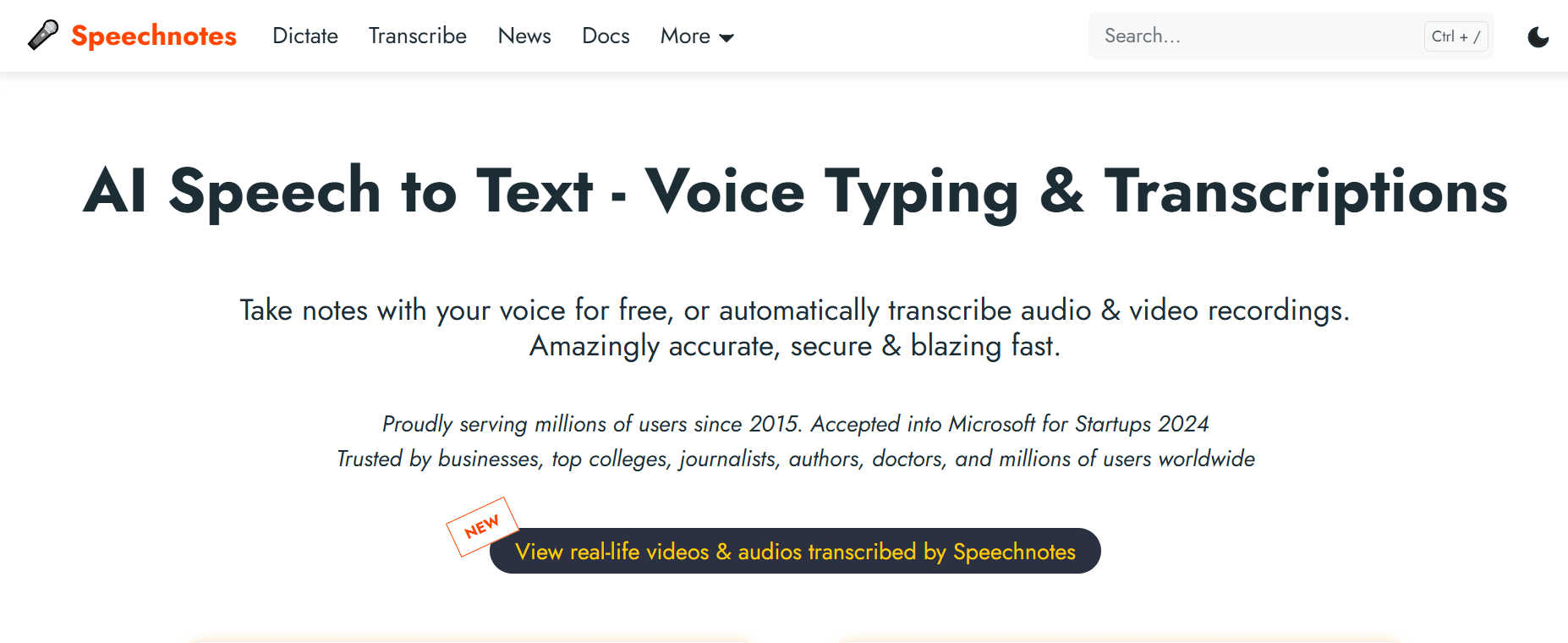
The Bottom Line: Speechnotes proves that simplicity wins. It's a clean, web-based and mobile notepad that starts transcribing the moment you open it. Its killer feature is offline capability on mobile—your audio never leaves your device, ensuring complete privacy.
Why It's a Top Pick: For pure, private, long-form dictation without AI frills, it's incredibly efficient and affordable.
Key Features: Zero-lag, instant transcription in the browser, fully functional offline mode on mobile, voice commands for punctuation and formatting, one-tap sharing to Google Drive.
Pros: Extremely simple, focused interface, true offline privacy, one-time, low-cost premium fee removes ads.
Cons: Lacks advanced AI features (summaries, speaker ID), free web version has banner ads.
Real-World Case: A Chicago-based blogger uses Speechnotes to draft blog posts, saving hours of typing each week while maintaining full control over their unpublished work.
4. Apple Dictation: The Effortless iOS Built-In
Best For: iPhone and iPad users looking for a free, system-wide dictation solution.
Pricing: Free with iOS/iPadOS.
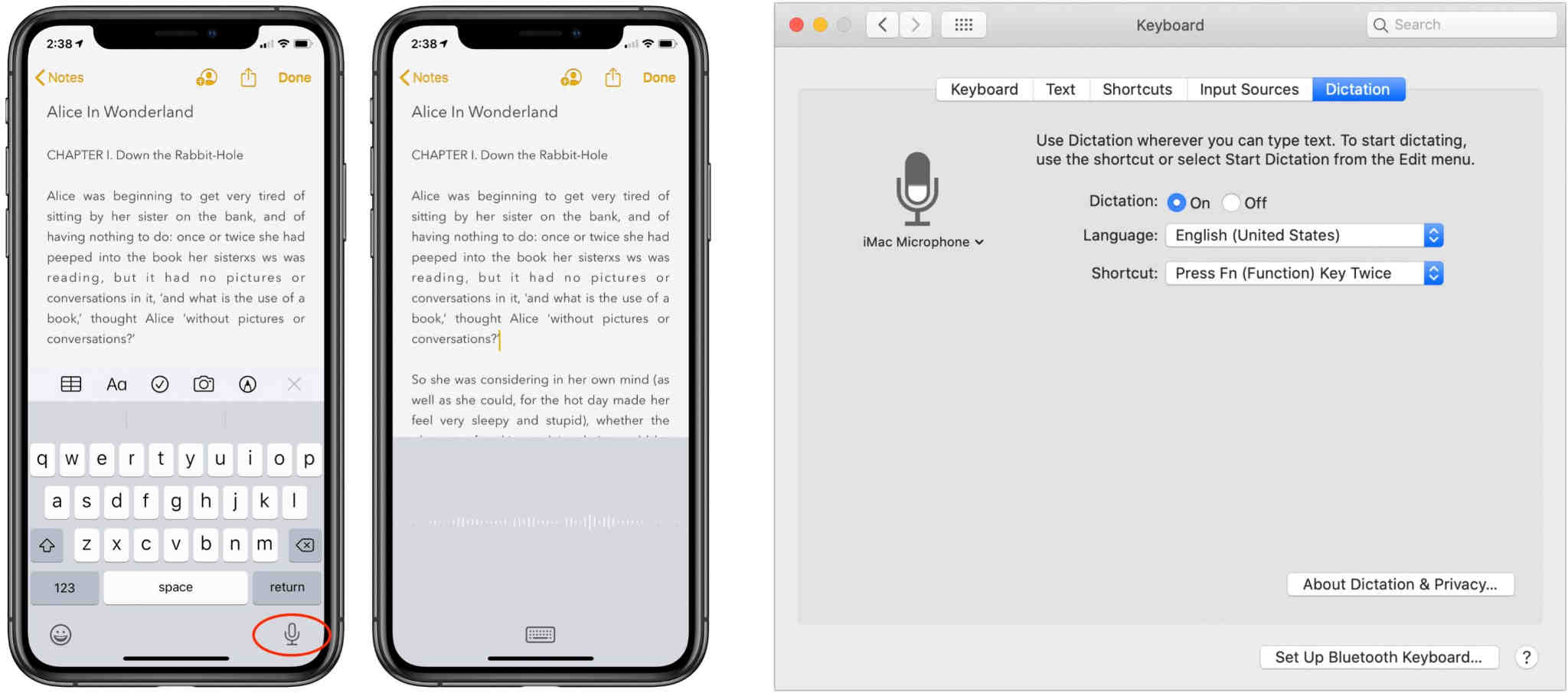
The Bottom Line: Apple Dictation is the definition of convenience. Activated by tapping the microphone key on the native keyboard, it lets you dictate text into any app instantly. With support for dozens of languages and seamless integration, it's a robust tool that requires no extra downloads or accounts.
Why It's a Top Pick: Every iPhone user should try this first. It's powerful enough for most everyday tasks and is always at your fingertips.
Key Features: System-wide dictation on any text field, supports over 30 languages, can be enhanced for offline use in Settings, basic voice commands for punctuation and editing.
Pros: Free and built into every Apple device, extremely easy to use, good privacy as part of the Apple ecosystem.
Cons: Less accurate than dedicated premium apps in noisy environments, lacks the advanced AI features (summaries) of standalone apps.
Real-World Case: A Boston lawyer uses Apple Dictation to draft contract clauses and client emails during their commute, seamlessly switching between typing and speaking.
5. Just Press Record: The One-Tap Universal Recorder for Apple Users
Best For: iPhone, iPad, Apple Watch, and Mac users who want the fastest possible way to capture audio notes, interviews, or ideas with instant transcription.
Pricing: One-time purchase of approximately $4.99 (pricing may vary by region).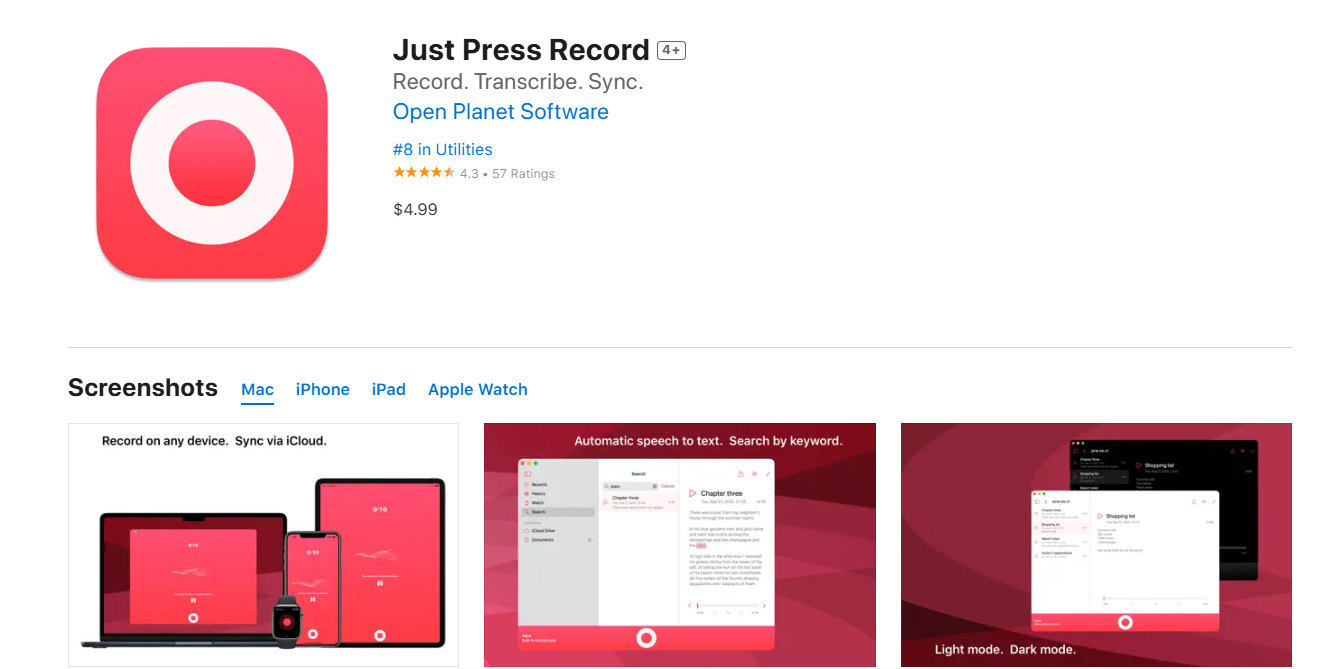 The Bottom Line: Just Press Record lives up to its name. It’s a beautifully simple, universal app that turns any Apple device into an instant audio recorder with one tap. Its standout feature is on-device transcription, which happens immediately after recording, offering a perfect blend of an audio memo and a text note without needing an internet connection.
Why We Include It: For Apple ecosystem users, it's the gold standard for quick, private, and reliable audio capture with the bonus of immediate transcription, all for a small one-time fee.
Key Features: One-tap recording from any device screen or with a widget, real-time on-device transcription (iOS 13+), iCloud sync across all Apple devices, basic editing and organization of recordings.
Pros: Extremely fast and simple to use, transcription works fully offline for privacy, no subscriptions—just a single upfront payment.
Cons: Exclusively for the Apple ecosystem (no Android or web version), transcription is basic and lacks speaker identification or AI summaries.
Real-World Case: A journalist with an iPhone and Apple Watch uses Just Press Record to discreetly capture quick quotes during in-person interviews, getting both an audio backup and a rough transcript instantly on their devices.
6. Gboard (Android): The Default (and Excellent) Android Voice Typist
Best For: Every Android user who wants fast, reliable, and free voice typing directly from their smartphone keyboard, anywhere.
Pricing: Free (pre-installed on most Android phones, available on Google Play).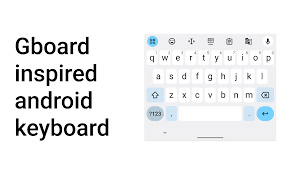 The Bottom Line: Gboard is the Swiss Army knife of Android keyboards, and its built-in Google Voice Typing is one of its best tools. By simply tapping the microphone icon, you get access to Google's powerful, AI-enhanced speech recognition for texting, emailing, searching, and more in any app.
Why We Include It: It’s the most accessible and integrated voice-typing solution for Android. For most daily dictation tasks, it's all you need, removing the barrier of downloading a separate app.
Key Features: Fully integrated voice typing within the Gboard keyboard, works in virtually any app (social media, messengers, browsers), supports voice input for emoji search, learns and adapts to your voice over time.
Pros: Completely free and already on your phone, works universally across the Android OS, highly accurate and fast for short-to-medium dictation.
Cons: Requires an internet connection for best accuracy, not designed for long-form transcription or meeting notes, lacks advanced features like speaker ID or summaries.
Real-World Case: A busy parent uses Gboard's voice typing to quickly send text messages, search the web, and add items to a shopping list—all hands-free while managing household tasks.
See full review here
7. Dictation.io: The No-Install Web Tool
- Best For: Users who need instant dictation on a laptop or tablet without installing any software.
- Pricing: Free.
The Bottom Line: Dictation.io is a remarkably simple, browser-based tool that uses Google’s Speech Recognition engine. There is nothing to download—you just open the website, choose your language, and start talking. It functions like a simple online notepad that transcribes with high accuracy.
Why We Include It: It is the perfect "emergency" tool. If you are on a borrowed computer or don't want to install an app, this is the fastest way to get your thoughts down in text.
Key Features: Works directly in Google Chrome, supports 100+ languages, auto-save feature prevents data loss, simple formatting commands, easy export to email or plain text.
Pros:
- Completely free and requires no login or installation.
- Very lightweight and loads instantly.
- Visual "notepad" interface is easy to edit.
Cons:
- Only works in Google Chrome (or Chromium browsers).
- No mobile app version (strictly web-based).
- Basic feature set compared to AI suites.
Real-World Case: A freelancer working from a library computer uses Dictation.io to draft an article quickly without being able to install their usual software on the public machine.
See full review here
8. Dragon Anywhere: The Professional's Precision Tool
Best For: Legal, medical, and academic professionals where terminology precision and flawless formatting are non-negotiable.
Pricing: $15/month subscription.

The Bottom Line: Dragon by Nuance is the industry standard for a reason. It offers unmatched out-of-the-box accuracy (up to 99%) and deep customization. You can train it on specific jargon and use complex voice commands to format entire documents hands-free.
Why It's a Top Pick: When absolute accuracy and control are worth the price, nothing else comes close. It's a productivity powerhouse for experts who dictate daily.
Key Features: Industry-leading speech recognition engine, create and import custom vocabulary lists, advanced voice commands for formatting and editing, syncs customizations across mobile and desktop.
Pros: The most accurate engine available, highly customizable for specialized fields, powerful voice command library for document control.
Cons: Expensive subscription model, interface can feel dated, primarily focused on English dictation.
Real-World Case: A Dallas law firm uses Dragon Anywhere for deposition dictation, cutting transcription turnaround time by 70% and ensuring perfect legal terminology.
See full review here
9. Transcribe: The Streamlined Audio-to-Text Converter
Best For: Individuals, students, or professionals who need a straightforward, purpose-built app to convert saved audio recordings—like interviews, lectures, or voice memos—into text.
Pricing: Freemium model; free tier with limited features, with premium one-time purchases or subscriptions typically ranging from $5 – $20.
The Bottom Line: Transcribe is a focused utility app that does one job well: turning your stored audio files into editable text documents. It's less about real-time dictation and more about processing conversations or notes you've already recorded, offering a clean bridge between audio capture and written work.
Why We Include It: It serves a specific need that general voice typing apps don't—efficiently transcribing pre-existing recordings from various sources, which is invaluable for review and content creation.
Key Features: Import audio files from your device or cloud storage, playback controls synced with the transcript, basic text editing and export, support for multiple languages.
Pros: Simple, intuitive interface for a single task, useful for working with audio from different recorders or meetings, more affordable than enterprise-grade transcription services.
Cons: Not designed for live, real-time dictation, accuracy can vary significantly with recording quality, lacks the advanced AI (like smart summaries) found in newer, broader platforms.
Real-World Use Case: A student records a guest lecture on their phone, uploads the file to Transcribe, and gets a readable text document to study from, saving hours of manual note-taking.
See full review here
10. Microsoft Dictate: The Integrated Office Dictation Tool
Best For: Professionals and businesses already embedded in the Microsoft 365 ecosystem (Word, Outlook, PowerPoint) who need reliable, built-in dictation.
Pricing: Included with a Microsoft 365 subscription (from ~$6.99/month).
The Bottom Line: Microsoft Dictate is the productivity-focused dictation feature built directly into Microsoft 365 apps like Word, Outlook, and PowerPoint. It offers robust, no-fuss speech-to-text for users who need to create documents, emails, and presentations without leaving their primary work suite.
Why We Include It: For the millions of users who work in Microsoft Office daily, this is the most logical and seamless dictation tool. It turns the Dictate button into a natural extension of the ribbon toolbar.
Key Features: Native integration in Word, Outlook, and PowerPoint, voice commands for punctuation and formatting (“period,” “bold that,” “new line”), real-time transcription, support for multiple languages and dialects, optional automatic punctuation.
Pros: Deeply integrated and stable within the Microsoft 365 apps you already use, leverages Microsoft’s enterprise-grade speech recognition, no need to switch between apps or copy/paste text.
Cons: Only works within the Microsoft 365 application suite (not system-wide), requires a paid Microsoft 365 subscription, lacks the advanced AI summaries and meeting-specific features of dedicated tools.
Real-World Case: A corporate manager uses Microsoft Dictate in Outlook to quickly voice-draft lengthy emails and in Word to compose reports, streamlining documentation within the company’s standardized Office workflow.
See full review here
11. Otter.ai: The Essential Meeting Transcription Hub
Best For: Teams, students, and professionals who need automated, shareable notes from Zoom, Google Meet, or Microsoft Teams calls.
Pricing: Free plan (300 min/month); Pro plan from $16.99/month. The Bottom Line: Otter remains the market leader in meeting transcription for good reason. It joins calls directly, identifies speakers automatically, and provides a live, collaborative transcript. Its core strength is transforming conversations into searchable, actionable assets that teams can work on together.
Why It's a Top Pick: If your workflow is meeting-centric, Otter will save you hours of manual note-taking and follow-up work.
Key Features: Direct integration with Zoom, Teams, and Google Meet, real-time transcription with speaker identification, collaborative editing and commenting, searchable transcript library.
Pros: Best-in-class meeting integrations, powerful collaboration features, generous free tier to start.
Cons: Audio is processed and stored in the cloud, accuracy can drop in noisy environments.
Real-World Case: A marketing agency in Brooklyn uses Otter to transcribe all client calls, saving an estimated 5 hours per week on note-taking and follow-ups.
See full review here
12. Google Recorder: The Pixel-Exclusive Offline Gem
Best For: Google Pixel owners who need accurate, fully offline transcription.
Pricing: Free (exclusively for Pixel phones).
The Bottom Line: Google Recorder is a hidden gem that showcases the power of on-device AI. It records audio and generates a searchable, timestamped transcript completely offline, meaning your data never leaves your phone. The transcription quality for English is exceptional, but its availability is strictly limited.
Why It's a Top Pick: If you own a Pixel and value privacy and offline utility, this app is a must-use and comes pre-installed.
Key Features: 100% offline transcription (no internet needed), search within transcripts to find specific moments, timestamped transcription synced to audio playback, clean, simple interface.
Pros: Unbeatable for privacy and offline use, surprisingly accurate for on-device processing, perfectly integrated into the Pixel experience.
Cons: Only available on Google Pixel phones, limited language support compared to cloud-based apps.
Real-World Case: A researcher uses Google Recorder to document field interviews in areas with no cellular service, relying on its perfect offline functionality.
See full review here
13. ClickUp AI: Where Dictation Meets Task Management
Best For: Teams and project managers who want to turn spoken ideas directly into tasks and structured documents. Pricing: Free tier available; Pro plan starts at $10/month per user.The Bottom Line: ClickUp AI isn't just a dictation app; it's a productivity layer inside a powerful project management tool. You can dictate notes, and its AI will instantly format them, extract action items, and assign them within your workflow.
Why It's a Top Pick: It's ideal for those who need dictation to feed directly into execution, eliminating the step between note-taking and task creation.
Key Features: Dictate notes, tasks, or documents within ClickUp, AI automatically structures text and creates to-do lists, deep integration with ClickUp's project management features (assignees, due dates, priorities).
Pros: Closes the gap between ideation and action, excellent for team collaboration within a shared workspace, enhances an already powerful productivity platform.
Cons: Only valuable if you use (or plan to use) ClickUp as your project hub, AI features can feel less polished than dedicated transcription tools.
Real-World Case: A Miami-based startup team uses ClickUp AI in their daily stand-up meetings; spoken updates are instantly turned into assigned tasks with deadlines, streamlining their entire workflow.
See full review here
14. Notta: The All-in-One AI Meeting Assistant & Transcriber
Best For: Remote teams, students, and professionals who need to record, transcribe, and summarize online meetings (Zoom, Google Meet, Teams) or live interviews automatically.
Pricing: Free plan available (limited minutes); Paid plans start at $13.99/month.
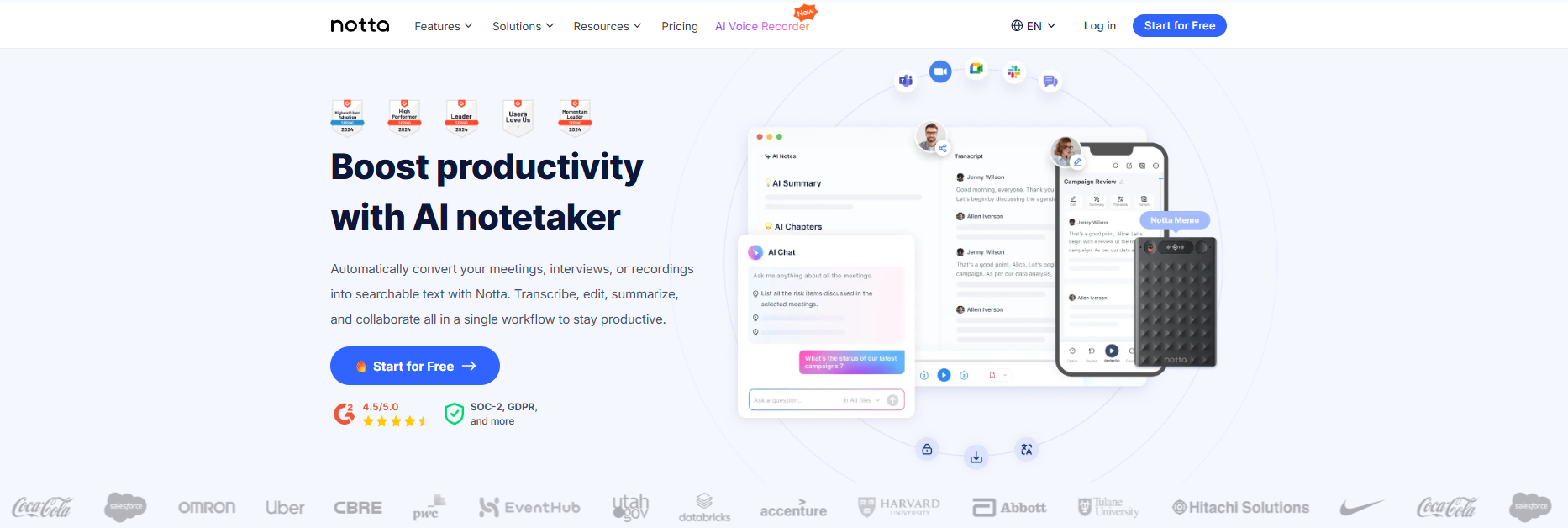
The Bottom Line: Notta transforms how you handle meetings by not just transcribing them, but understanding them. It acts as a dedicated note-taker that records, transcribes, and uses advanced AI to generate concise summaries and action items in real-time, allowing you to focus entirely on the conversation.
Why It's a Top Pick: Its seamless integration is unmatched—the "Notta Bot" can automatically join your scheduled video calls to record and transcribe without you lifting a finger.If you hate taking meeting notes but need accurate records, Notta is the ultimate solution.
Key Features: Automated "Notta Bot" for Zoom/Google Meet/Teams, AI-generated summaries with "Action Items" detection, real-time transcription with speaker identification, supports 104 languages, cross-platform sync (Web, Mobile, Chrome Extension).
Pros: Exceptionally high accuracy (up to 98.6%), powerful AI summarization saves hours of post-meeting work, separates speakers clearly, and offers a smooth mobile app experience.
Cons: The free version is limited in monthly transcription minutes, and advanced AI features require a paid subscription.
Real-World Case: A Remote Project Manager uses Notta to automatically join and record weekly sprint planning meetings on Zoom. Instead of manually typing notes, she simply reviews the AI-generated "Action Items" list and shares it with the engineering team immediately after the call ends.
How Voice To Text Apps Work
Voice to text apps use special technology to understand your voice. Here is how they do it:
First, the app listens to your voice through your phone's microphone. It records the sounds you make when you speak.
Next, the app breaks down these sounds into small pieces. It looks at each sound to figure out what letter or word it might be.
Then, the app uses its smart brain to put these sounds together into words. It also tries to understand what you mean by looking at all the words together.
Finally, the app writes the words on your screen. Some apps can learn how you speak over time. This makes them better at understanding you.
Why Voice To Text Apps Are Exploding in 2026
Voice typing isn’t just a trend—it’s becoming a daily habit. Consider these numbers:
- 153.5 million Americans are using voice assistants in 2026.
- The voice recognition market has surged to over $53 billion.
- 56% of smartphone users already rely on voice for daily tasks.
Imagine this: You're in the middle of a Zoom call, juggling emails, when a brilliant idea hits you. Are you really going to stop and type it out? Most of us wouldn’t. That’s why voice typing has quickly become a must-have productivity hack.
In 2026, it’s not just about turning speech into text. The best tools now generate instant transcripts, create concise AI summaries, correct grammar, and even adapt the tone of your content—making your words ready for action immediately.
- Doctors use it for patient notes.
- Students use it for lecture transcripts.
- Executives use it to record meetings.
- Content Creators use it to capture ideas on the go.
But with so many apps out there, finding the right one is overwhelming. You shouldn’t have to download and test app after app. That’s where we come in.
Below is our handpicked selection of the best apps, complete with features, pricing, pros, and cons—so you can find your perfect match in minutes.
How to Get the Best Results from Any Voice To Text Software
Even the best voice typing app needs a small amount of user input to perform at its best. Following a few proven practices can significantly improve transcription accuracy and reduce editing time.
- First, use a good microphone. A quality headset or external mic consistently delivers better results than a built-in phone or laptop microphone, especially in noisy environments.
- Second, speak naturally but clearly. Maintain a normal conversational pace and articulate words without over-enunciating. Shouting or rushing reduces accuracy.
- Third, learn basic voice commands. Saying words like comma, period, new paragraph, and next line saves time and minimizes post-editing.
- Fourth, edit and train the app. Correcting mistakes helps many apps adapt to your voice, accents, and vocabulary over time.
- Finally, control your environment. Reducing background noise remains the single easiest way to improve results across all voice typing tools.
Tips for Better Using Voice To Text Software
Getting good results with voice typing is easy if you follow these tips:
Speak clearly, but don't talk like a robot. Just speak normally but make sure to say each word clearly. Don't mumble or speak too fast.
Find a Quiet Place to use voice typing. Background noise makes it hard for apps to understand you. Try to use voice typing when it's quiet around you.
Learn Voice Commands for punctuation. Most apps let you say "comma," "period," or "question mark" to add punctuation. This makes your text look better.
Practice using the App regularly. The more you use voice typing, the better you get at it. Some apps also learn your voice over time.
Check Your Text after the app writes it. Even the best apps make mistakes sometimes. Always read what the app wrote to make sure it's correct.
Speak in Short Sentences at first. This helps the app understand you better. As you get better, you can speak longer sentences.
Voice Typing vs Regular Typing
Voice typing is much faster than typing with your fingers. Most people can speak 125-150 words per minute. But they can only type 40 words per minute with their fingers.
There are 7.34 billion smartphone users worldwide in 2026. Many of these people are starting to use voice typing because it's so much faster.
41% of US adults use voice search daily. This shows that people are getting comfortable with talking to their phones.
Voice typing also helps people who have trouble using their hands. It makes phones easier to use for everyone.
Common Problems and How to Fix Them
Problem: The app doesn't understand my accent
Many people worry about this, but good apps like Voicetonotes.ai or Otter work with all kinds of accents. If an app doesn't understand you, try a different app. Don't change how you speak - find an app that understands you.
Problem: The app makes too many mistakes
This usually means you need a better app. Old apps make more mistakes than new ones. Try Voicetonotes.ai or another modern app. Also, make sure you're in a quiet place when you speak.
Problem: The app is too slow
Slow apps are frustrating. This happens with old apps or apps that send your voice to the internet. Try apps that work faster, like Voicetonotes.ai or notta.
Problem: I can't add punctuation
Most apps let you type punctuation marks. Say "comma" for a comma, "period" for a period, and "question mark" for a question mark. If your app doesn't do this, get a better app.
Privacy and Safety
When you use voice typing apps, think about your privacy. Some apps keep recordings of everything you say. Others process your voice on your phone and don't keep recordings.
Read the Privacy Policy before you use any app. This tells you what the app does with your voice. Look for apps that don't keep your recordings.
Don't Say Secret Information like passwords or social security numbers when using voice typing. Even if the app is safe, someone might hear you.
Check App Permissions on your phone. Only give microphone permission to apps you trust. You can always turn off permissions later if you change your mind.
Use Trusted Apps from well-known companies. Apps like Voicetonotes.ai tell you exactly how they protect your privacy.
The Future of Voice To Text Apps
Voice typing technology is getting better very fast. The voice recognition market will reach $25 billion in 2026 and keep growing. This means companies are working hard to make better apps.
Better Accuracy is coming soon. New apps will make even fewer mistakes. They will understand whispers and loud voices equally well.
More Languages will be supported. Apps will work with more languages and accents from around the world.
Smarter Understanding is being developed. Future apps will understand what you mean, not just what you say. They will fix mistakes automatically.
Faster Processing will make apps work instantly. You won't have to wait for the app to process your voice.
Better Privacy features will protect your information. New apps will process everything on your phone without sending your voice anywhere.
Why Voicetonotes.ai Stands Out
After testing many voice typing apps, this app clearly works best for most people. Here's why users choose it over other apps:
Superior Accuracy - This app uses the newest AI technology to understand speech better than older apps. Users report fewer mistakes and better results.
Universal Compatibility - The app works great with all kinds of accents and speaking styles. You don't need to change how you talk.
Lightning Fast - The app processes your voice almost instantly. You don't have to wait around for results.
Learns Your Voice - Voicetonotes.ai gets better at understanding you the more you use it. This makes it more accurate over time.
Privacy Focused - The app protects your information and doesn't store your voice recordings unnecessarily.
User Friendly - The app is so easy to use that anyone can start right away. No complicated setup or training needed.
Many users say they tried other apps first but switched to Voicetonotes.ai because it just works better. The combination of accuracy, speed, and ease of use makes it the clear choice for 2026.
Frequently Asked Questions (FAQs)
Q: Are voice To text apps really free?
A: Many good voice to text apps are completely free, including Apple Dictation and Google Keyboard. Voicetonotes.ai offers both free and premium options. Avoid apps that cost money every month unless they offer something really special.
Q: Do voice typing apps work without internet?
A: Some apps work without internet, but they usually aren't as accurate. Apps that use an internet connection are typically much better at understanding speech. Most people have internet on their phones anyway.
Q: How accurate are voice to text apps in 2026?
A: The best voice to text apps are very accurate now. Modern apps like Voicetonotes.ai can understand speech correctly about 95% of the time when used in good conditions.
Q: Can voice to text apps understand my accent?
A: Yes, good voice to text apps can understand many different accents. Apps like Voicetonotes.ai are specifically designed to work with all kinds of voices and accents.
Q: Is my voice data safe with these apps?
A: This depends on which app you use. Good apps like Voicetonotes.ai protect your privacy and don't misuse your voice data. Always read the privacy policy before using any app.
Q: Can I use voice typing for punctuation?
A: Yes, most modern voice typing apps let you say punctuation marks. You can say "comma," "period," "question mark," and "exclamation point" to add punctuation to your text.
Q: Do voice typing apps work with all other apps on my phone?
A: Most voice typing apps work anywhere you can type text on your phone. This includes messaging apps, email apps, social media apps, and note-taking apps.
Q: What is the best Voice to text app Reddit users recommend in 2026?
A: Reddit users frequently recommend Otter.ai for meetings and Google Recorder for Pixel users. However, for a free and private alternative, many are switching to VoiceToNotes.ai.
Q: Is there a Voice to text app free download for PC?
A: Yes, you can use Dictation.io or VoiceToNotes.ai directly in your browser without needing a Voice to text app free download. If you need offline software, Windows Dictation is built-in.
Q: Which is the best Voice to text app for iPad?
A: Apple Dictation works natively, but for long notes, Just Press Record is the top-rated Voice to text app for iPad.
Conclusion
Voice To text apps are changing how we use our phones in 2026. With 7.34 billion smartphone users worldwide and growing technology, voice typing is becoming a normal part of daily life.
The right voice typing app can save you time and make using your phone easier. After testing many apps, most users find that Voicetonotes.ai offers the best combination of accuracy, speed, and ease of use.
Free apps like Apple Dictation and Google Keyboard are okay for basic needs. But if you want the best results, modern apps with newer technology work much better.
Remember that good voice typing takes a little practice. Start with simple sentences and work your way up to longer text. Most people get comfortable with voice typing within a few days.
The future of mobile communication is moving toward voice input. Getting started with a good voice typing app now will help you stay ahead of the curve. Whether you choose a free option or a premium app, the important thing is to find one that works well with your voice and needs.
Ready to try voice typing? Start with a modern app like Voicetonotes.ai and see how much easier typing on your phone can be.
![AI Transcription Accuracy Benchmarks 2025 [New Data & Study]](/ai transcription accuracy 2025 wer benchmarks & models.png)
.png)
