


Voice typing technology has improved rapidly over the last few years. What once felt inaccurate and frustrating is now becoming a serious productivity tool for students, professionals, businesses, and content creators.
Modern speech to text software can generate notes, emails, meeting transcripts, and documents in real time with surprisingly high accuracy.
As AI transcription tools continue to evolve, more people are asking an important question:
Can voice to text replace manual typing completely?
The answer is more nuanced than a simple yes or no. Voice typing is now faster and more efficient for many workflows, but traditional typing still remains essential for tasks that require precision, editing, and structured formatting.
In this guide, we compare voice typing vs manual typing, including speed, productivity, accuracy, real-world use cases, and the best speech to text apps available in 2026.
What Is Voice Typing?
Voice typing, also known as speech to text or voice to text transcription, is technology that converts spoken language into written text automatically.
Instead of typing manually on a keyboard, users can simply speak naturally while AI transcription software generates text in real time.
Modern voice to text apps are far more advanced than older dictation tools. Many AI-powered platforms can now recognize punctuation, understand context, organize transcripts, and create searchable notes automatically.
Today, voice typing is commonly used for:
- Lecture transcription
- Meeting notes
- Medical dictation
- Content drafting
- Interviews
- Business documentation
- AI note-taking workflows
The growth of AI transcription tools is one of the biggest reasons speech to text software is becoming part of everyday productivity workflows.
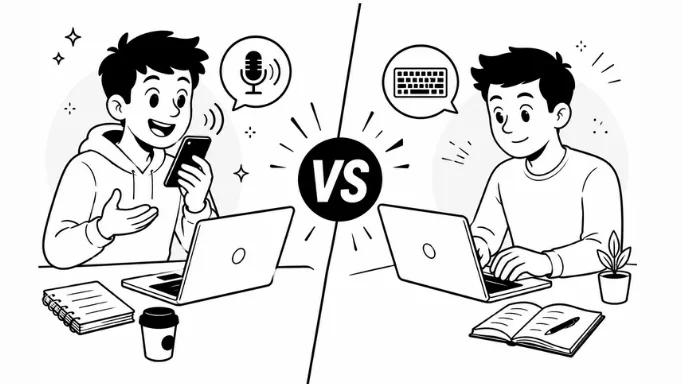
Voice Typing vs Manual Typing
The debate between voice typing vs manual typing is not really about which method is universally better. The real question is which method works best for specific tasks and environments.
Voice typing is rapidly becoming the preferred productivity method for modern workflows because it allows users to capture ideas, conversations, and documentation significantly faster than traditional typing.
While manual typing still helps with precision editing, AI-powered voice typing now handles most drafting, note-taking, and transcription tasks far more efficiently.
In practice, many professionals now use both methods together. They dictate rough ideas using voice to text software and later refine the content manually.
| Feature | Voice Typing | Manual Typing |
|---|---|---|
| Input Speed | Captures thoughts instantly through speech | Slower for long-form writing |
| Productivity | Faster for meetings, lectures, and daily workflows | Better for detailed corrections only |
| Real-Time Note Taking | Excellent for live conversations and discussions | Difficult during fast-paced speaking |
| Effort Required | Less physical effort and more natural communication | Requires constant keyboard use |
| Multitasking | Easy to use while listening, walking, or working | Limited multitasking ability |
| AI Features | AI summaries, transcription, organization, and smart notes | Mostly manual workflow |
| Learning Curve | Natural and conversational | Requires continuous typing practice |
| Best Use Cases | Productivity, brainstorming, meetings, transcription | Editing, coding, formatting |
| Workflow Style | Fast, modern, AI-powered workflow | Traditional structured workflow |
| Future Potential | Rapidly improving with AI advancements | Limited innovation compared to AI voice tools |
Is Voice Typing Faster Than Typing?
For many tasks, voice typing is significantly faster than manual typing.
Research consistently shows that people speak much faster than they type. While the average typing speed is often around 40–60 words per minute, conversational speech can exceed 120 words per minute comfortably.
This speed advantage is one reason AI voice typing tools are becoming increasingly popular in industries that depend heavily on documentation.
Students use speech to text apps for lecture notes and study summaries. Business professionals use AI transcription software for meetings and brainstorming sessions. Healthcare professionals use medical dictation software to reduce charting time and improve documentation workflows.
In many real-world workflows, faster capture often leads to better productivity. Voice typing allows users to focus on thinking and communicating instead of constantly typing, which is why AI-powered speech to text tools are becoming central to modern productivity systems.
Why Voice Typing Is Becoming More Popular
The popularity of speech to text software is growing because modern workflows are becoming more communication-heavy.
Meetings, lectures, virtual collaboration, and remote work have increased the need for faster note-taking and transcription tools.
Modern AI transcription platforms now offer much more than simple dictation.
Real-Time Transcription
Many voice to text apps can now transcribe conversations live during meetings, lectures, and interviews. This allows users to focus on listening instead of manually writing notes.
Better Productivity Workflows
AI transcription tools help users organize ideas faster. Instead of typing every sentence manually, users can create rough drafts instantly and spend more time editing and improving the final version.
Accessibility Benefits
Voice typing can also improve accessibility for people who experience difficulty typing for long periods of time due to mobility issues, fatigue, or repetitive strain.
Faster Documentation
Professionals in healthcare, business, and education increasingly rely on AI transcription software to reduce repetitive documentation work.
For example:
- Doctors use medical voice to text software for clinical notes.
- Teams use meeting transcription software for discussions and summaries.
- Students use AI lecture note tools for study workflows.
Where Manual Typing Is Still Useful
Although AI voice typing has improved dramatically, manual typing still remains useful for certain precision-heavy workflows like coding, complex formatting, and detailed editing.
However, for everyday productivity, meetings, lectures, brainstorming, and documentation, voice typing is increasingly becoming the faster and more practical option.
Editing and Formatting
Manual typing remains much better for tasks that require detailed editing, structured formatting, or precise document organization.
This includes:
- Coding
- Spreadsheet work
- Legal documentation
- Research formatting
- Technical writing
Keyboard-based workflows still provide more precision and flexibility during editing.
Quiet or Shared Environments
Voice typing is not always practical in libraries, open offices, classrooms, or public environments where speaking out loud may be distracting.
In these situations, manual typing remains the more practical option.
Noisy Environments
Voice typing accuracy depends heavily on audio quality. Background noise, multiple speakers, or weak microphones can reduce transcription accuracy significantly.
This is one reason many professionals still review and edit AI-generated transcripts manually before publishing or saving important documentation.
Voice Typing Accuracy in 2026
Modern speech to text software is far more accurate than older dictation systems. AI-powered transcription tools now use advanced language models that can better understand accents, context, punctuation, and conversational speech.
However, accuracy still depends on several important factors:
- Audio quality
- Internet connectivity
- Microphone performance
- Speaker clarity
- Background noise
- Number of speakers
In quiet environments with clear audio, modern AI transcription tools can achieve very impressive accuracy levels. But human review is still important for high-precision workflows like legal documents, medical records, and professional publishing.
The best approach is usually a hybrid workflow where AI voice typing handles drafting and humans handle editing.
Best Use Cases for Voice Typing
Voice typing is especially useful in workflows where speed and convenience matter more than perfect formatting.
Students
Students increasingly use speech to text apps for:
- AI lecture notes
- Study summaries
- Research interviews
- Assignment drafting
Voice typing helps students stay engaged during lectures instead of rushing to write notes manually.
Professionals
Business teams use AI transcription tools for:
- Meeting notes
- Client discussions
- Brainstorming
- Reports
- Documentation
Meeting transcription software has become particularly valuable for remote teams and hybrid workplaces.
Content Creators
Many writers, YouTubers, and creators now use voice typing for:
- Blog outlines
- Video scripts
- Brainstorming
- Podcast preparation
Voice typing helps speed up idea generation significantly.
Healthcare Professionals
Healthcare is one of the fastest-growing industries for speech to text software.
Doctors and clinicians use medical dictation software for:
- Patient notes
- Clinical documentation
- SOAP notes
- Healthcare transcription workflows
AI medical transcription tools help reduce documentation burden and physician burnout.
Best Speech to Text Apps in 2026
The speech to text software market has become highly competitive, with different platforms focusing on different workflows.
VoiceToNotes.ai
VoiceToNotes.ai focuses on real-time AI transcription, searchable notes, and productivity workflows for meetings, lectures, and documentation.
Google Docs Voice Typing
A simple and free voice typing tool designed for basic drafting and note-taking.
Otter.ai
Popular for meeting transcription, collaboration, and team-based workflows.
Notta
Known for multilingual transcription and AI-generated summaries.
Apple Dictation
A useful built-in option for users inside the Apple ecosystem.
Dragon NaturallySpeaking
One of the most established professional dictation software platforms with strong speech recognition capabilities.
Can Voice Typing Replace Manual Typing Completely?
For many users, voice typing is already replacing a large portion of manual typing workflows.
Voice typing is excellent for:
- Drafting
- Brainstorming
- Meetings
- Lecture notes
- Interviews
- Real-time transcription
Manual typing is still useful for:
- Final editing
- Complex formatting
- Coding workflows
- Technical precision tasks
The future of productivity is increasingly centered around AI-powered voice workflows, with manual typing becoming more focused on refinement and specialized precision tasks.
Most people will increasingly use AI voice transcription for capturing ideas quickly while relying on keyboards for final editing and refinement.
Final Verdict
Voice typing has evolved into one of the most powerful productivity technologies in 2026. Modern speech to text software has become powerful enough to improve workflows across education, healthcare, business, and content creation.
For meetings, lectures, brainstorming sessions, and fast documentation, voice to text apps can significantly improve productivity and reduce manual work. AI transcription tools are becoming faster, smarter, and more accurate every year.
While manual typing still plays an important role in editing and technical precision, most modern productivity workflows are rapidly shifting toward faster AI voice-based input.
Instead of replacing typing completely, voice typing is becoming an important part of a hybrid productivity workflow where users combine AI transcription with traditional typing to work faster and more efficiently.
FAQs
Is voice typing more accurate than typing?
Modern AI voice typing tools can achieve very high accuracy in clear environments, making them highly reliable for everyday productivity, meetings, and note-taking workflows.
What is the best voice typing app?
Popular voice to text apps include VoiceToNotes.ai, Otter.ai, Google Docs Voice Typing, and Dragon NaturallySpeaking.
Can students use voice typing for lecture notes?
Yes. Many students use AI transcription tools and speech to text apps for lecture notes, study summaries, and research interviews.
Is speech to text software good for productivity?
Yes. Speech to text software can improve productivity by helping users create drafts, notes, and transcripts faster than manual typing.
Does voice typing work offline?
Some voice typing apps support offline dictation, but many advanced AI transcription platforms require internet connectivity for real-time transcription and AI processing.
Disclosure: VoiceToNotes is developed by our team and is included in this comparison. To maintain fairness, every product is evaluated using the same review criteria.
.webp)
.webp)