


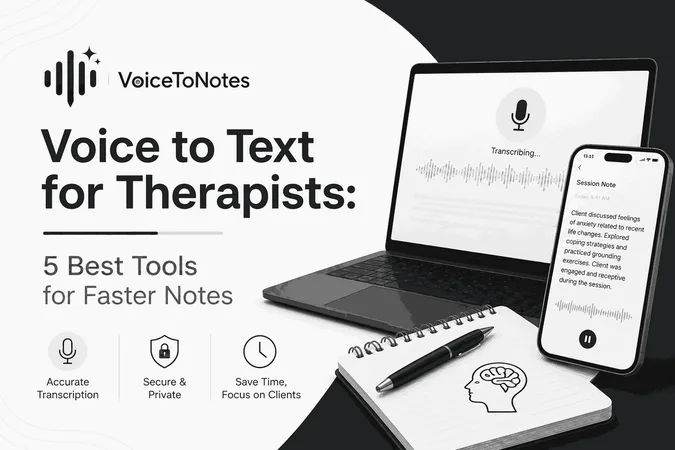
Therapists spend a lot of time with the clients, writing down what happened in each session and keeping track of their progress.
This is really important. It can be very time consuming. I tried out a few tools that can help with this. These tools are called voice to text tools. I wanted to see if they could make it easier for therapists to do their paperwork.
I looked at how these tools could turn what people say into text. I also looked at how easy they're to use and if they are worth the money.
Some of these tools are really good at turning speech into text. You have to edit what they write down. Some have a lot of features and some are too expensive.
This guide will help choose the best voice to text app for therapists that fits their workflow, documentation needs, and budget.
Why Voice to Text Software Matters for Therapists
Therapists spend most of their day with clients and also write a lot of notes and keep records. It takes up a lot of time. That's why I tried some voice to text tools to see if they could make documentation easier for therapists.
I wanted to know how well these tools turned speech into text, how easy to use and if they were worth the cost. Some tools were really accurate while others had useful features but they were too expensive, for small practices.
This guide will help therapists pick a tool that fits their work style, documentation needs and budget.
What Makes a Voice to Text Tool Suitable for Therapists?
Therapists have different priorities, so choosing the right tool means looking beyond basic speech recognition.
Here are the features I considered important while comparing different options.
High Transcription Accuracy
Accuracy is the foundation of any Voice to Text tool. A single misheard word can change the meaning of a sentence especially when documenting conversations with patients. The best tools consistently recognize speech and require minimal corrections even during longer sessions.
AI Powered Summaries
Reading through transcripts isn't always practical. Generated summaries can highlight the key points from dictated notes making it easier to review previous therapy sessions or organize information before writing formal documentation. This feature isn't essential. It can save a surprising amount of time for therapists.
Easy Note Organization
Receiving one block of text isn't particularly helpful. A therapist friendly tool should make it easy to organize thoughts into readable notes that require only minor edits before being added to client records. This helps therapists to stay organized.
Privacy and Security
Because therapists work with sensitive information, privacy should always be a priority. Before adopting any transcription software it's essential to review how it handles recordings, stores data and protects user information. The best practice is to choose tools that align with your workplaces privacy requirements and always verify notes before storing them.
Multi Device Support
Many therapists switch between laptops, tablets and smartphones throughout the day. A tool that works across devices offers flexibility and makes it easier to capture ideas.
Pricing
Advanced features are valuable but they also need to fit within a realistic budget. Independent therapists, students and small practices often look for software that offers a balance between features and cost.
Workflow integration
The best tools fit into your daily routine and EHR. Do they export to your records? Do they support templates like SOAP?
My Top 5 Picks: Best Voice to text tool for Therapists
Voice to Text tools that help therapists reduce documentation time and capture details from client sessions. These balance accuracy, privacy and ease of use. That helps therapists focus on clients, not paperwork.
1. VoiceToNotes.ai – The Best speech to text App for Therapists
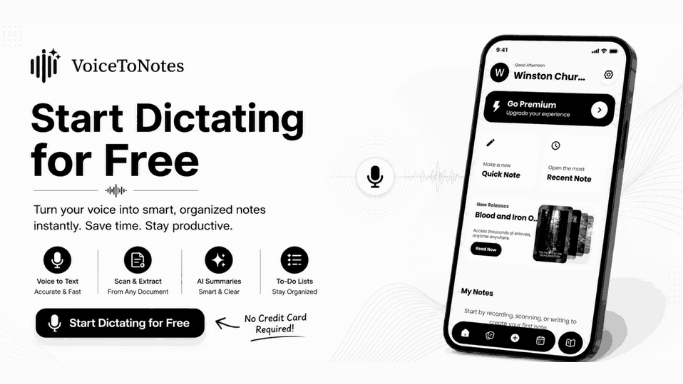
I compared many Voice-to-Text tools for the therapist. Voicetonotes.ai is the one that seems to work really well for therapists.
VoiceToNotes.ai is not an app that converts speech to text, it also makes AI summaries and clean formatted notes in a smart way.
This helps therapists save time when they are organizing their notes after meetings with patients.
One thing I really like about VoiceToNotes.ai is that it is very easy to use. I did not have to spend a lot of time figuring out how it works. I was able to start making neat notes right away.
The summaries that VoiceToNotes.ai generates doesn’t need more manual editing and quickly reviewing important points instead of reading long transcripts.
Why Should Therapists Choose VoiceToNotes.ai?
- VoiceToNotes.ai provides real time transcription
- AI summaries saves a lot of time when reviewing session notes
- VoiceToNotes.ai makes notes that're neat and easy to read
- Supports multiple languages along with mixed language speech
- Pocket friendly subscription plans
- Easy for beginners, just sign in and start talking
Limitations
- AI-generated notes should always be reviewed before adding them to client records
- Some advanced features may require a paid subscription
- Very strong accents or noisy environments can occasionally affect transcription accuracy
Best for: Private practice therapists, counselors, psychologists, social workers, and therapy students looking for an easy to use AI powered documentation tool.
2. Dragon Professional – Best for Detailed Clinical Documentation
Dragon Professional is a well known speech recognition tool that people have been using for a long time. It really stood out because it is very good at transcribing what people say and it can understand special medical terms.
What is really great about Dragon Professional is that it lets users make their own custom vocabulary, which is really helpful for therapists who have to write long reports or use medical language all the time.
Why Should Therapists Choose Dragon Professional?
- Excellent transcription accuracy
- Supports custom vocabulary and well understand medical terminology which's very useful
- Voice command features help create a hands free workflow
- Suitable for therapists who have to dictate reports every day
Limitations
- More expensive than other options
- Requires time to learn and customize
- Works better on desktop computers than it does for documenting things on devices
Best for: Dragon Professional is best for therapists, psychologists and clinics that create detailed clinical documentation every day with Dragon Professional.
3. Notta – Best for Online Therapy Sessions
Notta is an option for therapists who have online sessions or meet clients on the internet. It transcribes conversations live and fast and it is accurate too.
The live transcription is really helpful, it makes it easy to capture conversations and generate summaries. If you work with multiple clients, these features can save you a lot of time. Notta also syncs across devices, allowing you to access your recordings and transcripts whenever needed.
However Notta is not designed for therapists, it is a general tool for transcribing. It works well for recording and transcribing conversations. Therapists might still have to change the transcripts before putting them in client records.
Why Should Therapists Choose Notta?
- Live transcription
- Speaker identification feature
- AI generated summaries help you review faster
- Cloud syncing across devices
- Easy to use interface
Limitations
- Advanced AI features requires payment
- Edit transcripts before using them as therapy notes
- Not focused on clinical documentation
Best for: Online therapists, counselors, telehealth professionals, and mental health teams.
4. Otter.ai – Best for Group Therapy and Team Collaboration
Otter.ai is really good at transcribing meetings. It is especially helpful for therapists who do group therapy sessions, workshops or supervision meetings. The fact that it can transcribe things in time and recognize speakers makes it easy to keep up with conversations and the transcripts are searchable so you can find things later without having to listen to the whole conversation again.
It is not specifically made for keeping track of patient information but the transcripts are usually correct. They often need manual editing before using them as official therapy notes. For therapists who mostly work one on one with clients other tools might be easier to use.
Why Should Therapists Choose Otter.ai?
- Real time transcription
- It has speaker recognition feature for group discussions
- Searchable transcripts
- Easy collaboration and sharing
Limitations
- Requires manual editing
- Advanced features requires payment
- Less focused on therapy-specific documentation
Best for: Otter.ai is best for group therapy sessions, workshops, supervision meetings and mental health training.
5. Apple Dictation – Best Free Option for Apple Users
Apple Dictation is a choice for therapists who have an iPhone, iPad or Mac. Since it's built into Apple devices , therapists do not need to install any software. Apple Dictation works well when therapists want to write down reminders or thoughts about a session and short progress notes while ideas are still fresh.
However Apple Dictation is a tool that lets therapists turn their voice into text. It is not a system for keeping track of client records. It does not make AI summaries, organize notes or automate tasks. So therapists who have a lot of clients may need an advanced system.
Why Should Therapists Choose Apple Dictation?
- Completely free and built into Apple devices
- Easy to find and use
- Reliable for fast voice typing
- Voice Memos Live Transcription
Limitations
- No HIPAA compliance
- No speaker separation
- Fails to understand clinical terminology
Best for: Individual therapists, students, and Apple users who need quick voice-to-text functionality.
How to Choose the Right Voice to Text Tool for Your Therapy Practice
After comparing the options, the next step is to decide which tool best fits your workflow. The right choice depends on how you document sessions, how clients you see each day, your budget and the features that matter most to you.
If you want an all in one solution with AI powered summaries, organized notes and reliable transcription, VoiceToNotes.ai is a strong choice. It offers a balance between ease of use and advanced features. This makes VoiceToNotes.ai suitable for both therapists and those new to voice to text software.
For therapists who dictate clinical reports every day, Dragon Professional is a powerful option because of its excellent speech recognition feature, custom vocabulary and it well understand clinical terminology.
If you do more online sessions then Notta live transcription and meeting summaries may better support your workflow.
Meanwhile therapists who regularly conduct workshops or group therapy sessions may find Otter.ai more useful because Otter.ai offers speaker recognition and collaboration features.
If you're just starting with voice typing or have a limited budget, Apple Dictation can help. It provides a way to reduce manual typing without extra costs. Although it doesn't have AI powered documentation features but can save time for basic note-taking.
Tips for Getting the Most Out of Voice to Text Software
Even the best transcription tool works better when used correctly. Here are a few practices that can improve accuracy and make documentation more efficient:
Dictate your notes after each session while the details are still fresh.
Speak naturally and clearly instead of rushing through your thoughts.
Always look over the transcripts before saving them to client records.
Keep your microphone in a quiet room for high transcription accuracy.
Pick a tool that's safe and private and must align with your organization's privacy and security requirements.
Organize and label notes in a way that is easy to access and find later.
Following these practices can help therapists spend less time correcting transcription errors while maintaining accurate, organized, and reliable client documentation.
Common Mistakes Therapists Should Avoid When Using Voice to Text Tools
Voice to text software is a way to save time on paperwork but if you do not use it correctly you may make mistakes or waste time. I tried out a few tools and I saw some common mistakes that therapists should avoid to get good results.
Mistake 1: Relying Completely on AI
AI is really good at transcribing but it is not perfect. Therapists should always check what the AI wrote before putting it in a clients file. A small mistake or missing detail can change what a session note means.
Mistake 2: Recording in Loud Places
Background noise can make transcription less accurate, multiple speakers can also cause problems and a poor quality microphone can reduce accuracy too. To get more accurate transcripts, record in a quiet room and use a good quality microphone.
Mistake 3: Choosing Things You Do Not Need
Some tools have extra features that you might not use every day. It is better to pick a tool that fits your workflow.
Mistake 4: Ignoring How Private and Secure It Is
Therapists deal with client details so keeping things confidential is really important.
Mistake 5: Skipping Transcript Review
It's a good habit to look over transcripts soon after a session ends. This makes it easier to fix any mistakes, add details and keep client records accurate.
Final Thoughts
Voice to text technology is really helpful. For a lot of therapists, it is a way to minimize office work and focus more on taking care of clients.
For many therapists, VoiceToNotes.ai may be the easiest place to start because it keeps the workflow simple. It provides real time transcription, generates AI summaries and organized notes. Dragon Professional, Notta, Otter.ai and Apple Dictation were all good for different types of therapy practices.
The best voice to text tool for you is the one that suits your daily workflow and your budget. If you take the time to pick one it can make writing notes every day faster, more organized and a lot less stressful.
Frequently Asked Questions (FAQs):
1. Is Voice to text software good enough for therapists to use?
Most modern voice to text tools are quite accurate, especially in quiet environments. However, no software is perfect. Therapists should always review and edit transcripts before adding them to official client records.
2. Which voice to text tool is the one for therapists to use?
I think VoiceToNotes.ai is a good choice for therapists because it offers high transcription accuracy, can summarize notes using AI, note organization, affordability and ease of use.
3. Can therapists use voice to text tools that're free?
Yes they can. Apple Dictation is free. It works well for taking quick notes but it does not have all the extra features.
4. Can AI take the place of therapy documentation?
No it cannot. AI is a tool to help you be more productive, it is not a replacement for a therapist's professional judgment.
5. What features should therapists look for in a voice to text tool?
When choosing a voice to text tool, therapists should prioritize features like accurate transcription, AI generated summaries, organized note management, strong security and smooth workflow integration.
6. Which voice to text tool is best for online therapy sessions?
Notta is a good option for online therapy sessions. It does live transcription, identifies speakers and cloud syncing.
7. Which voice-to-text tool should therapists choose?
The right tool depends on your needs and budget. VoiceToNotes.ai is a great all around choice, while Dragon Professional, Notta, and Otter.ai are better suited for specific workflows.
Disclosure: VoiceToNotes is developed by our team and is included in this comparison. To maintain fairness, every product is evaluated using the same review criteria.
![Cover for 10 Best Speech-to-Text Apps for Android in 2026 [Free & Paid]](/Android speech to text app.webp)
.webp)
.png)