


Otter AI had a good choice when it came to the concept of recording your meetings instantly using a phone application. It is true and it worked at first.
However, it seems that much time has passed and now the AI transcription market is full of new software, even better than Otter. It works faster, is more efficient, secure and just suits better.
You may feel frustrated with the software's limits on the amount of saved recordings, the number of participants, or just want something else to use, you are not alone.
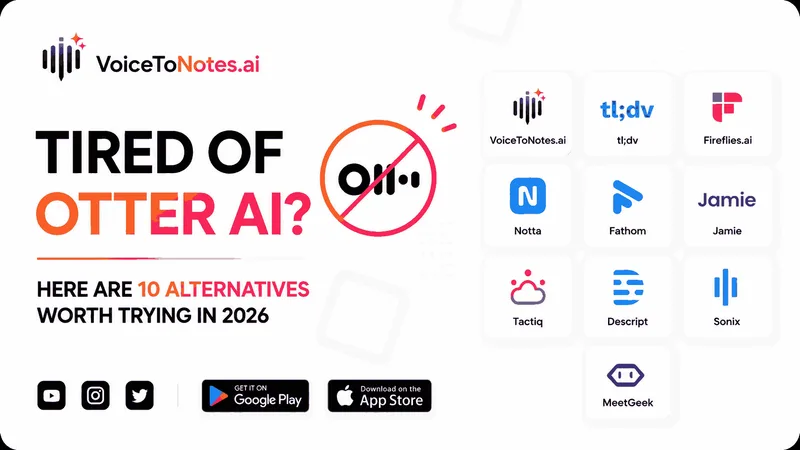
This article discusses 10 alternatives to Otter AI in 2026, selected for particular cases. You will find out exactly what software you can choose for your needs.
Why Look for Otter AI Alternatives?
While Otter AI is definitely a favorite among users, it does have its drawbacks. Some of the reasons why users look for other transcription tools include:
- Lack of free minutes for transcription
- Accuracy problems in noisy surroundings
- Privacy issues due to cloud transcription services
- Absence of offline transcription services
- Very costly subscription models for businesses
- Requirement for improved summarization and action item creation
In today’s era, many of the alternative transcription tools have become even more powerful than Otter AI.
Let's see which ones they are.
Why Are More People Switching to AI Note-Taking Tools?
How AI-powered transcription apps save time and improve meeting productivity.
| Benefits | Description |
|---|---|
| Time saving | Automatically converts conversations into text, eliminating the need for manual note-taking during meetings. |
| Improved focus | Allows participants to concentrate on discussions instead of writing notes. |
| AI-Powered Summaries | Generates concise summaries of lengthy meetings, saving time during reviews. |
| Action item tracking | Identifies key tasks, decisions, and follow-up actions automatically. |
| Better Team Collaboration | Creates searchable meeting records that can be shared with team members who missed the discussion. |
| Multilingual support | Transcribes conversations across multiple languages and accents, making it useful for global teams. |
| Increased Productivity | Reduces administrative work and helps teams spend more time on meaningful tasks. |
| Easy knowledge management | Stores meeting notes in a searchable format for future reference and documentation. |
| AI-Driven Insights | Advanced tools can analyze conversations, detect trends, and provide actionable recommendations. |
| Meeting Documentation | Maintains an accurate record of discussions, decisions, and important business conversations. |
| Enhanced Accessibility | Supports users who prefer voice input over typing and makes information easier to access. |
As AI technology continues to evolve, transcription and note-taking tools are becoming more accurate, intelligent and essential for improving productivity in both personal and professional environments.
Not Sure Which One to Pick? Here's a Quick Overview
Let’s look into the best Otter AI alternatives for transcription, voice notes, and meeting summaries in 2026.
| Otter.ai alternative | Starting price | Free plan | Best for |
|---|---|---|---|
| VoiceToNotes.ai | $0/month but advance features require payment | Free & paid plans | AI summaries and organized notes |
| tl;dv | $18 /month | Yes | Async team collaboration |
| Fireflies.ai | $10 /month | Yes (800 min storage) | Sales teams & analytics |
| Notta | $13.99 /month | Yes (120 min/month) | Multilingual teams |
| Fathom | $15/month | Yes | Individuals & free tier |
| Jamie | ~€25 /month | Yes (10 meetings/month) | Privacy & offline use |
| Tactiq | $8 /month | Yes (10 transcripts/month) | Lightweight Chrome extension |
| Descript | $16 /month | Yes (1 hr media/month) | Audio/video content creators |
| Sonix | $22 /month + hourly | No (pay per hour available) | Translation & video editors |
| MeetGeek | $15/month | Yes (5 hrs transcriptions/month) | Meeting Intelligence |
Detailed Breakdown
Everything you need to know before you decide.
1. Best otter alternative tool - VoiceToNotes.ai
Use Case: Transcription and note taking
VoiceToNotes is an AI-powered note-taking tool that converts spoken words into written text in real time. It helps users quickly capture ideas, meeting discussions, lectures, and personal notes without manual typing.
Features:
- Auto-summaries generated by AI
- Convert spoken word into text
- Multiple export options
- Multi & mixed language support
- Best for note taking
| Pros | Cons |
|---|---|
| Generate AI summaries | Advance features requires payment |
| Note taking tool | Requires internet connection |
| Real time transcription | |
| Works across multiple platforms |
How it beats otter -VoiceToNotes.ai filters out filler words and shapes messy speech into clean, personalized summaries instantly.
2. tl;dv
Ideal For: Async Team Collaboration
With tl;dv, your team can capture, transcribe, and distribute significant moments from meetings without needing all attendees to be present.
tl;dv is ideal for remote teams who rely on asynchronous communication.
Features:
- Meeting recordings and transcriptions
- Automated summaries using AI technology
- Highlights with timestamps
- Easily distribute video clips from the meeting
- Integration with CRMs and productivity applications
| Pros | Cons |
|---|---|
| Excellent for remote teams | Some integrations are limited to paid plans |
| Joins your scheduled calls automatically | Limited platform support |
| Automatically draft follow-up emails | |
| Multi-meeting AI intelligence |
How it beats otter - tl;dv lets you click any part of the transcript to instantly create and share short video clips of key meeting moments.
3. Fireflies.ai
Good for: Sales Teams & Analytics
Fireflies.ai automates your meetings through transcription and summarization, allowing teams to search and organize their conversations effortlessly.
With its analytics capabilities, along with CRM integrations, the tool becomes highly effective for sales and customer success teams.
Features Include:
- Meeting recording
- AI-based summary generation
- Search within conversations
- CRM integration
- Collaboration tools
| Pros | Cons |
|---|---|
| Excellent transcription accuracy | Storage limits on free plan |
| Strong sales focused features | Poor summary quality |
| Supports major meeting platforms |
How it beats otter - Fireflies.ai features an AI companion called AskFred that lets you query your entire meeting history like ChatGPT to find specific answers instantly.
4. Notta
Ideal For: Multilingual Teams
Notta is an artificial intelligence transcriber that can be used by teams using multiple languages and locations.
It allows real-time transcription and offers transcription capabilities in numerous languages.
Features:
- Real-time transcription
- Multilingual
- Speaker detection
- AI meeting summaries
- Cloud synchronization
| Pros | Cons |
|---|---|
| Excellent language support | Free plan has limited transcription minutes |
| Clean user interface | Accuracy drops with noise or accents |
| Suitable for international teams |
How it beats otter - Notta features specialized dual-language transcription that translates and processes two spoken languages simultaneously in real time.
5. Fathom
Good For: Individual Users & Free Users
Fathom automates the process of writing down meeting notes and summaries so that professionals can concentrate on their discussions rather than note-taking.
Its extensive free plan has earned it favor among many individual users.
Features:
- Automatic meeting recordings
- AI-based meeting summaries
- Action point creation
- CRMs
- Highlight meetings
| Pros | Cons |
|---|---|
| Generous free plan | Limited free plan |
| High quality summaries | No file upload |
| Automatically scheduled meeting calls | No mobile app |
How it beats otter - Fathom offers 100% free, unthrottled meeting recording and instant summaries for individual users without any monthly time limits.
6. Jamie
Best For: Privacy & No Internet Access
Jamie is a privacy-oriented meeting assistant capable of creating meeting transcriptions and notes without being too dependent on cloud processing.
Jamie would suit those who value data protection highly.
Main Features:
- AI-assisted meeting transcription
- Identification of speakers
- Extracting action items
- Works across all platforms
- Privacy-oriented
| Pros | Cons |
|---|---|
| Completely bot free | Higher pricing |
| Strong privacy control | Limited meeting transcription |
| Works across multiple platform | |
| Generate summaries |
How it beats otter - Jamie operates entirely bot-free, capturing system audio directly from your device instead of sending an intrusive digital avatar into your calls.
7. Tactiq
Ideal For: Light-weight Chrome Plugin
Tactiq offers live transcription for your meetings from within your browser, without installing any separate application.
The app is suited for those who prefer light-weight note-taking tools.
Features:
- Live Meeting Transcription
- Artificial Intelligence Summary
- Integration with Google Meet
- Highlights of Meetings
- Easiest Note Sharing
| Pros | Cons |
|---|---|
| Bot free | No recording feature |
| Workflow integration | Heavy browser dependency |
| Customizable AI prompts |
How Tactiq beats otter - Tactiq operates entirely bot-free as a lightweight browser extension, capturing live browser captions and meeting screenshots.
8. Descript
Best for: Audio and Video Content Producers
Descript is a platform that integrates transcriptions, audio editing, video editing, and Artificial Intelligence.
Users can modify any recording just by modifying the text.
Main Features:
- Auto-transcription
- Editing of audio and videos
- Recording the screen
- Artificial intelligence-based voice features
- Subtitle production
| Pros | Cons |
|---|---|
| Excellent editing capabilities | Accent accuracy issues |
| Real time team collaboration | Slow AI processing on large projects |
| Advanced AI features |
How Descript beats otter - Descript lets you edit your audio and video files simply by deleting or moving text in the written transcript.
9. Sonix
Best For: Translators and Video Editors
Sonix is an advanced transcription tool that has been adopted by many journalists, researchers, and media people.
It provides tools like transcription, translation, and collaboration for managing a huge volume of data.
Features:
- Transcription
- Translation
- Speaker marking
- Transcript editing
- Collaboration
| Pros | Cons |
|---|---|
| High transcription accuracy | No live transcription |
| Clean, beginner-friendly onboarding | No live meeting bot |
| Good language support with export options | Limited free trial |
| Custom dictionary for jargon & brand names |
How Sonix beats otter - Sonix delivers near-perfect translation and transcription accuracy for pre-recorded media files.
10. MeetGeek
For: Meeting Intelligence
The platform not only transcribes but also analyzes and summarizes meetings to provide meeting intelligence.
It assists teams in analyzing their meeting performance and improving their collaboration.
Features:
- Automatic meeting recording
- Meeting analytics
- AI-powered meeting summaries
- Action item tracking
- CRM integrations
| Pros | Cons |
|---|---|
| Structured summaries | Some advanced features require paid plans |
| High accuracy in optimal condition | Limited transcription minutes on lower plans |
| Strong meeting analytics | Accuracy drops with accents & background noise |
| Helpful productivity metrics |
How MeetGreek beats otter - MeetGeek records full high-definition video alongside audio, providing conversational insights like sentiment tracking and speaker talk-time analytics.
The Quick Guide: What to Pick and Why
Not sure which Otter AI alternative is right for you? This quick guide highlights the best tools based on different use cases, helping you make the right choice in minutes.
Choose by your primary need:
1. Real time transcription & note taking → VoiceToNotes.ai
Why: It is for users who want to convert spoken information into organized text quickly and efficiently.
2. Best Free Option → Fathom
Why: It gives individuals unlimited recording, transcription, and summaries completely free.
3. No Visible Meeting Bots → Jamie
Why: It runs invisibly from your desktop without a fake "bot guest" joining the call window.
4. Global / Multilingual Teams → MeetGeek
Why: It auto-detects and accurately transcribes over 60 different languages.
5. Sales & CRM Tracking → Fireflies.ai
Why: It automatically logs summaries and action items straight into HubSpot or Salesforce.
6. Video & Podcast Editing → Descript
Why: It lets you edit actual audio and video files just by deleting text in the transcript.
7. Sharing Quick Video Clips → tl;dv
Why: It is built specifically to turn long meetings into short, timestamped video snippets.
8. Browser-Only → Tactiq
Why: It works strictly as a Chrome extension, capturing text right from your web browser.
9. Heavy Subtitles & Video Editing → Sonix
Why: It connects directly with tools like Adobe Premiere to turn raw audio files into perfectly translated subtitles.
10. On-the-Go Multilingual Meetings → Notta
Why: It has great mobile apps and handles over 58 languages with highly accurate speaker separation.
Final Verdict
The AI transcription and meeting note marketplace has changed a lot and Otter AI seems like an obvious choice, there are many other options that have even better features and better AI, privacy, pricing and other characteristics.
For example, those who use these applications to do real-time transcription and make intelligent notes would probably enjoy using VoiceToNotes.ai since it uses AI-generated summaries and has multiple languages.
Teams who need to collaborate will like either tl;dv or Fireflies.ai while Notta will work well for multilingual users. Those who want some privacy and the ability to work in an offline mode will like Jamie and creators should try using Descript.
Therefore, the best choice will be the one that corresponds to what you need, which can include such tasks as making notes, gaining meeting intelligence, having multilingual transcription, creating content, and working together with other people in teams.
Future Scope
How VoiceToNotes.ai is useful in future apart from other transcription and note taking tools.
1. Meeting Management Assistance – Provide automatic recording, transcription, summarization and tracking of action items in meetings.
2. Student Learning Aid – Provide students with the means to transform lecture content into note-taking material.
3. Medical Documentation Assistance – Assist medical professionals in documenting their patient records using voice input.
4. Content Writing Assistance – Help content creators transform oral statements into written documents effortlessly.
5. Interviews and Research Assistance – Help researchers and interviewers document their work through automated transcription and note-taking.
Frequently Asked Questions (FAQs):
1. Which Otter AI alternative is best overall in 2026?
There is no single best tool, it depends entirely on your use case. For teams, Fireflies.ai leads on integrations. For individuals, Fathom wins on the free tier. For privacy, Jamie is the top pick. For multilingual teams, Notta is the strongest choice.
2. Which Otter alternative is best for privacy?
Jamie is the most privacy-conscious option. It works offline, never sends your audio to the cloud and is GDPR compliant with data hosted in Germany.
3. Can I use these tools for in-person meetings?
Most tools require an internet connection and Jamie is the standout exception. It captures system audio locally and works for in-person conversations, phone calls, and offline situations.
4. Which tool works best for non-English speakers?
Notta leads for multilingual support with 50+ languages and real-time bilingual transcription and it is a stronger choice for teams needing translation alongside transcription.
5. Do I need to install anything to use these tools?
Tactiq works as a Chrome extension with no separate installation. Most others require a desktop app or a calendar integration to enable automatic meeting joining.
6. Which platforms are best for international or multilingual teams?
VoiceToNotes.ai (20+ core languages along with mixed language support) offers the best translation and language accuracy.
7. Which tool is ideal for teams working across different time zones?
tl;dv focuses heavily on async work, letting you clip and share short, timestamped video highlights instantly.
8. Is Otter AI still worth using in 2026?
Otter still works for the occasional quick transcript, but if you're using it regularly, the limits show up fast and better options exist for the same price or free.
Disclosure: VoiceToNotes is developed by our team and is included in this comparison. To maintain fairness, every product is evaluated using the same review criteria.
.webp)
.webp)