


.webp)
Finding good speech to text software is not as simple as it used to be.
Some tools are built for long-form dictation, some focus on meeting transcription, and others are designed for quick voice typing inside documents, emails, and everyday workflows.
The challenge is choosing software that is accurate, reliable, and actually fits the way you work.
For this guide, we researched and compared the most popular speech to text software available for Windows and PC.
We looked at accuracy, ease of use, supported features, pricing, and how well each tool handled real-world tasks such as document writing, meeting transcription, note taking, and everyday voice typing.
Some tools performed best for professional dictation, while others were better suited for students, remote workers, content creators, and general productivity.
The recommendations below reflect those differences and highlight the options that stood out most in our research.
TL;DR: Best Software Speech to Text in 2026
Best Overall: VoiceToNotes.ai
Best Free Option for Windows: Microsoft Word Dictate
Best for Professional Dictation: Dragon by Nuance
Best for Meetings: Otter.ai
Best Built-In Windows Tool: Windows Voice Access
Best for Mac Users: Apple Dictation
Best Mobile Voice Typing Tool: Gboard
What Is Speech to Text Software for Windows and PC?
Speech to text software allows you to dictate words instead of typing them manually. The software listens through a microphone and converts spoken language into text that can be used in documents, emails, notes, messages, and other applications.
Over the last few years, speech recognition software for Windows and PC has become far more accurate than earlier generations of dictation tools.
Many platforms now support real-time transcription, automatic punctuation, meeting transcription, voice commands, and AI-assisted note organization.
In our research, we found that different tools are built for different use cases.
Some are better suited for long-form writing and document creation, while others focus on meeting transcription, accessibility, or voice-driven productivity workflows.
For Windows and PC users, the right speech to text software depends on how you plan to use it.
Someone writing reports or articles may need different features than a student recording lectures or a professional transcribing meetings.
That is why we evaluated each tool based on accuracy, ease of use, features, and overall value rather than relying on a single benchmark.
What Can You Actually Use Speech to Text Software For?
One thing became clear while comparing speech to text software: most people do not buy these tools because they want voice typing. They buy them because they want to spend less time typing.
For example, a writer may use dictation software to create a first draft faster. A student may use it to turn lecture recordings into searchable notes. A business professional may use it to capture meeting discussions without taking notes manually.
The use case often determines which software works best.
- Meeting-focused tools such as Otter.ai are designed to capture conversations, identify speakers, and generate transcripts.
- Traditional dictation software such as Dragon is built for document creation, professional writing, and custom vocabulary.
- Newer AI-powered tools such as VoiceToNotes.ai, Wispr Flow, and Letterly combine transcription with note organization, summaries, and productivity features.
This distinction matters because software that performs well during meetings may not be the best option for long-form writing, and software designed for dictation may lack collaboration or note-taking features.
Before choosing a tool, it is worth deciding whether your primary goal is writing, transcription, note taking, accessibility, or workflow automation.
The best speech to text software for each of those tasks is often different.
Best Speech to Text Software for Windows and PC in 2026
We tested and compared the most popular tools available today, including free and paid options for Windows, Mac, and mobile. Here is our complete list.
1. VoiceToNotes.ai
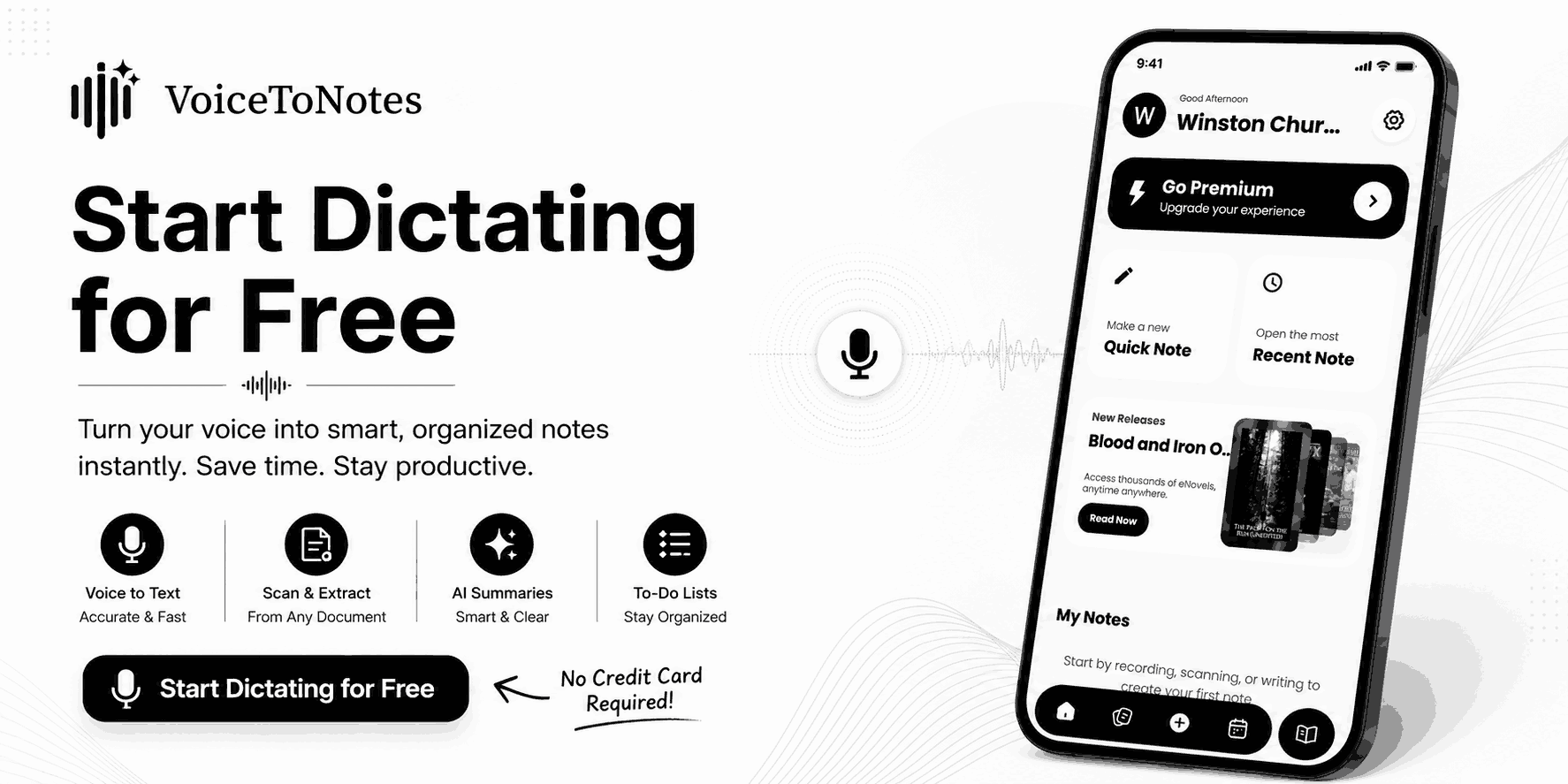
Best Overall Speech to Text Software for Windows and PC
One pattern became obvious while comparing speech to text software: most products are optimized for a single workflow.
Meeting transcription tools are usually strongest at capturing conversations and identifying speakers.
Traditional dictation software is often better for document creation and long form writing. Newer AI powered tools tend to focus on note organization, summaries, and post transcription workflows.
VoiceToNotes.ai sits somewhere in the middle of these categories.
Rather than focusing exclusively on dictation or transcription, it combines speech recognition, note management, and AI assisted organization within a single workspace.
That makes it particularly useful for users who move between meetings, lectures, brainstorming sessions, voice notes, and written content throughout the day.
For Windows users, this distinction matters. In many cases, the challenge is not converting speech into text. Most modern tools can already do that reasonably well. The bigger challenge is managing, organizing, and working with transcripts after they have been created.
This is where VoiceToNotes.ai differs from many traditional dictation platforms.
Best For
- Students recording lectures and study notes
- Professionals managing meetings and interviews
- Writers creating first drafts through dictation
- Users who want transcription and note organization in the same workflow
Key Features
- AI powered speech to text transcription
- Real time voice recognition
- Transcript organization and note management
- Meeting, interview, and lecture transcription
- Cross device access
- AI assisted productivity features
What We Liked
The software is easy to start using and does not require the setup process often associated with traditional dictation tools. We also found its note organization workflow more useful than many speech to text tools that stop at transcription.
What Could Be Better
VoiceToNotes.ai relies on cloud based processing for many of its AI features, so users looking for a fully offline workflow may prefer other solutions.
Advanced users who require industry specific vocabulary training or highly customized voice commands may also find dedicated professional dictation software more suitable.
Bottom Line
VoiceToNotes.ai earned the top position because it addresses a broader set of everyday workflows than most competitors.
While some products specialize in meetings, dictation, or accessibility, VoiceToNotes.ai provides a more balanced experience for users who need transcription, note taking, and productivity features in a single platform.
2. Microsoft Word Dictate
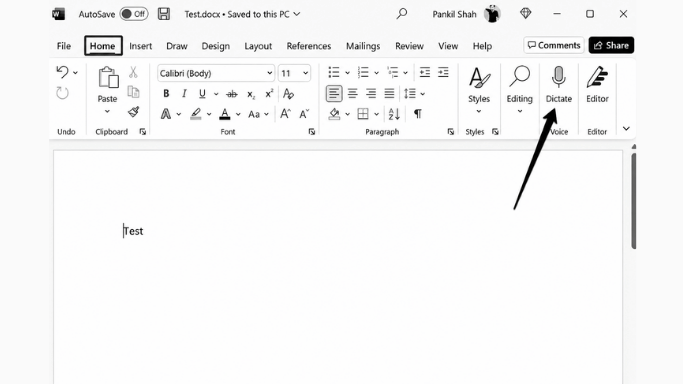
Microsoft Word Dictate is one of the easiest recommendations for people who already spend most of their day inside Microsoft Word. Unlike newer AI transcription tools that focus on meetings, summaries, and note organization, Word Dictate is built around a much simpler goal: helping users turn spoken words into finished documents faster.
During our comparison, Word Dictate consistently felt most natural when writing reports, articles, emails, and longer documents. Because dictation is built directly into Microsoft Word, there is very little setup involved. Open a document, activate the microphone, and start speaking.
One advantage Microsoft has over many competitors is ecosystem integration. Users can dictate across desktop, web, and mobile versions of Word while keeping documents synchronized through the Microsoft 365 environment. For professionals who already work inside Word every day, this often feels more practical than switching between separate transcription and note-taking applications.
Another reason Word Dictate remains relevant is its handling of punctuation and formatting commands. While many speech recognition tools can accurately convert speech into text, fewer are optimized for document creation. In our experience, Word Dictate works best when the goal is producing polished written content rather than organizing meetings or managing transcripts.
Key Features
- Built directly into Microsoft Word
- Real-time speech-to-text dictation
- Voice commands for punctuation and formatting
- Support for multiple languages
- Available across desktop, web, and mobile
- Microsoft 365 integration
Best For
- Writers creating long-form content
- Professionals drafting reports and documents
- Students working on assignments and research papers
- Users already invested in the Microsoft ecosystem
What We Liked
The biggest strength of Word Dictate is that it removes friction from the writing process. There is no need to move recordings between apps or manage separate transcripts. If your goal is writing rather than transcription, the workflow feels straightforward and efficient.
Limitations
- Works best inside Microsoft applications
- Fewer AI productivity features than newer transcription platforms
- Limited customization compared with dedicated professional dictation software
Bottom Line
Microsoft Word Dictate remains one of the strongest options for users who primarily create documents rather than transcripts. While newer AI-powered tools often focus on meetings, summaries, and note organization, Word Dictate stays focused on helping users write faster inside an environment they already use every day.
3. Dragon by Nuance

Best Speech to Text Software for Professional Dictation and Specialized Workflows
Dragon by Nuance occupies a different category from most speech-to-text software on this list. While many modern tools focus on meetings, note taking, or AI-powered productivity features, Dragon is built primarily for people whose work depends on accurate dictation every day.
This distinction becomes important in professions where small transcription mistakes can create real problems. A medical professional dictating patient notes, a lawyer preparing case documentation, or a consultant creating detailed reports often deals with terminology that general-purpose transcription tools may not recognize consistently.
Dragon is designed to solve that problem.
Unlike most speech-to-text software, Dragon allows users to build custom vocabularies, create voice commands, and adapt the software to industry-specific language. Over time, the software learns frequently used terms, names, and phrases, reducing the amount of manual correction required in specialized workflows.
During our research, we found that Dragon is often less appealing to casual users but remains highly valued in professional environments where accuracy, consistency, and customization matter more than convenience.
Key Features
- Advanced speech recognition technology
- Custom vocabulary and terminology support
- Industry-specific editions for legal and medical professionals
- Voice commands for editing and formatting
- Offline dictation support
- Works across multiple Windows applications
- Custom automation and text insertion commands
Best For
- Legal professionals
- Medical professionals
- Consultants and analysts
- Business users creating large volumes of documentation
- Users who dictate for several hours each week
What We Liked
Dragon is one of the few dictation platforms that can be adapted to the user instead of forcing the user to adapt to the software. For people working with technical terminology, client names, product codes, legal language, or medical documentation, that flexibility can significantly reduce editing time.
Another advantage is its offline capability. Unlike many cloud-based transcription tools, Dragon can continue working without relying on an internet connection, which remains important in industries with stricter privacy and compliance requirements.
What Could Be Better
The biggest tradeoff is complexity. Dragon requires more setup, training, and customization than most modern speech-to-text tools. Users looking for quick note taking or occasional voice typing may find the learning curve unnecessary.
Pricing is also higher than many alternatives, making it harder to justify for casual users who only dictate occasionally.
Bottom Line
Dragon remains one of the strongest choices for professionals who depend on dictation as part of their daily workflow. While newer AI-powered tools often prioritize convenience, meetings, and note organization, Dragon continues to focus on a different challenge: helping professionals create accurate documentation in environments where precision matters more than speed.
4. Apple Dictation
Best free speech to text software for Mac users
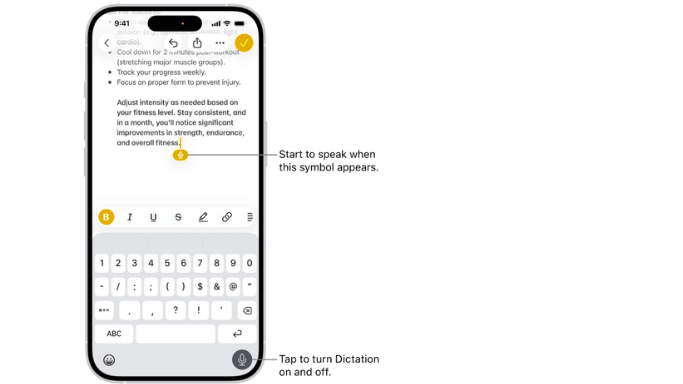
Apple Dictation takes a very different approach from most speech-to-text software. Instead of offering advanced transcription features, AI summaries, or complex workflows, it focuses on one thing: making voice typing available everywhere on Apple devices with almost no setup required.
That simplicity is the main reason it remains popular.
Many speech recognition tools require users to create accounts, install additional software, learn voice commands, or manage transcripts separately. Apple Dictation removes most of that friction. If you own a Mac, iPhone, or iPad, voice typing is already built into the operating system and available across apps such as Notes, Mail, Messages, Pages, and Safari.
During our research, we found that Apple Dictation works best for people who need quick voice input rather than full-scale transcription. Writing emails, replying to messages, capturing ideas, creating notes, or drafting short documents feels fast and natural because the feature is integrated directly into the Apple ecosystem.
Another advantage is privacy and convenience. Users can start dictating immediately without switching between apps or managing recordings, which makes it particularly useful for everyday productivity.
Key Features
- Built directly into macOS and iOS
- Voice typing across Apple applications
- Support for punctuation commands
- Offline dictation support
- No additional software required
- Fast activation and simple workflow
Best For
- Mac users who want built-in voice typing
- Students taking quick notes
- Professionals drafting emails and messages
- Everyday productivity tasks
- Users who prefer simple workflows over advanced transcription features
What We Liked
The biggest strength of Apple Dictation is convenience. Because it is already integrated into Apple devices, users can start dictating almost immediately without changing their workflow.
We also found it particularly useful for short-form writing tasks. Emails, notes, reminders, and quick drafts often felt faster to create with Apple Dictation than with dedicated transcription platforms that require additional steps.
What Could Be Better
Apple Dictation is not designed for users who need advanced transcription workflows, speaker identification, meeting recordings, or AI-powered note organization.
For longer recordings, interviews, lectures, or professional transcription projects, dedicated speech-to-text platforms generally provide more control and better transcript management.
Bottom Line
Apple Dictation remains one of the best free speech-to-text options for Mac users because it solves a simple but common problem: getting words onto the screen quickly without installing or learning anything new.
While it lacks many of the advanced features found in modern AI transcription tools, its speed, convenience, and deep integration with Apple devices make it an excellent choice for everyday voice typing and lightweight dictation.
5. Windows Voice Access
Best free speech recognition software for Windows
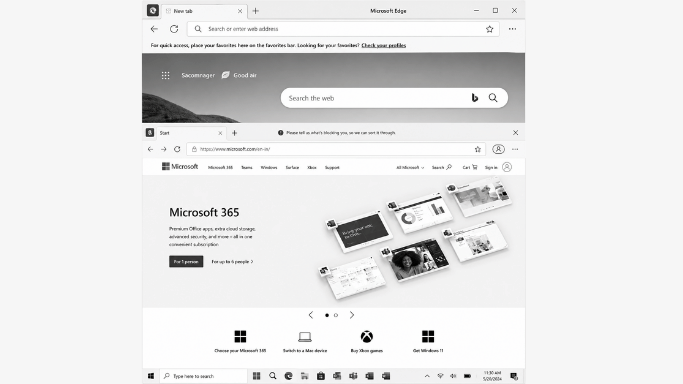
Windows Voice Access is one of the few speech recognition tools on this list that is not primarily designed for transcription. Instead, its main purpose is helping users control a Windows PC using their voice.
That difference is important.
Most speech-to-text software focuses on converting speech into text. Windows Voice Access goes a step further by allowing users to open applications, navigate menus, switch windows, click interface elements, and dictate text without relying heavily on a keyboard or mouse.
For many users, especially those with mobility limitations, repetitive strain injuries, or accessibility needs, this solves a different problem than traditional dictation software.
During our research, we found that Windows Voice Access works best when viewed as a voice control system with built-in dictation rather than a dedicated transcription platform. While it may not offer AI summaries, transcript management, or advanced note-taking features, it provides capabilities that many premium speech-to-text tools do not.
Key Features
- Included free with Windows 11
- Voice-based PC navigation and control
- Dictation across Windows applications
- Accessibility-focused voice commands
- Hands-free workflow support
- Deep Windows integration
Best For
- Users who prefer hands-free computer control
- Accessibility and assistive technology use cases
- Students and professionals with mobility limitations
- Windows users looking for free built-in dictation
What We Liked
Unlike most tools on this list, Windows Voice Access reduces reliance on both the keyboard and mouse. Users can navigate applications, edit text, and interact with Windows using voice commands alone.
Because it is built directly into Windows, setup is minimal and there is no need to install additional software.
What Could Be Better
The experience depends heavily on microphone quality and environment. Background noise can affect command recognition, and users looking for advanced transcription workflows may find dedicated AI platforms more capable.
What Makes It Different
Most speech-to-text software helps users write. Windows Voice Access helps users operate their computer.
That distinction makes it one of the strongest accessibility-focused options available for Windows users.
Bottom Line
Windows Voice Access is not the most advanced transcription tool on this list, but it solves a different problem. For users who want built-in voice control, accessibility features, and free dictation without installing third-party software, it remains one of the most practical options available.
6. Wispr Flow
Best AI Dictation Software for Cross-Platform Productivity
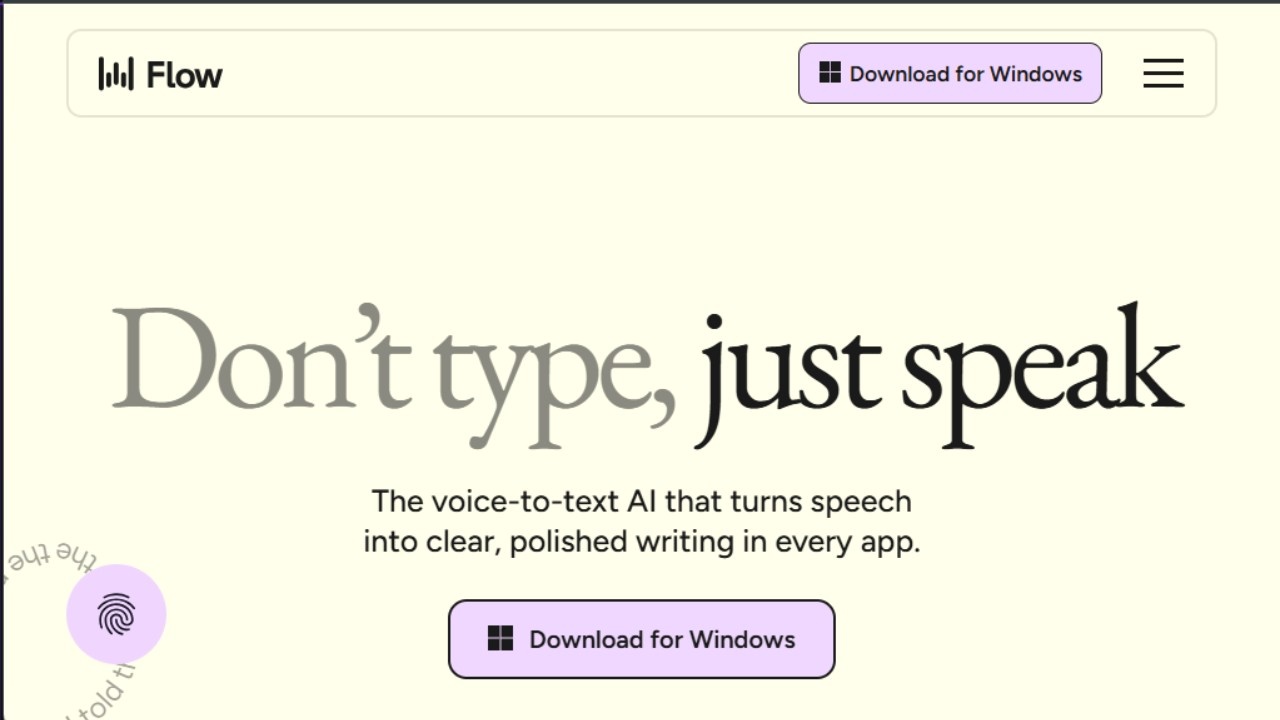
Wispr Flow represents a newer category of speech-to-text software that blends dictation with AI-assisted writing.
Traditional dictation tools are primarily concerned with converting speech into text accurately. Wispr Flow takes a different approach by focusing on what happens while you are writing. The software attempts to adapt formatting, tone, and structure based on context, creating a workflow that feels closer to AI-assisted composition than standard voice typing.
During our research, we found that Wispr Flow is particularly appealing for users who move frequently between devices and applications throughout the day. Writers, founders, consultants, and remote teams often switch between documents, emails, messaging platforms, and project management tools. Wispr Flow is designed around that reality.
One of its more interesting characteristics is context awareness. Instead of treating every dictation session the same way, the software can adjust output depending on where the text is being created. That helps reduce the amount of manual editing required after dictation.
Key Features
- AI-assisted dictation and formatting
- Cross-platform support
- Context-aware writing assistance
- Custom vocabulary learning
- Workflow automation features
- Collaboration capabilities
Best For
- Remote professionals
- Founders and consultants
- Cross-device users
- Teams that rely on AI-assisted workflows
- Productivity-focused users
What We Liked
Wispr Flow feels less like traditional dictation software and more like a writing assistant that happens to accept voice input.
Users who frequently switch between emails, documents, chat applications, and productivity tools may appreciate how the software adapts to different contexts without requiring constant formatting changes.
What Could Be Better
The AI-first approach will not appeal to everyone. Users looking for straightforward transcription or professional documentation workflows may prefer more traditional dictation software.
Long dictation sessions can also reveal limitations that are less noticeable during shorter productivity tasks.
What Makes It Different
Most speech-to-text software focuses on recognition accuracy.
Wispr Flow focuses on reducing the work that happens after transcription.
That distinction makes it one of the more interesting productivity-focused tools currently available.
Bottom Line
Wispr Flow is best viewed as an AI productivity tool rather than a conventional dictation platform. For users who spend most of their day moving between devices, documents, and communication tools, it offers a workflow that feels noticeably different from traditional speech recognition software.
7. Gboard
Best free voice to text software for mobile users
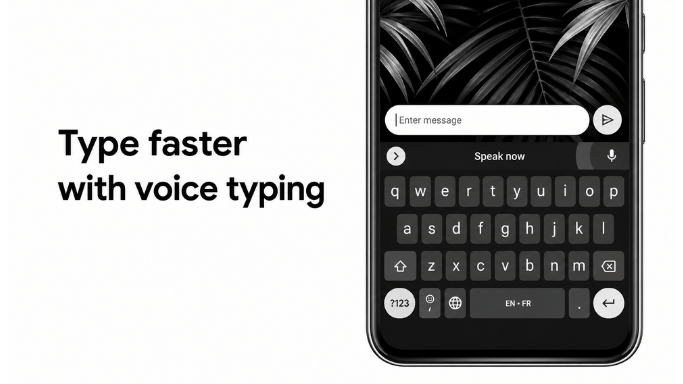
Most speech-to-text software is designed around documents, transcripts, or note-taking workflows. Gboard solves a much simpler problem: helping people type less on their phones.
That may sound obvious, but it is one of the reasons Gboard remains one of the most widely used voice typing tools in the world.
Unlike dedicated transcription platforms, Gboard is built directly into the keyboard experience. Users can dictate a text message, reply to an email, search the web, create a note, or respond in a chat application without opening a separate app or managing recordings afterward.
During our review, we found that Gboard works best for short-form communication rather than long-form transcription. The experience feels almost invisible because voice typing is available wherever the keyboard appears. For many users, that convenience matters more than advanced AI features.
Another advantage is speed. Instead of recording first and processing later, Gboard converts speech into text as you speak, making it useful for quick conversations, reminders, searches, and everyday tasks.
Key Features
- Built directly into the Google Keyboard
- Real-time voice typing
- Support for multiple languages
- Automatic punctuation in supported languages
- Available across Android devices
- Lightweight and free to use
Best For
- Messaging and chat applications
- Email replies
- Quick notes and reminders
- Mobile productivity
- Users who prefer speaking over typing on smartphones
What We Liked
The biggest strength of Gboard is accessibility through familiarity. Most Android users already have it installed, which removes the need to download, learn, or manage another application.
We also found that Gboard fits naturally into everyday workflows. Instead of creating transcripts, it helps users communicate faster across apps they already use throughout the day.
What Could Be Better
Gboard is not designed for meeting transcription, interviews, lecture recordings, or long-form content creation. Users looking for transcript management, note organization, speaker identification, or AI-generated summaries will need a dedicated speech-to-text platform.
Formatting controls are also more limited than those available in professional dictation software.
What Makes It Different
Most speech-to-text software is built around creating transcripts.
Gboard is built around creating responses.
That distinction changes how people use it. Rather than recording conversations or producing documents, Gboard helps users send messages, write emails, perform searches, and capture ideas with minimal friction.
Bottom Line
Gboard remains one of the best free voice-to-text tools because it removes barriers between speaking and communication. While it lacks the advanced features found in dedicated transcription software, its speed, simplicity, and deep integration with mobile workflows make it one of the most practical voice typing solutions available today.
8. Google Docs Voice Typing
Best Speech to Text Software for Google Docs Users
Google Docs Voice Typing remains one of the simplest ways to start using speech recognition for writing. Unlike dedicated transcription platforms that require users to record audio first and work with transcripts later, Google Docs Voice Typing allows users to dictate directly into the document they are already working on.
That difference may seem small, but it changes the workflow significantly.
For many students, writers, researchers, and remote workers, the goal is not necessarily to create transcripts. The goal is to get words onto the page faster. Google Docs Voice Typing is designed around that use case.
During our review, we found that the feature works particularly well for drafting articles, creating outlines, taking notes, and capturing ideas while they are still fresh. Because the text appears directly inside a Google Doc, there is no need to move content between transcription tools, note-taking apps, and document editors afterward.
Another advantage is accessibility. Anyone with a Google account can start using Voice Typing without purchasing software, creating additional accounts, or learning a new workflow. For users already working inside Google Workspace, it often feels like a natural extension of the writing process rather than a separate tool.
Key Features
- Built directly into Google Docs
- Browser-based speech-to-text dictation
- Voice commands for punctuation and formatting
- Support for multiple languages
- Real-time transcription
- Free to use with a Google account
Best For
- Students writing assignments and research notes
- Writers creating first drafts and outlines
- Remote workers using Google Workspace
- Users looking for free browser-based dictation
- Everyday document creation
What We Liked
The biggest strength of Google Docs Voice Typing is workflow simplicity. Instead of recording, transcribing, and then editing elsewhere, users can dictate directly into the document they are already creating.
We also found it useful for brainstorming and first-draft writing, where speed often matters more than perfect formatting.
What Could Be Better
Google Docs Voice Typing is primarily a writing tool rather than a transcription platform. Users looking for meeting recordings, speaker identification, AI summaries, transcript management, or note organization will likely need a dedicated speech-to-text solution.
The feature also works best within the Google ecosystem and offers fewer advanced capabilities than modern AI-powered transcription platforms.
What Makes It Different
Most speech-to-text software starts with audio and ends with text.
Google Docs Voice Typing starts with a document and helps users fill it faster.
That distinction makes it particularly useful for people whose primary goal is writing rather than transcription.
Bottom Line
Google Docs Voice Typing remains one of the strongest free speech-to-text options for users who spend most of their time inside Google Workspace. While it lacks many of the advanced features found in dedicated transcription software, its ability to turn speech directly into editable documents makes it one of the most practical dictation tools available for everyday writing.
9. Letterly
Best AI Dictation App for Structured Notes and Content Creation
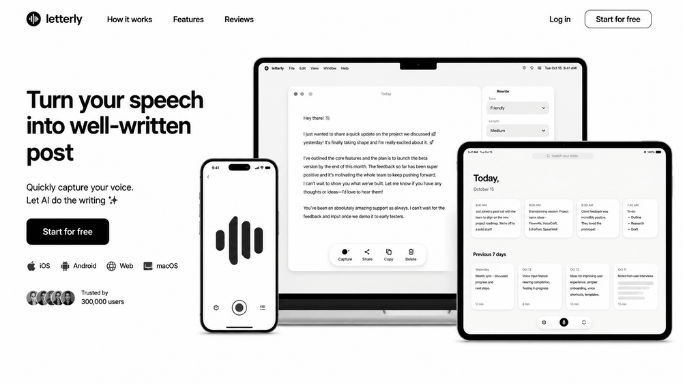
Most speech-to-text software stops once your words have been converted into text. Letterly takes a different approach by focusing on what happens after the transcription is finished.
The platform is designed for people who think out loud.
Instead of delivering a raw transcript, Letterly automatically restructures spoken content into cleaner formats such as summaries, bullet points, meeting notes, journal entries, social media drafts, and organized written content. This makes it particularly useful for users who capture ideas verbally but do not want to spend time editing transcripts afterward.
During our review, we found that Letterly works best when the goal is idea processing rather than transcription accuracy alone. Creators, founders, students, and professionals often use voice notes to capture thoughts quickly, but those recordings usually require additional work before they become useful. Letterly attempts to remove that extra step.
This positioning makes it noticeably different from traditional dictation software. Instead of helping users write with their voice, it helps them turn spoken thoughts into structured output.
Key Features
- AI-powered transcript restructuring
- Automatic summaries and bullet points
- Multiple output formats and writing styles
- Translation support
- Voice note transcription
- Available across web and mobile platforms
Best For
- Content creators
- Students organizing study notes
- Founders and entrepreneurs capturing ideas
- Professionals creating meeting summaries
- Users who frequently record voice notes
What We Liked
One of the biggest challenges with voice notes is that they often become difficult to revisit later. A five-minute recording may contain useful ideas, but finding them usually requires listening again or manually editing transcripts.
Letterly addresses that problem by organizing information automatically, making voice notes easier to review and act on.
We also found it useful for brainstorming sessions where ideas are generated quickly and structure matters more than perfect transcription.
What Could Be Better
Letterly is less focused on traditional dictation workflows than some competitors. Users looking for document creation, advanced voice commands, or long-form professional dictation may find dedicated speech recognition software more suitable.
Organization features are also not as extensive as those found in some note-taking platforms built specifically around knowledge management.
What Makes It Different
Most speech-to-text tools convert speech into text.
Letterly converts speech into usable content.
That distinction is important because many users are not struggling with transcription itself. They are struggling with what to do with the transcript afterward.
Letterly focuses on solving that second problem.
Bottom Line
Letterly is one of the more interesting AI-powered dictation tools because it treats transcription as the starting point rather than the final output. For users who regularly capture ideas through voice notes and want those ideas organized automatically, it offers a workflow that feels noticeably different from traditional speech-to-text software.
10. Monologue
Best Context-Aware AI Dictation Software
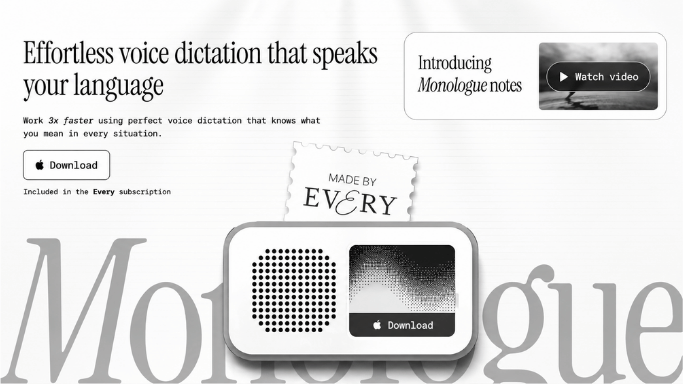
Most speech-to-text software treats every dictation session the same way. Whether you are writing an email, creating a report, taking notes, or sending a message, the software generally converts speech into text without understanding the surrounding context.
Monologue takes a different approach.
The platform is designed around the idea that dictation should adapt to what users are doing rather than forcing users to adapt to the software. Instead of focusing solely on transcription accuracy, Monologue attempts to understand context from the application and workflow where the dictation is taking place.
For users who spend most of their day switching between documents, emails, notes, and communication tools, this can reduce some of the friction normally associated with voice typing.
During our review, we found that Monologue feels less like traditional dictation software and more like an AI writing layer built on top of voice input. The software is particularly interesting for professionals who work in multiple languages or frequently move between different types of writing throughout the day.
Another area where Monologue stands out is multilingual dictation. Many speech recognition tools require users to manually switch languages or workflows. Monologue is built with bilingual and multilingual usage in mind, making it a practical option for users who regularly communicate across different languages.
Key Features
- Context-aware AI transcription
- Multilingual voice typing
- Automatic vocabulary adaptation
- Privacy-focused workflow
- Modern desktop experience
- AI-assisted writing support
Best For
- Productivity-focused professionals
- Multilingual users
- Consultants and knowledge workers
- Mac users looking for AI-assisted dictation
- Users who frequently switch between writing contexts
What We Liked
The most interesting aspect of Monologue is its focus on reducing editing work after dictation. Instead of acting purely as a speech recognition tool, it attempts to understand the environment where the text is being created.
We also found its multilingual workflow more practical than many traditional dictation platforms that still treat language switching as a separate process.
What Could Be Better
Monologue currently serves a narrower audience than many competitors because it is focused on the Apple ecosystem.
The platform is also newer than established products such as Dragon, Otter.ai, or Microsoft Dictate, which means some users may prefer software with a longer track record and broader ecosystem support.
Pricing may also be difficult to justify for users who only need occasional voice typing.
What Makes It Different
Most dictation software asks a simple question:
"What did the user say?"
Monologue tries to answer a second question:
"What is the user trying to do?"
That distinction changes the experience significantly. Rather than treating every sentence equally, the software attempts to adapt to context, workflow, and writing environment.
Bottom Line
Monologue is one of the more interesting entrants in the AI dictation space because it focuses on context rather than transcription alone. For Mac users who want voice input that feels more aware of their workflow, it offers a different approach from traditional speech recognition software and standard transcription platforms.
11. Voicenotes
Best AI note taking and transcript management tool
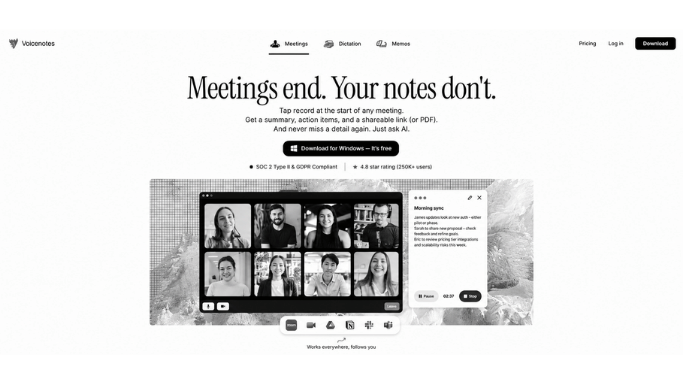
Best AI Note-Taking and Transcript Management Tool
Many speech-to-text tools are designed around transcription. Voicenotes is designed around retrieval.
That distinction becomes important once users accumulate dozens or even hundreds of recordings.
Creating transcripts is relatively easy today. The bigger challenge is finding useful information later. Notes become scattered, recordings pile up, and important ideas often disappear inside large transcript libraries. Voicenotes attempts to solve that problem by combining transcription with search, organization, and AI-assisted knowledge management.
During our review, we found that Voicenotes works particularly well for people who think out loud throughout the day. Founders capturing ideas, students recording study notes, creators brainstorming content, and professionals documenting meetings often end up with large collections of recordings that become difficult to manage over time.
Rather than treating each recording as a separate file, Voicenotes turns them into a searchable knowledge base that can be revisited later.
This makes the product feel closer to a personal knowledge management system than a traditional dictation tool.
Key Features
- AI-powered note organization
- Searchable transcript library
- Meeting summaries and action items
- AI-assisted transcript rewriting
- Cross-platform support
- Voice note management and retrieval
Best For
- Founders and entrepreneurs
- Students managing study notes
- Content creators capturing ideas
- Professionals recording meetings
- Users building long-term note archives
What We Liked
The strongest part of Voicenotes is not transcription accuracy. It is the ability to find information after the recording is finished.
Many voice note applications become difficult to navigate as the number of recordings grows. Voicenotes addresses this by making transcripts searchable, organized, and easier to revisit.
We also found that users who capture ideas throughout the day may benefit more from transcript management than from additional dictation features.
What Could Be Better
Voicenotes is less focused on document creation than traditional dictation software. Users looking for advanced voice commands, professional dictation workflows, or detailed document formatting may prefer other solutions.
Some AI-powered organization features also depend on premium plans, which can limit the experience for free users.
What Makes It Different
Most speech-to-text software answers one question:
"What was said?"
Voicenotes attempts to answer a second question:
"Where can I find that information later?"
That shift in focus changes the product significantly. Instead of treating transcription as the final output, Voicenotes treats transcription as the beginning of a searchable knowledge system.
Bottom Line
Voicenotes stands out because it focuses on a problem many speech-to-text tools overlook: information retrieval. For users who regularly record ideas, meetings, lectures, or brainstorming sessions, the ability to search, organize, and revisit transcripts can become more valuable than transcription itself. That makes Voicenotes one of the more interesting options for long-term note management and AI-assisted knowledge organization.
12. Otter.ai
Best Speech-to-Text Software for Meetings and Conversations
Most speech-to-text software is designed around a single speaker. Otter.ai is designed around multiple speakers.
That distinction explains why it remains one of the most widely used transcription tools for meetings, interviews, lectures, and collaborative discussions.
During our review, we found that Otter.ai solves a different problem than traditional dictation software. The goal is not to help users write documents faster. The goal is to help users remember and revisit conversations without taking notes manually.
This becomes particularly valuable in meetings where participants need to focus on the discussion instead of constantly switching between listening and note taking.
Rather than treating audio as a simple recording, Otter.ai automatically creates searchable transcripts, identifies speakers, highlights key moments, and helps teams review conversations later. For remote teams, students, researchers, journalists, and consultants, this can remove a significant amount of administrative work after meetings.
One of the reasons Otter.ai continues to stand out is that it turns conversations into searchable information. Instead of asking, "What was discussed last week?", users can search transcripts and return directly to specific moments, decisions, or action items.
Key Features
- Real-time meeting transcription
- Speaker identification
- Searchable conversation history
- AI-generated summaries
- Cloud synchronization
- Collaboration and sharing features
Best For
- Remote teams
- Students recording lectures
- Journalists conducting interviews
- Researchers and consultants
- Professionals attending frequent meetings
What We Liked
The strongest aspect of Otter.ai is not transcription itself. It is the ability to revisit conversations later without relying on memory or handwritten notes.
We also found that speaker identification and searchable transcripts create a more useful workflow than traditional audio recordings, especially when dealing with long meetings or recurring discussions.
What Could Be Better
Otter.ai is optimized for conversations rather than document creation. Users looking for long-form writing, professional dictation, or advanced document formatting may find dedicated dictation software more suitable.
Transcript formatting can also require occasional cleanup, particularly in fast-moving discussions with multiple speakers.
What Makes It Different
Most speech-to-text software converts speech into text.
Otter.ai converts conversations into institutional memory.
That distinction matters because meetings often generate information that needs to be referenced days, weeks, or months later. Otter is designed around preserving and retrieving that information rather than simply producing a transcript.
Bottom Line
Otter.ai remains one of the strongest options for meeting transcription because it focuses on conversation management rather than dictation. For users who spend more time in meetings than writing documents, the ability to search, review, and organize discussions often provides more value than transcription accuracy alone.
13. Speechnotes
Best lightweight speech to text software free option
Speechnotes is a browser based dictation tool focused on speed and simplicity. It provides a distraction free voice typing experience and works well for users who want quick transcription without complicated software.
The platform supports continuous dictation and basic voice commands for punctuation.
Key Features
- Browser based voice typing.
- Lightweight interface.
- Continuous transcription support.
- Voice punctuation commands.
- Free to use.
What Makes It Good
Speechnotes is useful for casual users, bloggers, and students who need fast voice typing directly inside a browser. It is one of the easiest best free speech to text software options available.
Limitations
- Basic design and features.
- Limited AI functionality.
- Not ideal for professional workflows.
14. SpeechTexter
Best free speech recognition software for simple dictation
SpeechTexter is another free speech recognition software for Windows and browser users who want simple speech to text conversion without downloading heavy applications.
It supports multiple languages and allows users to create custom voice commands for punctuation and formatting.
Key Features
- Free browser based dictation.
- Multiple language support.
- Custom voice commands.
- Simple interface.
- Real time speech recognition.
What Makes It Good
SpeechTexter is helpful for users who want lightweight dictation software for Windows PC without subscriptions or complicated setup.
Limitations
- Accuracy depends heavily on microphone quality.
- Fewer AI features compared to modern transcription apps.
- Interface feels outdated.
15. MacWhisper
Best private AI speech to text software for Mac
MacWhisper is a privacy focused AI transcription tool powered by OpenAI Whisper models. Unlike many cloud based dictation apps, MacWhisper can run transcription locally on your device, giving users more control over privacy and offline usage.
It is mainly designed for Mac users who want AI powered speech to text software without uploading recordings to external servers.
Key Features
- Offline AI transcription.
- Privacy focused workflow.
- Powered by OpenAI Whisper.
- Local processing support.
- Accurate speech recognition.
What Makes It Good
MacWhisper is a strong choice for users who care about privacy and offline transcription. The software provides surprisingly accurate results while keeping recordings stored locally.
Limitations
- Available only on Mac.
- Slower on older devices.
- More focused on transcription than live dictation.
Best Speech to Text Software at a Glance
Choosing the right speech to text software depends largely on how you plan to use it.
Some tools are designed for long-form dictation, others focus on meetings and transcription, while a few combine speech recognition with AI-powered note taking and productivity features.
The table below highlights the strongest options based on their primary use case, platform support, and overall value.
| Software | Best For | Pricing |
|---|---|---|
| VoiceToNotes.ai | Overall speech to text and productivity | Free plan available |
| Microsoft Word Dictate | Document writing and dictation | Free with Word Online, premium with Microsoft 365 |
| Dragon by Nuance | Professional dictation | Paid |
| Windows Voice Access | Built-in Windows voice typing | Included with Windows 11 |
| Otter.ai | Meetings and interviews | Free plan available |
| Wispr Flow | Cross-platform AI dictation | Free plan available |
| Google Docs Voice Typing | Browser-based dictation | Free |
Why You Should Trust Us
Many speech to text software roundups rank products almost entirely on transcription accuracy.
During our research, we found that this approach overlooks an important reality: accuracy alone rarely determines whether a tool is actually useful in everyday work.
For example, software built for meeting transcription often performs differently from software designed for long-form writing.
A tool that excels at recording interviews may not provide the same experience when drafting reports, emails, or articles.
Likewise, accessibility-focused speech recognition tools serve a different purpose than AI-powered note-taking platforms.
Because of these differences, we evaluated each product within the context of its intended use case rather than treating every tool as a direct competitor.
Our goal was to identify which software performs best for specific workflows, including document creation, meeting transcription, note taking, accessibility, and everyday productivity on Windows PCs.
How We Picked the Best Speech to Text Software
The speech recognition market has changed significantly in recent years. Traditional dictation software now competes with AI-powered transcription platforms, browser-based voice typing tools, and productivity-focused note-taking applications.
We also considered how recent advances in AI have changed the speech recognition landscape. Modern transcription platforms now offer features that extend beyond basic voice typing, including automatic summaries, transcript cleanup, note organization, and workflow automation.
As a result, we evaluated both traditional dictation software and newer AI-powered solutions to understand where each category provides the greatest value.
To build this list, we focused on software that remains relevant for Windows and PC users in 2026.
We excluded outdated products, tools with limited platform support, and software that no longer receives meaningful updates.
Every recommendation was evaluated using the following criteria:
Accuracy
We looked at how well each tool handled natural speech, punctuation, different speaking styles, and longer dictation sessions. While most modern tools perform well under ideal conditions, the differences become more noticeable when working with technical terms, proper names, or extended recordings.
Ease of Use
Some speech recognition tools work immediately, while others require training, setup, or workflow adjustments before they become practical for daily use. We gave preference to software that allows users to start dictating quickly without a steep learning curve.
Windows Compatibility
Because this guide focuses primarily on Windows and PC users, we paid close attention to how software integrates with common desktop workflows.
Tools that worked reliably across documents, browsers, emails, and productivity applications received higher consideration.
Productivity Features
Modern speech to text software often includes more than transcription. We considered features such as AI summaries, note organization, formatting assistance, meeting transcription, and workflow automation when evaluating overall value.
Value for Money
Price alone does not determine value. We compared free and paid tools based on the features they provide, the quality of the experience, and whether the software justifies its cost relative to competing options.
How We Tested the Software
Rather than relying on marketing claims or feature lists, we focused on the types of tasks people commonly use speech to text software for.
Each product was reviewed across a range of practical scenarios, including:
- Long-form document writing
- Blog and content creation
- Email dictation
- Meeting transcription
- Lecture and interview recording
- Everyday voice typing
- Note taking and idea capture
We also paid attention to factors that often affect real-world usability but receive less attention in product comparisons.
These included punctuation handling, response speed, support for longer dictation sessions, workflow interruptions, and how much editing was required after transcription.
One pattern appeared repeatedly throughout our evaluation. Tools that performed exceptionally well for meetings were not always the strongest choice for document creation.
Similarly, some traditional dictation platforms offered excellent writing experiences but lacked the productivity features now available in newer AI-powered solutions.
Those differences played a major role in how we ranked each recommendation throughout this guide.
Why We Focused on Windows and PC Users
While many speech to text tools now support multiple platforms, Windows remains one of the most common environments for dictation, transcription, and productivity workflows.
For this reason, we placed additional emphasis on how software performs across typical Windows use cases, including document creation, email writing, browser-based work, meetings, note taking, and general voice typing.
That said, many of the recommendations in this guide also support Mac, iPhone, Android, and web-based workflows. Where platform availability plays an important role in the overall experience, we highlight those differences throughout our recommendations.
Who This Guide Is For
Speech to text software is no longer used only for accessibility purposes. Today, professionals, students, creators, remote workers, and business teams increasingly rely on voice recognition technology to save time and reduce manual typing.
This guide is designed for:
- Writers creating articles, reports, scripts, and long-form content
- Students recording lectures, research notes, and study materials
- Professionals managing meetings, interviews, and documentation
- Remote workers who rely on transcription and note-taking tools
- Content creators capturing ideas and brainstorming sessions
- Users with mobility limitations who prefer voice-driven workflows
- Anyone looking to improve productivity through faster voice input
Whether you need simple voice typing, professional dictation, meeting transcription, or AI-powered note taking, the recommendations in this guide are intended to help you find the software that best matches your workflow.
How AI Is Changing Speech to Text Software
Artificial intelligence is rapidly transforming dictation software from simple voice typing into intelligent productivity tools.
Older speech recognition systems mainly focused on converting spoken words into text. Modern AI powered transcription platforms now understand context, improve punctuation automatically, organize notes, summarize conversations, and even rewrite transcripts into cleaner formats.
Recent AI models like OpenAI Whisper and GPT based transcription systems dramatically improved speech recognition accuracy for accents, noisy environments, and conversational language.
This shift is one of the biggest reasons tools like VoiceToNotes.ai, Wispr Flow, Letterly, and Voicenotes are becoming more popular.
They combine traditional speech recognition software with modern AI workflows that help users organize ideas, create summaries, and manage notes more efficiently.
As AI continues improving, speech to text software for Windows and PC is becoming faster, smarter, and more natural than ever before.
What to Look for in the Best Speech to Text Software
When you are deciding which tool is best for converting speech to text, accuracy matters most. Any good tool should reach 95 percent or higher after a short period of use.
Ease of use is also important. The best tools let you start dictating in one or two steps without complicated setup.
Punctuation command support is essential for professional writing. You need to be able to say "full stop" or "comma" and have the tool respond correctly.
Finally, check whether the tool works on your device and whether it needs an internet connection.
Best Speech to Text Software Free Options
If you want the best free speech to text software, you have several strong options. Windows Voice Typing on Windows 11 and Apple Dictation on Mac are both free, accurate, and built into your operating system.
Google Docs Voice Typing is free for anyone with a Google account.
Voicetonotes.ai also offers a free starting option for users who want browser based dictation without any installation.
Best Speech to Text Software for Writers
Writers need a tool that is accurate on long form text, supports punctuation commands, and does not require constant editing afterward.
Based on our testing, Voicetonotes.ai and Microsoft Word Dictate are the best speech to text software for writers in 2026. Both handle long paragraphs well and produce clean output that needs minimal correction.
If you write regularly by voice, you can also read our post on tips for using voice to text for long form writing to get the best results from any tool.
Which Tool Is Best for Converting Speech to Text
For most people, Voicetonotes.ai is the best starting point because it is simple, fast, and works in any browser without installation. For professional and long form dictation on Windows, Microsoft Word Dictate offers the widest platform support and the highest accuracy for free.
For specialists in medicine or law, Nuance Dragon Professional Anywhere remains the most capable tool despite its higher cost. For students and everyday users on Windows, the built in Windows Voice Typing is hard to beat.
FAQs
Is speech to text software accurate?
Yes, modern AI powered speech to text software is now highly accurate. Tools like VoiceToNotes.ai, Microsoft Word Dictate, and Dragon by Nuance can accurately recognize natural speech, punctuation, and long form dictation.
Which speech to text software works offline?
Apple Dictation, Dragon by Nuance desktop versions, and MacWhisper support offline speech to text functionality for users who need local transcription without internet access.
What is the best free speech to text software?
Some of the best free speech to text software options include VoiceToNotes.ai, Google Docs Voice Typing, Windows Voice Access, and Gboard for mobile voice typing.
Can speech to text work without internet?
Yes, some speech recognition software for Windows and Mac can work offline, but many modern AI transcription tools require an internet connection for advanced AI processing and real time cloud transcription.
Which tool is best for students?
VoiceToNotes.ai is one of the best options for students because it offers fast transcription, smart note organization, and an easy voice typing experience for lectures, study notes, and assignments.
Is Speech to Text Software Right for You
Speech to text software may feel unusual at first because speaking your thoughts out loud is very different from typing on a keyboard. Like any productivity tool, it takes a little practice to become comfortable with voice typing and AI powered dictation.
But once you get used to it, modern speech recognition software for Windows and PC can save a huge amount of time. You can write blogs, emails, notes, meeting summaries, and documents from almost anywhere without constantly using a keyboard.
The best software speech to text tools are now accurate enough for daily productivity, professional writing, and long form transcription. Whether you choose VoiceToNotes.ai, Microsoft Word Dictate, Dragon by Nuance, or another platform from this guide, modern AI transcription tools can make writing faster, easier, and more accessible than ever before.
Disclosure: VoiceToNotes is developed by our team and is included in this comparison. To maintain fairness, every product is evaluated using the same review criteria.
![Cover for 10 Best Speech-to-Text Apps for Android in 2026 [Free & Paid]](/Android speech to text app.webp)
.webp)
.png)