


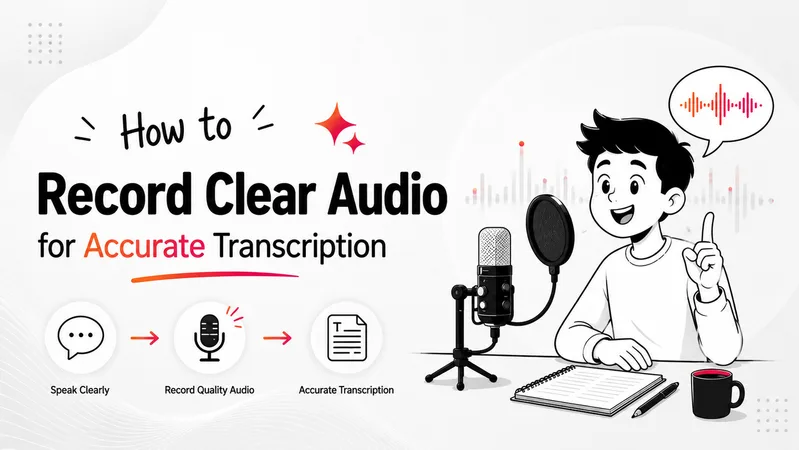
AI transcription tools have improved dramatically in recent years, but even the best speech recognition systems still depend heavily on audio quality.
If a recording sounds unclear to a human listener, transcription software will usually struggle as well.
This is one of the biggest reasons people experience frustrating transcription results. A meeting may contain overlapping voices, an interview might include background traffic noise, or a lecture recording may sound distant and echo-heavy.
In these situations, even advanced AI systems can misinterpret words, punctuation, or speaker intent.
The good news is that improving transcription accuracy often has less to do with expensive software and more to do with recording habits.
A few simple recording adjustments can dramatically improve audio quality for transcription and reduce the amount of editing required afterward.
In this guide, you’ll learn how to record clear audio for accurate transcription, improve speech-to-text accuracy, reduce background noise, and create cleaner recordings for meetings, lectures, interviews, podcasts, and voice notes.
Why Clear Audio Matters for Transcription Accuracy
Modern AI transcription systems rely on speech clarity to process conversations correctly. While speech recognition technology is much smarter than older dictation systems, it still performs best when recordings are clean and easy to understand.
Poor audio creates several problems at once. Background noise competes with speech, echo distorts conversations, overlapping speakers confuse speaker separation, and weak microphones often reduce voice clarity significantly.
The result is usually:
- missing words
- incorrect punctuation
- speaker confusion
- misheard phrases
- transcripts that require heavy editing
For many users, the biggest productivity loss is not recording audio itself. It is spending extra time fixing transcripts later.
Clear recordings reduce that problem dramatically.
In real-world workflows, clean audio often improves transcription quality more than switching between different transcription tools.
Start With the Quietest Environment Possible
The recording environment has a massive impact on transcription accuracy.
Speech recognition systems perform best when the speaker’s voice is clearly separated from background sounds. Traffic, television noise, fans, cafés, keyboard clicks, and room echo can all interfere with speech processing.
Many people underestimate how noticeable small noises become during transcription. A sound that feels “minor” while recording may become surprisingly disruptive once speech recognition software starts analyzing the audio.
Quiet indoor spaces generally produce the best results. Bedrooms, carpeted offices, and smaller furnished rooms often work better than large empty spaces because soft surfaces naturally reduce echo and sound reflections.
If possible:
- close windows and doors
- silence phone notifications
- reduce appliance noise
- avoid recording near traffic or public conversations
Even simple environmental changes can improve speech recognition accuracy significantly.
Microphone Placement Matters More Than Expensive Equipment
One of the biggest misconceptions about transcription quality is that people need expensive microphones for clear recordings.
In reality, microphone positioning usually matters more than microphone price.
A basic smartphone microphone placed close to the speaker will often outperform an expensive microphone positioned too far away.
Distance creates problems because room echo and environmental noise become more noticeable as the microphone moves farther from the speaker’s voice.
For most workflows, the goal is simple: keep the voice clear and consistent.
If you are recording with a smartphone, speaking naturally while holding the device relatively close usually produces much better results than placing the phone across the room.
For interviews, podcasts, or professional meetings, external microphones can still help significantly. Clip-on microphones and USB microphones reduce environmental noise and improve voice clarity, especially during long recordings.
Laptop microphones, however, often struggle because they sit farther away from the speaker and pick up more surrounding sound.
Speak Naturally Instead of Trying to Sound “Perfect”
Many people unintentionally reduce transcription quality by changing how they speak while recording.
Some speak too quickly. Others over-pronounce words unnaturally or pause awkwardly because they think speech recognition software requires robotic speech patterns.
Modern AI transcription systems are designed for natural conversation.
Speaking clearly at a calm, moderate pace usually produces the best results. There is no need to exaggerate pronunciation or speak unnaturally slowly.
In fact, forced or robotic speech can sometimes sound less natural to speech recognition systems.
What matters most is:
- consistent speaking volume
- clear pronunciation
- avoiding excessive interruptions
- minimizing overlapping conversations
This becomes especially important during group discussions and meetings where multiple people may start speaking simultaneously.
Reduce Background Noise Before You Start Recording
Many transcription issues begin before recording even starts.
Small sounds that people ignore during conversations often become much more noticeable inside transcripts. Air conditioners, laptop fans, television audio, notifications, traffic, and room echo can all interfere with speech recognition performance.
Before recording, take a few seconds to evaluate the environment carefully.
If possible:
- turn off unnecessary electronics
- avoid noisy public spaces
- reduce fan noise
- close curtains to soften echo
- keep microphones away from mechanical sounds
The improvement in transcription accuracy can be surprisingly large.
This is particularly important for:
- meeting transcription
- interview recordings
- lecture notes
- podcast production
- healthcare documentation
The cleaner the recording, the less editing work usually follows later.
Audio Quality Is More Important Than File Length
Many people focus heavily on recording duration while ignoring audio quality completely.
A short clear recording is usually far more valuable than a long noisy one.
Modern speech recognition software can process lengthy conversations effectively, but once audio clarity declines, transcription quality often drops quickly as well.
This becomes obvious during:
- remote meetings
- crowded classrooms
- outdoor interviews
- conference recordings
The goal should not simply be recording more audio. The goal should be preserving speech clarity throughout the recording.
That distinction matters because AI transcription systems work best when conversations remain understandable and structured.
Group Recordings Need Extra Attention
Multi-speaker recordings are naturally more difficult for transcription software.
When people interrupt each other frequently or speak simultaneously, AI systems can struggle with speaker separation and conversational flow.
This is one reason meeting transcription remains one of the hardest real-world transcription tasks.
For cleaner group recordings:
- encourage speakers to avoid interruptions
- keep microphones positioned evenly
- reduce room echo
- ask remote participants to use headphones
- avoid multiple people speaking at once
These small adjustments improve transcript readability far more than most users expect.
Clear speaker separation helps transcription systems identify conversations more accurately and reduces confusion inside final transcripts.
Choose Recording Settings Carefully
Recording quality also depends on how audio is captured and stored.
Highly compressed audio files may save storage space, but they often reduce speech clarity. Compression can introduce distortion that makes transcription more difficult for AI systems.
For the best audio quality for transcription, uncompressed or high-quality audio formats generally work best.
WAV files usually preserve speech clarity better than heavily compressed formats. High-quality MP3 recordings can also work well for most workflows, especially when recorded at higher bitrates.
Fortunately, most modern smartphones and recording apps already provide acceptable audio quality for everyday speech recognition workflows.
The larger issue is usually recording environment and microphone positioning rather than file format alone.
Why Real-Time Transcription Depends on Audio Quality
Real-time transcription systems have become much more popular in 2026 because users increasingly want searchable notes instantly instead of uploading recordings later.
However, live transcription is even more dependent on recording quality because AI systems process conversations immediately without extensive post-processing cleanup.
This means:
- background noise matters more
- overlapping speech becomes harder to separate
- microphone clarity becomes critical
Platforms like VoiceToNotes.ai focus heavily on real-time transcription workflows, which makes clean recording environments especially important for achieving accurate live transcripts.
For meetings, lectures, and brainstorming sessions, better audio quality directly improves live transcription readability.
Common Recording Mistakes That Hurt Transcription Accuracy
Many transcription problems come from recording habits rather than transcription software limitations.
Recording too far from the microphone is one of the most common mistakes. Background television noise, crowded environments, and speaker interruptions also reduce transcript quality quickly.
Another common issue is assuming AI systems can “fix” poor audio automatically. While modern speech recognition software is far more advanced than older dictation systems, no transcription tool can completely recover conversations hidden behind noise or distortion.
In practice, cleaner recordings almost always produce cleaner transcripts.
That is why experienced users often focus more on recording setup than constantly switching between transcription platforms.
How to Improve Speech-to-Text Accuracy Over Time
Improving transcription accuracy is usually a process of refining recording habits gradually.
Many users notice major improvements simply by:
- recording in quieter rooms
- using better microphone placement
- speaking more clearly
- reducing interruptions
- reviewing recordings briefly before important sessions
Over time, these habits create dramatically cleaner transcripts with far less editing required afterward.
For students, professionals, researchers, creators, and remote teams, this can save significant time across daily workflows.
Final Thoughts
Recording clear audio for transcription is less about expensive equipment and more about creating the right recording conditions.
Modern AI transcription systems are incredibly powerful, but they still rely on clean speech input to perform well. Quiet environments, better microphone positioning, reduced background noise, and natural speaking patterns all improve transcription quality significantly.
For most users, the biggest improvement comes from understanding one simple reality:
Better audio creates better transcripts.
Whether you are recording lectures, meetings, interviews, podcasts, or voice notes, cleaner recordings reduce editing time, improve readability, and make speech-to-text workflows far more practical in everyday use.
FAQs
How can I improve transcription accuracy?
Improving transcription accuracy usually starts with cleaner recordings. Recording in quiet environments, reducing background noise, and using better microphone placement can improve speech recognition quality significantly.
What is the best audio quality for transcription?
Clear recordings with minimal background noise generally produce the best transcription results. High-quality WAV or higher bitrate MP3 recordings usually work well for speech recognition workflows.
Do microphones really improve transcription quality?
Yes. Better microphone positioning and cleaner voice capture can improve transcription accuracy dramatically, especially during meetings, interviews, and long recordings.
Why does background noise affect speech recognition so much?
Speech recognition systems work by separating spoken words from surrounding sounds. Excessive noise makes it harder for AI systems to identify speech clearly and accurately.
How do I reduce background noise in recordings?
Recording in quieter rooms, closing windows, reducing fan noise, and avoiding crowded public spaces can improve recording clarity significantly.
Is real-time transcription harder than uploaded transcription?
Real-time transcription depends heavily on clean audio because AI systems process speech immediately. Clear recording environments usually improve live transcription accuracy noticeably.
What recording mistakes hurt transcription accuracy the most?
Speaking too far from the microphone, recording in noisy environments, overlapping conversations, and poor microphone placement are some of the biggest causes of transcription errors.
Disclosure: VoiceToNotes is developed by our team and is included in this comparison. To maintain fairness, every product is evaluated using the same review criteria.
![Cover for 10 Best Speech-to-Text Apps for Android in 2026 [Free & Paid]](/Android speech to text app.webp)
.webp)
.png)