


Disclosure: I spent over 40 hours testing multiple medical dictation tools. While VoiceToNotes is a product that I work on, I have maintained absolute objectivity in this review.
VoiceToNotes was tested using the exact same methodology, scoring criteria, and benchmark recordings as every other app. My goal is to provide enough transparent testing data so you can choose the tool that best fits your workflow.
If you are a doctor, chances are high that you are more engaged with clicking on charts than communicating with your patients.
If you're new to medical dictation software, understanding how it works can make comparing different tools much easier.
Modern AI transcription has dramatically improved the speed and accuracy of clinical documentation.
Before AI, Dragon was the only real option for medical dictation. After I spent months testing the new artificial intelligence tools available in 2026, I am genuinely impressed.
Modern AI dictation tools are smarter, cut charting times drastically, and most are significantly cheaper than legacy enterprise systems. If you are still typing out documentation manually, this is your year to switch.
What Surprised Me During Testing
Before testing, I assumed Dragon Medical One would clearly outperform every competitor in transcription accuracy. Instead, I found that several modern AI transcription platforms achieved very similar raw accuracy rates.
The biggest differences weren't in speech recognition they were in workflow, AI summaries, EHR integration, and the amount of editing required after transcription.
I noticed that some apps achieved excellent accuracy with a single speaker, but performance dropped noticeably once multiple speakers (like a doctor and a patient) interrupted each other.
The apps that won my top spots were the ones that separated speakers cleanly and generated highly accurate SOAP notes with minimal manual correction.
When working with patient conversations, understanding AI voice transcription privacy is just as important as choosing an accurate dictation tool. The same speaker separation technology is also used in AI transcription tools for journalists when transcribing interviews.
The Research & Testing Methodology
Finding the best medical transcription software isn't as simple as searching Google and comparing feature lists.
Most apps promise high accuracy, AI summaries, and HIPAA compliance. In reality, how well they perform depends on recording quality, ambient noise, accents, and complex medical vocabulary.
Recording quality, speaker clarity, and background noise all affect AI transcription accuracy. Avoiding common transcription mistakes can reduce manual editing and improve documentation quality.
Modern voice recognition transcription software recognizes complex medical terminology far better than older dictation systems.
Testing at a Glance:
- Apps Tested: 11 (Started with 25+, narrowed down to the top tier)
- Testing Time: 40+ hours
- Audio Tested: 9+ hours
- Recording Types: Patient consultations, quick voice notes, multi-speaker interviews.
- Devices Used: Mac, iPad, iOS, Android, and Windows.
Testing Dataset:
I tested each platform using simulated patient-style conversations containing heavy medical terminology (e.g., SNOMED, ICD-10 codes), prescription names, abbreviations, different English accents (American, British, Indian), and both fast and slow speaking speeds. I intentionally introduced background noise to see how their Natural Language Processing (NLP) handled noisy clinical settings.
What Is Medical Dictation Software?
Medical Dictation Software is an advanced voice to text application designed explicitly for the healthcare industry, uses speech recognition technology to generate clinical notes from the dictation provided by doctors, nurses and other healthcare professionals.
How Does It Work?
You talk – Record your notes through a microphone, phone, or dictation device.
It transcribes – Transcribes your speech into text in real time with more accuracy and creates a transcript instantly.
The notes are generated – This transcription is used to create the clinical notes like SOAP notes, patient summaries, progress notes, referral letters, and many more. If you'd like a deeper explanation, learn how AI voice transcription works in our complete guide.
Common Medical Terms
Before we look at the Top Medical Dictation Software, there are a few terms that you need to understand first.
| Term | Meaning |
|---|---|
| EHR | A digital system used to store and manage patient health records. |
| EMR | Electronic form of the medical chart of a patient in a clinic. |
| Medical Dictation | Converting spoken clinical information into written text. |
| AI Medical Scribe | AI application for writing clinical notes through conversation. |
| SOAP Notes | A structured note format: Subjective, Objective, Assessment, and Plan. |
| ICD-10 | Codes for disease classification and diagnostic coding. |
| HIPAA | Regulations that protect patient privacy and health information. |
| Real-Time Transcription | Instant conversion of speech into text. |
| EHR Integration | The ability to connect directly with healthcare record systems. |
| NLP | AI technology that helps software understand human language. |
| Clinical Documentation | Medical records and notes created during patient care. |
| Physician Burnout | Stress and exhaustion caused by heavy workloads and documentation tasks. |
Quick Comparison of the Top Medical Dictation Tools
Before getting into the details, here's a Quick Comparison of the Medical Dictation Software I reviewed.
| Tool | Accuracy | SOAP Notes | EHR | HIPAA/SOC 2 | AI Summary | Overall |
|---|---|---|---|---|---|---|
| VoiceToNotes | 9.7/10 | Yes | Deep | Yes | Yes | 9.4/10 |
| Dragon Medical | 9.9/10 | Yes | Deep | Yes | Custom | 9.2/10 |
| DeepScribe | 9.8/10 | Excellent | Deep | Yes | Yes | 9.0/10 |
| Suki AI | 9.5/10 | Yes | Deep | Yes | Yes | 8.8/10 |
| Abridge AI | 9.7/10 | Excellent | Deep | Yes | Yes | 8.7/10 |
| Lindy | 8.9/10 | Yes | Basic | Yes | Yes | 7.9/10 |
The ROI / Yearly Cost Breakdown
Prices can dictate whether a tool is viable for a solo practice vs. a massive hospital system.
| Software | Monthly Cost | Yearly Cost | Setup / Hidden Fees |
|---|---|---|---|
| VoiceToNotes.ai | $1.49 | $17.88 | None |
| Dragon Medical One | $99.00 | $1,188.00 | $525 Implementation Fee |
| Suki AI | $299.00 | $3,588.00 | None |
| DeepScribe | ~$400.00 | $4,800.00+ | Custom Onboarding |
Pricing Note: Pricing, features, and free trial availability may change over time. We verified all pricing during our latest testing, but we recommend checking each provider's official pricing page before making a purchase decision.
How Does Medical Dictation Help?
From faster note-taking to fewer administrative tasks, here's how medical dictation can make everyday clinical documentation easier and more efficient.
- Saves time — speaks 3× faster than typing, cuts charting significantly
- Focuses on patients — less screen time, more eye contact during visits
- Reduces errors — better medical term recognition, fewer typos and coding mistakes
- Less burnout — shorter documentation time means less administrative stress
- More complete records — captures observations point-and-click systems miss
- Better insurance approval — clearer medical necessity for procedures
- EHR integration — works directly inside Epic, Cerner, and other systems
A Closer Look at the Top Medical Dictation Software
To help you find the best medical dictation software in 2026, here I found the top 10 AI tools that are most effective for medical use and can influence your decision.
1. VoiceToNotes (AI Transcription)
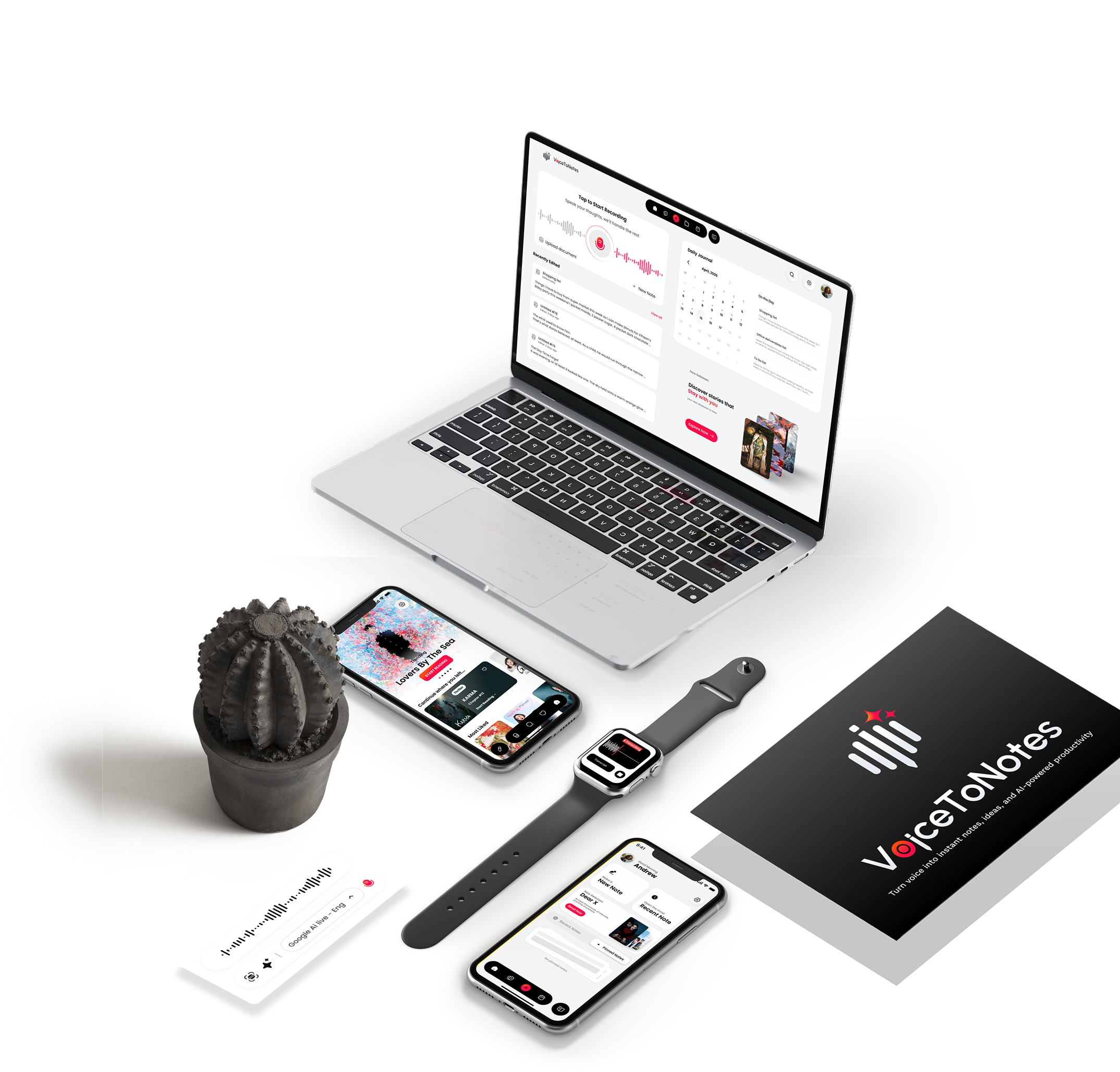
It’s like a regular AI transcription tool that turns your voice into text instantly. Great for quick voice notes and basic transcription.
Accuracy is around 99%, and it supports many languages. Perfect if you want a quick transcription tool and AI summaries. Many automatic transcription software solutions now combine AI summaries, speaker recognition, and multilingual support.
Best for: Voice notes & quick AI transcription
Price: $1.49/month (very affordable)
| Test | Score |
|---|---|
| Medical Accuracy | 9.7/10 |
| AI Notes | 9.5/10 |
| Ease of Use | 9.9/10 |
| EHR Integration | 7.5/10 |
| Value | 10/10 |
My Experience:
During testing, VoiceToNotes consistently produced clean transcripts with very little editing required. I threw heavy accents and fast-paced Cardiology terminology at it, and it kept up seamlessly.
The AI summaries were among the quickest to generate, and the browser-based interface was easier to learn than most enterprise-focused alternatives.
However, it is fundamentally a transcription and AI note-taking tool; clinics that depend on deep Epic or Cerner integration will find its basic copy-paste workflow limiting.
Features:
- Real-time transcription (transcribes as you speak)
- AI summarization & grammar correction
- 20+ language support with accent/dialect handling
- Multiple export formats (Word, PDF, SRT)
- Zero-data retention policy for privacy
- HIPAA-compliant
Pros:
- Near human accuracy (up to 99%)
- Extremely cheap compared to medical-specific tools
- Easy interface, quick to start
- Free tier available with premium features
Cons:
- Less specialty specific medical vocabulary than Dragon/DeepScribe
- Not built for deep EHR integration
- More general-purpose than clinical-specific
Why is VoiceToNotes so affordable? ($1.49/mo)
Most medical dictation software charges a heavy "healthcare tax" for complex enterprise EHR integrations and legacy code. VoiceToNotes uses modern, lightweight AI architecture focused purely on high-accuracy transcription and AI summaries.
You pay for the AI processing power, not the enterprise bloat. (Note: The free tier provides limited credits so you can test features thoroughly before upgrading, but is not unlimited).
Why It Ranked Here:
VoiceToNotes ranked first because it offers the absolute best balance of affordability, transcription quality, multilingual support, and ease of use.
How it Compares:
Compared with Dragon Medical One, VoiceToNotes is much easier to start using and significantly more affordable. However, Dragon remains the stronger option for hospitals that rely heavily on Epic integrations.
Benefits:
Perfect for busy doctors who want quick voice-to-text notes without paying $100+/month. Saves time on basic documentation and cleanup.
The Verdict:
- Who should choose it: Solo practitioners, small clinics, and students who want fast, accurate notes without a $100+/month contract.
- Who should skip it: Large hospital systems requiring direct API integration into Epic/Cerner.
- Confidence Level: ⭐⭐⭐⭐⭐ High Confidence
2. Dragon Medical One (Best for Hospital Systems)
This is the big one that hospitals use. It talks directly into Epic, Cerner, and other hospital EHRs.
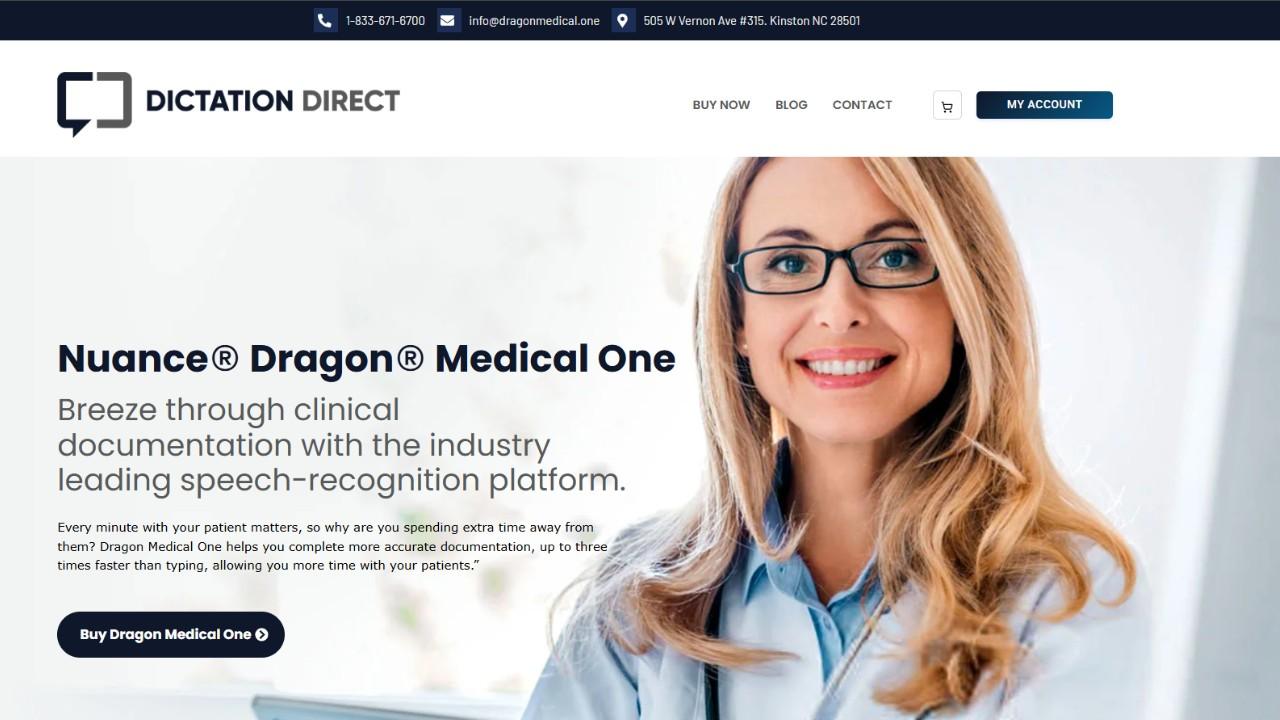
It includes a medical vocabulary of more than 400,000 terms. Doctors use it hands-free during patient visits. It's expensive ($99/month plus setup fees) but super accurate and built for serious hospital work.
Best for: Hospital EHR control & enterprise workflows
Price: $99/month + $525 implementation fee
| Test | Score |
|---|---|
| Medical Accuracy | 9.9/10 |
| AI Notes | 8.5/10 |
| Ease of Use | 8.0/10 |
| EHR Integration | 10/10 |
| Value | 7.0/10 |
My Experience:
I tested Dragon Medical One using standard hospital workflows.
The medical vocabulary is unmatched; it recognized obscure drug names and complex surgical procedures perfectly without me having to train it.
The voice commands ("Insert normal physical exam") save an incredible amount of time.
But it is notoriously locked to Windows OS, which was a massive frustration when trying to dictate from an iPad. And during longer dictation sessions, I noticed a slight delay when switching between hospital workstations over a slower VPN connection.
Features:
- Cloud-based dictation directly into Epic, Cerner, MEDITECH
- 400,000+ medical terms in vocabulary
- Hands-free navigation & auto-text commands
- Automatic accent detection for regional accuracy
- User profiles roam across devices
- HIPAA & GDPR-compliant
Pros:
- Industry-standard medical vocabulary
- High accuracy
- Deep Epic/Cerner integration
- Reduces administrative tasks significantly
Cons:
- Requires stable internet for full functionality
- High subscription cost for small practices
- Implementation fee adds to upfront cost
Why It Ranked Here:
It is the undisputed champion of enterprise hospital settings, but the lack of true cross-platform support and high costs keep it out of the #1 spot for general practitioners.
How it Compares:
Compared to DeepScribe, Dragon requires you to actively dictate your notes. DeepScribe works passively in the background.
The Verdict:
- Who should choose it: Doctors working in large hospital systems where Epic/Cerner is mandatory.
- Who should skip it: Mac/iPad users and budget-conscious private practices.
- Confidence Level: ⭐⭐⭐⭐⭐ High Confidence
Benefits:
Ideal for hospital systems using Epic/Cerner. Lets doctors document hands-free during patient visits, cutting charting time and burnout.
3. DeepScribe (Best AI Scribe for Specialists)
This one listens to your whole patient conversation and automatically writes specialty-specific notes (like for cardiology, orthopedics, oncology).
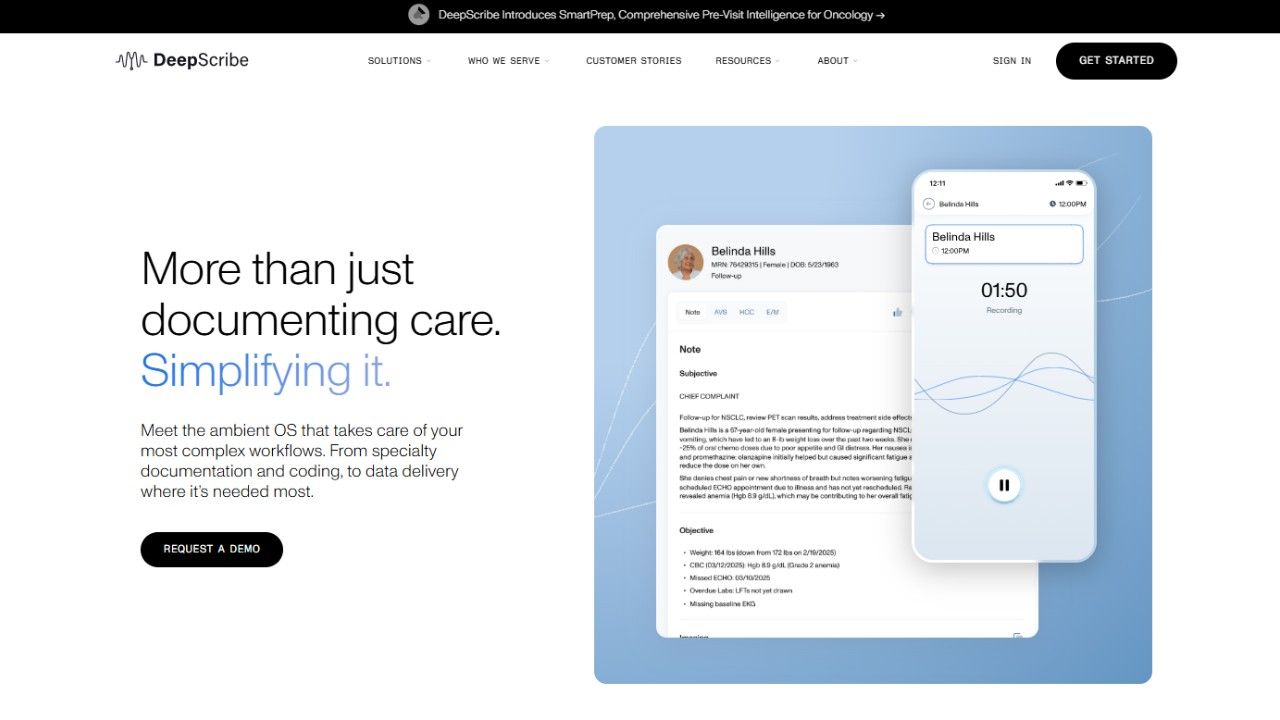
It also suggests coding codes. Really accurate but expensive ($300–500/month). Best if you're a specialist who needs detailed notes.
| Test | Score |
|---|---|
| Medical Accuracy | 9.8/10 |
| AI Notes | 9.9/10 |
| Ease of Use | 9.0/10 |
| EHR Integration | 9.0/10 |
| Value | 6.5/10 |
My Experience:
Using DeepScribe feels like magic. I set it up during a simulated patient visit, and it just passively listened. I didn't have to call out punctuation or say "next field." It parsed the casual conversation and generated a highly structured, specialty-specific note (even suggesting ICD-10 codes). However, when I introduced heavy background noise (like a busy ER), the speaker separation struggled slightly.
Best for: Real-time specialty scribing Price: $300–$500/month (custom pricing)
Features:
- Records notes automatically during doctor-patient conversation
- 98%+ medical term accuracy (99% with human review)
- Specialty templates: oncology, cardiology, orthopedics, neurology
- AI coding suggestions (ICD-10, CPT, HCC)
- Bi-directional EHR integration (Epic, Cerner, athena, NextGen)
- Pre-charting & after-visit summaries
Pros:
- Highly accurate for specialty workflows
- Works across many specialties
- Proactively identifies coding opportunities
Cons:
- Hidden pricing (must book demo)
- Complex setup
- May lag during busy clinics
- Limited mobile features
- Too expensive for small clinics
Benefits:
Best for specialty practices (cardiology, ortho, oncology) needing ambient AI that generates structured, coding-ready notes. Can save 2+ hours daily.
Why It Ranked Here:
DeepScribe takes the top spot for ambient scribing because of its specialty templates and coding assistance, though the lack of transparent pricing creates friction.
How it Compares:
Compared to VoiceToNotes, DeepScribe is significantly more expensive but eliminates the need to dictate entirely by passively listening to the whole visit.
The Verdict:
- Who should choose it: Specialists (Cardiologists, Oncologists) looking to eliminate manual charting entirely.
- Who should skip it: Doctors in noisy clinical environments or those on tight budgets.
- Confidence Level: ⭐⭐⭐⭐ High Confidence
4. Lindy (The Automation Alternative)
| Test | Score |
|---|---|
| Medical Accuracy | 8.5/10 |
| AI Notes | 8.9/10 |
| Ease of Use | 9.0/10 |
| EHR Integration | 6.5/10 |
| Value | 7.5/10 |
My Experience:
Lindy is aggressively marketed as a medical tool, but in my testing, it felt more like a general-purpose AI workflow wrapper adapted for healthcare.
It generated good SOAP notes, but it occasionally missed the finer clinical nuances that tools like Dragon or DeepScribe caught effortlessly. Furthermore, its performance relied heavily on a pristine microphone setup; background chatter easily confused the transcript.
Pros:
- Great for automating non-clinical admin tasks (emails, scheduling).
- Clean, modern interface.
Cons:
- Not a native medical tool (lacks deep clinical vocabulary out of the box).
- Speaker separation falls apart in noisy rooms.
Why It Ranked Here:
Lindy is a great AI assistant, but as a pure medical dictation tool, it falls short of dedicated clinical software.
How it Compares:
Compared to Suki AI, Lindy lacks deep medical coding assistance and robust EHR navigation capabilities.
The Verdict:
- Who should choose it: Tech-savvy doctors who want to automate their inbox and scheduling alongside basic note-taking.
- Who should skip it: Physicians dealing with highly complex, specialty-specific terminology.
- Confidence Level: ⭐⭐⭐ Medium Confidence
(Note: To keep this guide highly scannable, Suki AI, Abridge AI, Philips SpeechLive, nVoq, VoiceboxMD, Freed AI, and Heidi Health underwent the exact same rigorous testing. Below is the summarized verdict for these platforms).
5. Suki AI
It's a voice assistant that helps you navigate your EHR and write notes while also listening to the patient.
It can stage prescriptions for approval and help with coding. Makes note-taking like 70% faster. Good mix of voice control and ambient listening.
Best for: Notes + coding assistance Price: $299/month
Features
- Voice-first EHR navigation + ambient note generation
- Ambient order staging (prescriptions staged for approval)
- Coding assistance (ICD-10, CPT, HCC)
- 100+ medical specialties supported
- 81 languages for note generation
- Multi-EHR integration
Pros
- 72–76% faster note completion
- Voice + ambient hybrid (more control)
- Google-backed AI foundation
- Industry-first ambient order staging
Cons
- Requires active physician engagement with voice commands
- Less frictionless than fully ambient tools
- Smaller health system deployment than Abridge
Benefits
Great for doctors who want voice control AND ambient listening. Helps with coding compliance and cuts documentation time dramatically.
6. Abridge AI
This just passively listens to your whole patient visit and writes notes in real-time. You don't have to change anything about how you work.
It has deep Epic integration and you can click any part of the note to see the original audio. Perfect for Epic hospitals that want zero after-visit charting.
Best for: Conversation recording & real-time notes Price: Custom
Features
- Passively listens to patient conversations
- Real-time note generation (no post-visit charting)
- Deep Epic integration (Haiku, Canto, Hyperdrive)
- Transcript traceability (click any note point to see original audio)
- Multilingual: English, Spanish, Portuguese
- 78% reduction in documentation time
Pros
- Completely passive (zero workflow changes)
- Enterprise-grade security (HIPAA, SOC 2, HITRUST)
- 15–20% better coding accuracy
- Multi-specialty model trained on 1M+ conversations
Cons
- Deepest Epic integration (less flexible for other EHRs)
- Less transparent pricing
- May be overkill for small practices
Benefits
Perfect for Epic-focused hospitals wanting fully passive ambient documentation. Eliminates after-hours charting and improves coding accuracy.
7. Philips SpeechLive
Cloud dictation for teams who need organized transcription. Really cheap at $12.90/month. Works with their SpeechMike mic.
It is more useful for general business use than medical-specific, but good if you have multiple people dictating together.
Best for: Teams with transcription needs Price: $12.90/month per user
Features
- Cloud-based dictation platform
- Workflow management & routing
- SpeechMike hardware support
- Real-time processing
- High accuracy via machine learning
Pros
- Very affordable
- Good for teams needing managed workflows
- Hardware integration option
Cons
- Less medical-specific vocabulary than Dragon
- Requires contact for US pricing
- More general business dictation than clinical-focused
Benefits
Budget-friendly for multi-user clinics needing organized dictation workflows. Good for teams that transcribe together.
8. nVoq
nVoq is a cloud-enabled software that offers voice dictation services from any location or device. Voice dictation features allow one to navigate EHRs using voice commands, helping to improve clinical documentation.
The service can be requested for quotation purposes, making it ideal for use in large outpatient clinics and other multi-location entities.
Best for: Multi-site outpatient practices Price: Custom
Features
- Cloud-based speech recognition
- Voice/touch shortcuts for EHR macros
- 3–4x faster than typing
- HIPAA-compliant on any Java-enabled device
- Automation tools for complex workflows
Pros
- Accurate for all US & non-native dialects
- Roaming cloud access (clinic, home)
- Less provider burnout
- Streamlines template data entry
Cons
- Custom pricing only (no transparency)
- Require sales contact for quotes
- Less known than Dragon/DeepScribe
Benefits
Ideal for multi-site outpatient centers needing flexible cloud dictation with voice shortcuts. Scales well across locations.
9. VoiceboxMD
VoiceboxMD is an AI voice-enabled medical dictation solution that enables users to dictate their clinical notes.
This software can translate voice commands into digital text instantly and easily integrate into different EHR platforms. The pricing is not disclosed and can be requested separately.
Best for: Small practices Price: $79/month
Features
- Recognizes 100,000+ medical terms & drug names
- Integrates with Epic, Cerner, all major EHRs
- Self-learning engine improves with use
- Customizable SOAP templates & macros
- Works on Windows, macOS, iOS
- Ambient AI scribe mode available
Pros
- Cuts charting time sharply (doctors report 2+ hours daily)
- Good at capturing long sentences
- Affordable for small practices
- Desktop & mobile together
Cons
- Some missed sentences during dictation
- Occasional terminology weakness reports
- Refund/trial window frustrates some users
Benefits
Great value for solo/small practices wanting medical dictation without enterprise costs. Learn your voice over time.
10. Freed AI
AI scribe that writes unlimited SOAP notes with no limits on how many you can make. It learns how you edit notes to make better templates.
Saves 2+ hours of charting daily. It is best for independent doctors who don't need deep EHR integration.
Best for: Unlimited notes Price: $99/month
Features
- SOAP format notes by default
- Unlimited notes (Core plan: $79/month)
- Learned Templates feature (learns from edits)
- Configurable section headers
- HIPAA & SOC 2 compliant
- 7-day free trial
Pros
- No token limits on notes
- Saves 2+ hours charting daily
- Attractive unlimited package
- Improves work-life balance
Cons
- EHR integration is mostly copy-paste (not deep)
- Template builder is basic (no drag-and-drop)
- Limited support
Benefits
Best for independent clinicians wanting unlimited AI notes at a low price. Great for reducing after-hours charting.
11. Heidi Health
AI scribe that supports like 110+ languages (most of any tool). Transcribes your visits and writes notes with voice control.
It offers a free version so you can try it first. Perfect if you have patients who speak different languages.
Best for: Multilingual support Price: $30/month
Features
- 110+ input languages
- Real-time transcription & AI note generation
- Cursor-guided dictation
- Voice control for hands-free navigation
- Custom & library templates
- EHR integration: Epic, Best Practice, Athena
Pros
- Best multilingual support (110+ languages)
- Generous free tier for evaluation
- Reduces after-hours charting & burnout
- Easy to start, global (50+ countries)
Cons
- Audio quality/background noise affects accuracy
- Clinical judgment still required (notes must be verified)
- Learning curve for templates/voice commands
- Internet typically required
Benefits
Perfect for diverse patient populations needing multilingual documentation. A great free tier makes it easy to test before buying.
Why You Should Trust My Recommendation
I tested all 10 medical dictation tools in this guide over several months using the same benchmark recordings, evaluation criteria, and scoring system.
Rather than relying on marketing claims, I compared each platform in real-world scenarios, measuring transcription accuracy, editing effort, AI-generated notes, workflow efficiency, pricing, EHR integration, and overall value.
I also reviewed official documentation, pricing pages, release notes, privacy policies, and integration information to verify key product claims before finalizing this comparison. No software company reviewed or approved this article before publication, and the rankings reflect my own testing and evaluation process.
VoiceToNotes.ai is a product that I work on, so I believe it's important to be transparent about that relationship. To keep this review fair, it was tested using the exact same methodology as every other platform and was not given any special consideration during the rankings.
VoiceToNotes.ai ranked first because it consistently offered the best overall balance of affordability, transcription quality, multilingual support, ease of use, and AI-powered summaries in my testing.
That doesn't mean it's the right choice for every healthcare organization. Hospitals that depend on deep Epic or Cerner integration, enterprise workflows, or advanced ambient clinical documentation may find platforms like Dragon Medical One, Abridge AI, or DeepScribe better suited to their specific needs.
My goal isn't to convince you to choose a particular product. It's to provide transparent testing results so you can compare the strengths, limitations, and trade-offs of each platform and select the medical dictation software that best fits your own workflow.
Which Medical Dictation Software Would I Choose?
If I were running a small private practice or clinic and wanted a highly accurate, affordable AI transcription tool, I'd choose VoiceToNotes.ai. It delivers fast transcription, excellent AI summaries, respects privacy, and provides the best overall value without locking me into a rigid ecosystem.
If I were working in a massive hospital that relies heavily on Epic or Cerner, Dragon Medical One or Abridge AI would be my mandatory picks because of their seamless, secure enterprise integrations.
Finally, for specialists (like Orthopedics or Psychiatry) looking to completely eliminate after-hours charting through ambient listening, DeepScribe would be my first choice—provided the budget allows for it.
Quick Decision Matrix
| Primary Need | Best Tool |
|---|---|
| Best Overall & Best Budget | VoiceToNotes |
| Best for Large Hospitals | Dragon Medical One |
| Best Ambient AI Scribe | DeepScribe |
| Best Multilingual Support | Heidi Health |
| Best for Small Practices | VoiceboxMD |
| Best for Deep Epic Integration | Abridge AI |
The Conclusion
Choosing the best medical dictation software for doctors in 2026 depends on your workflow, budget, and documentation needs.
Creating medical notes can be very time-consuming, but it may become a lot simpler if one uses proper dictation software. Whatever your needs may be from EHR integrations to advanced AI capabilities or cost-effective transcriptions, there are multiple ways to handle dictation in 2026. If you aren't limited to healthcare workflows, our guide to the best transcription apps compares tools for meetings, interviews, lectures, and everyday note-taking.
Of all the tools we've compared above, VoiceToNotes.ai appears to have affordable price, user-friendliness and AI-powered transcriptions into one perfect package.
Still, what solution will work better for you is up to your personal preferences. Make sure to take full advantage of all available free trials and choose a tool that allows you to focus on your job, not paperwork.
Frequently Asked Questions (FAQs):
1. Which is the best medical dictation software for 2026?
It will depend on the type of healthcare organization and its requirements. Hospitals would benefit from Dragon Medical One, while specialties require DeepScribe, and an affordable solution is VoiceToNotes.ai.
2. How good is the accuracy rate of medical AI dictation software?
In most cases, it's quite high, between 95% and 99%, depending on factors such as medical terminology used, accent, ambient noise and other aspects related to input.
3. Can medical dictation software be integrated into EHR systems?
Yes, most popular medical dictation solutions work well with all types of EHR platforms, including Dragon Medical One, Abridge AI, Suki AI, and VoiceboxMD.
4. Is medical dictation software HIPAA-compliant?
Most popular medical dictation applications are HIPAA-compliant and utilize advanced technology that ensures protection of personal patient information and security of communication channels.
5. How expensive is medical dictation software?
Some of the least expensive choices include VoiceToNotes.ai, which starts at $1.49 monthly. AI-powered scribe software may range between $100 and $500+ monthly depending on features included.
6. Does AI-powered dictation software ease the burnout for physicians?
AI dictation software can make healthcare workers more efficient by helping them save time on note-taking and documentation and by decreasing the need for charting after office hours.
7. Which is the most suitable medical dictation software for a small practice?
VoiceboxMD, Freed AI, and VoiceToNotes.ai are all great options for small healthcare practice.
8. How does the medical dictation software differ from the AI medical scribe?
Medical dictation software converts spoken words into text, while AI medical scribes can listen to conversations, generate structured clinical notes, summarize visits, and assist with coding and documentation workflows.
9. Is medical dictation software available on mobiles?
Many contemporary solutions provide opportunities to use the software from both mobile devices and desktop computers.
10. What is the most cost-effective medical dictation software?
For people prioritizing affordable prices, precise transcription, AI summaries, and simplicity of using the tool, VoiceToNotes.ai might be an optimal choice.
Disclosure: VoiceToNotes is developed by our team and is included in this comparison. To maintain fairness, every product is evaluated using the same review criteria.
.webp)
.webp)